
VPN for Chrome: NordVPN proxy protection
Connect to the fastest VPN out there — NordVPN. Hide your IP, block ads, and be safer online with our VPN proxy extension for Chrome
As of June 2026, VPN for Chrome: NordVPN proxy protection has 13,000,000 users and a 4.25/5 rating from 8,857 reviews in the Privacy & Security category.
Usersup 8.3 percent+8.3%
13.0M
13,000,000
Ratingup 0.2 percent+0.2%
4.25
8.9K reviews
Reviewsup 3.1 percent+3.1%
8.9K
Version
5.6.1
Manifest V3
90-day change · In the last 90 days this extension gained 1.0M users, 2 version updates.
History
24 snapshotsTracking since Apr 1, 2026.
View as table
| Date | Users | Rating | Reviews | Version |
|---|---|---|---|---|
| Apr 1, 2026 | 12.0M | 4.24 | 8.6K | 5.4.2 |
| Apr 5, 2026 | 12.0M | 4.24 | 8.6K | 5.4.2 |
| Apr 8, 2026 | 12.0M | 4.24 | 8.6K | 5.4.2 |
| Apr 16, 2026 | 12.0M | 4.24 | 8.6K | 5.4.2 |
| Apr 20, 2026 | 12.0M | 4.24 | 8.6K | 5.4.3 |
| Apr 23, 2026 | 12.0M | 4.24 | 8.7K | 5.5.0 |
| Apr 26, 2026 | 12.0M | 4.24 | 8.7K | 5.5.0 |
| Apr 29, 2026 | 12.0M | 4.24 | 8.7K | 5.5.0 |
| May 5, 2026 | 12.0M | 4.24 | 8.7K | 5.5.1 |
| May 8, 2026 | 12.0M | 4.24 | 8.7K | 5.5.1 |
| May 11, 2026 | 12.0M | 4.24 | 8.7K | 5.5.1 |
| May 15, 2026 | 12.0M | 4.24 | 8.7K | 5.5.1 |
| May 17, 2026 | 12.0M | 4.24 | 8.7K | 5.5.1 |
| May 20, 2026 | 12.0M | 4.24 | 8.8K | 5.5.1 |
| May 23, 2026 | 12.0M | 4.24 | 8.8K | 5.6.0 |
| May 25, 2026 | 12.0M | 4.24 | 8.8K | 5.6.0 |
| May 28, 2026 | 12.0M | 4.24 | 8.8K | 5.6.0 |
| May 31, 2026 | 12.0M | 4.24 | 8.8K | 5.6.1 |
| Jun 3, 2026 | 12.0M | 4.24 | 8.8K | 5.6.1 |
| Jun 6, 2026 | 12.0M | 4.24 | 8.8K | 5.6.1 |
| Jun 8, 2026 | 12.0M | 4.24 | 8.8K | 5.6.1 |
| Jun 11, 2026 | 12.0M | 4.24 | 8.8K | 5.6.1 |
| Jun 15, 2026 | 12.0M | 4.24 | 8.8K | 5.6.1 |
| Jun 22, 2026 | 13.0M | 4.24 | 8.8K | 5.6.1 |
| Now | 13.0M | 4.25 | 8.9K | 5.6.1 |
Changelog
- May 28, 2026description
What is a VPN extension for Chrome?
It’s a great way to protect your browsing and an easy-to-use alternative for a proxy server!
Install the NordVPN extension for Chrome on your browser to secure your traffic.

You need NordVPN’s VPN proxy extension to:
• Stay safer online.
• Shield your internet traffic from snoopers.
• Be extra secure with Threat Protection.
• Disable WebRTC and prevent leaks.
• Change your real IP and virtual location.

What makes NordVPN one of the best add-ons for Chrome?

• Increased online privacy
Use NordVPN’s extension and change your IP and virtual location with a click. Get a new IP address and surf the web in privacy — no one will know where you’re really connecting from.

• Quick. Speedy. Super fast.
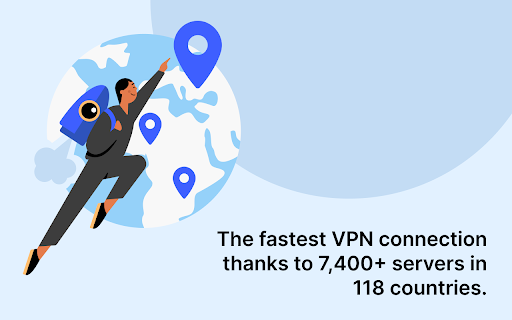
What makes NordVPN’s proxy extension so fast? A massive network of servers. Choose one of 7,400+ servers covering 118 countries, and you’ll be connected in seconds.

• As easy as it gets
The NordVPN proxy is free to download once you get a NordVPN subscription. Download, log in, and connect. That’s it! We believe in making complicated things simple, so one click is all it takes to encrypt your internet traffic on the Chrome browser.

• No limits
NordVPN’s browser extension won't interrupt or restrict your browsing. Want to safely binge a TV show while on the train? You're free to do it — we don’t have any data limits stopping you.

• A name you can trust
Chrome VPN extensions come in all shapes and sizes — and not all of them are a good choice if you want to secure your browsing and keep your sanity. With NordVPN’s proxy extension, you’ll get a fast, stable, and unrestricted proxy connection every time.

• Protection from IP leaks
NordVPN’s VPN proxy extension will disable Chrome’s WebRTC protocol to prevent your IP address from being leaked.

• More than a VPN proxy extension
Be safer online with our VPN extension for Chrome. NordVPN’s unique Threat Protection feature will block intrusive ads and websites hosting malware.

• 24/7 customer service
Get help the moment you need it. Drop us an email or connect with one of our many award-winning customer support agents via live chat to help you get started with a VPN Proxy extension for Chrome.

Features of NordVPN extension for Chrome that users will love
• Browse without limits — you get unlimited VPN data.
• Easy to use — online security with one click.
• Supports Chrome version 90 and newer.
• Access certain URLs directly by excluding them from the proxy tunnel.

How do I set up a VPN on Chrome?
  1. Add the NordVPN extension to your Chrome browser.
  2. Log in to your NordVPN account.
  3. Click on the NordVPN extension icon in the top-right corner.
  4. Click “Quick Connect,” and you’re done!

Opt for a risk-free VPN extension for Chrome today — you get a 30-day money-back guarantee when you buy NordVPN!

Learn more about NordVPN:
https://nordvpn.com
https://support.nordvpn.com/hc/en-us/sections/19326277576209-Frequently-asked-questions
https://support.nordvpn.com
https://nordvpn.com/privacy-policy/
https://nordvpn.com/terms-of-service/
What is a VPN extension for Chrome?
It’s a great way to protect your browsing and an easy-to-use alternative for a proxy server!
Install the NordVPN extension for Chrome on your browser to secure your traffic.

You need NordVPN’s VPN proxy extension to:
• Stay safer online.
• Shield your internet traffic from snoopers.
• Be extra secure with Scam and phishing protection.
• Disable WebRTC and prevent leaks.
• Change your real IP and virtual location.

What makes NordVPN one of the best add-ons for Chrome?

• Increased online privacy
Use NordVPN’s extension and change your IP and virtual location with a click. Get a new IP address and surf the web in privacy — no one will know where you’re really connecting from.

• Quick. Speedy. Super fast.
What makes NordVPN’s proxy extension so fast? A massive network of servers. Choose one of 7,400+ servers covering 118 countries, and you’ll be connected in seconds.

• As easy as it gets
The NordVPN proxy is free to download once you get a NordVPN subscription. Download, log in, and connect. That’s it! We believe in making complicated things simple, so one click is all it takes to encrypt your internet traffic on the Chrome browser.

• No limits
NordVPN’s browser extension won't interrupt or restrict your browsing. Want to safely binge a TV show while on the train? You're free to do it — we don’t have any data limits stopping you.

• A name you can trust
Chrome VPN extensions come in all shapes and sizes — and not all of them are a good choice if you want to secure your browsing and keep your sanity. With NordVPN’s proxy extension, you’ll get a fast, stable, and unrestricted proxy connection every time.

• Protection from IP leaks
NordVPN’s VPN proxy extension will disable Chrome’s WebRTC protocol to prevent your IP address from being leaked.

• More than a VPN proxy extension
Be safer online with our VPN extension for Chrome. NordVPN’s unique Scam and phishing protection feature will block intrusive ads and websites hosting malware.

• 24/7 customer service
Get help the moment you need it. Drop us an email or connect with one of our many award-winning customer support agents via live chat to help you get started with a VPN Proxy extension for Chrome.

Features of NordVPN extension for Chrome that users will love
• Browse without limits — you get unlimited VPN data.
• Easy to use — online security with one click.
• Supports Chrome version 90 and newer.
• Access certain URLs directly by excluding them from the proxy tunnel.

How do I set up a VPN on Chrome?
  1. Add the NordVPN extension to your Chrome browser.
  2. Log in to your NordVPN account.
  3. Click on the NordVPN extension icon in the top-right corner.
  4. Click “Quick Connect,” and you’re done!

Opt for a risk-free VPN extension for Chrome today — you get a 30-day money-back guarantee when you buy NordVPN!

Learn more about NordVPN:
https://nordvpn.com
https://support.nordvpn.com/hc/en-us/sections/19326277576209-Frequently-asked-questions
https://support.nordvpn.com
https://nordvpn.com/privacy-policy/
https://nordvpn.com/terms-of-service/
Permissions & access
- Permissions
- alarmsscriptingproxywebRequestwebNavigationprivacystoragenotificationstabscontextMenusactiveTabunlimitedStoragedownloadsdeclarativeNetRequestWithHostAccesswebRequestAuthProvideroffscreen
- Host access
- <all_urls>
Screenshots



About
What is a VPN extension for Chrome?
It’s a great way to protect your browsing and an easy-to-use alternative for a proxy server!
Install the NordVPN extension for Chrome on your browser to secure your traffic.

You need NordVPN’s VPN proxy extension to:
• Stay safer online.
• Shield your internet traffic from snoopers.
• Be extra secure with Scam and phishing protection.
• Disable WebRTC and prevent leaks.
• Change your real IP and virtual location.

What makes NordVPN one of the best add-ons for Chrome?

• Increased online privacy
Use NordVPN’s extension and change your IP and virtual location with a click. Get a new IP address and surf the web in privacy — no one will know where you’re really connecting from.

• Quick. Speedy. Super fast.
What makes NordVPN’s proxy extension so fast? A massive network of servers. Choose one of 7,400+ servers covering 118 countries, and you’ll be connected in seconds.

• As easy as it gets
The NordVPN proxy is free to download once you get a NordVPN subscription. Download, log in, and connect. That’s it! We believe in making complicated things simple, so one click is all it takes to encrypt your internet traffic on the Chrome browser.

• No limits
NordVPN’s browser extension won't interrupt or restrict your browsing. Want to safely binge a TV show while on the train? You're free to do it — we don’t have any data limits stopping you.

• A name you can trust
Chrome VPN extensions come in all shapes and sizes — and not all of them are a good choice if you want to secure your browsing and keep your sanity. With NordVPN’s proxy extension, you’ll get a fast, stable, and unrestricted proxy connection every time.

• Protection from IP leaks
NordVPN’s VPN proxy extension will disable Chrome’s WebRTC protocol to prevent your IP address from being leaked.

• More than a VPN proxy extension
Be safer online with our VPN extension for Chrome. NordVPN’s unique Scam and phishing protection feature will block intrusive ads and websites hosting malware.

• 24/7 customer service
Get help the moment you need it. Drop us an email or connect with one of our many award-winning customer support agents via live chat to help you get started with a VPN Proxy extension for Chrome.

Features of NordVPN extension for Chrome that users will love
• Browse without limits — you get unlimited VPN data.
• Easy to use — online security with one click.
• Supports Chrome version 90 and newer.
• Access certain URLs directly by excluding them from the proxy tunnel.

How do I set up a VPN on Chrome?
  1. Add the NordVPN extension to your Chrome browser.
  2. Log in to your NordVPN account.
  3. Click on the NordVPN extension icon in the top-right corner.
  4. Click “Quick Connect,” and you’re done!

Opt for a risk-free VPN extension for Chrome today — you get a 30-day money-back guarantee when you buy NordVPN!

Learn more about NordVPN:
https://nordvpn.com
https://support.nordvpn.com/hc/en-us/sections/19326277576209-Frequently-asked-questions
https://support.nordvpn.com
https://nordvpn.com/privacy-policy/
https://nordvpn.com/terms-of-service/
Technical
- Version
- 5.6.1
- Manifest
- V3
- Size
- 2.12MiB
- Min Chrome
- 122
- Languages
- 1
- Featured
- No
Metadata
- ID
- fjoaledfpmneenckfbpdfhkmimnjocfa
- Developer ID
- u9b4a8f237be8b95ff5a5fd3b90fd4dd1
- Developer Email
- [email protected]
- Created
- Sep 8, 2017
- Last Updated (Store)
- May 28, 2026
- Last Scraped
- Jun 22, 2026
- Website
- https://nordvpn.com/
- Support URL
- https://support.nordvpn.com
- Privacy Policy
- https://nordvpn.com/privacy-policy/
Similar extensions
Alternatives to VPN for Chrome: NordVPN proxy protection, ranked by description similarity.

ExtremeVPN - VPN proxy for enhanced privacy
Best VPN proxy extension for security & privacy. Go online safely with ultra-fast speed. Access content anywhere and spoof location.
1.0K
★ 3.5

Edge VPN
Secure your browser with Edge VPN proxy
348
★ 1.0

zenVPN — VPN proxy for privacy and security
Connects you to the internet securely via a zenVPN proxy, hides your IP address, and grants access to your protected web resources.
3.0K
★ 3.3

PureVPN Proxy - Best VPN for Chrome
A VPN extension that helps you hide your information, access restricted content and browse the internet at fast speeds.
300.0K
★ 4.1

ConnectsVPN
ConnectsVPN – Secure, Fast & Private VPN Extension for Chrome
26
★ 1.0
Turbo VPN - Secure Free VPN Proxy
Enjoy fast streaming, secure & private internet with Turbo VPN proxy.
800.0K
★ 3.5

Free VPN Proxy - VPN for Chrome uVPN
Free VPN for Chrome, Hides IP Address, Unlocks Access to Websites, Secure Browsing with Unlimited Data and High Speeds
1.0M
★ 4.5
VPN Proxy Master: Change IP for Chrome
Access all websites smoothly on Chrome browser with faster VPN Proxy Master.
100.0K
★ 4.0
Data sourced from the Chrome Web Store · last verified Jun 22, 2026.