HTML Diff Check Tool
Tool for checking HTML difference between tabs ,or between production and development environment.
As of May 2026, HTML Diff Check Tool has 10,000 users and a 4.35/5 rating from 17 reviews in the Developer Tools category.
Usersno change0%
10.0K
10,000
Ratingno change0%
4.35
17 reviews
Reviewsno change0%
17
Version
3.0.0
Manifest V3
History
1 snapshotsTracking since Apr 26, 2026.
View as table
| Date | Users | Rating | Reviews | Version |
|---|---|---|---|---|
| Apr 26, 2026 | 10.0K | 4.35 | 17 | 3.0.0 |
| Now | 10.0K | 4.35 | 17 | 3.0.0 |
Permissions & access
- Permissions
- tabsstoragecontextMenusscripting
- Host access
- http://*/*, https://*/*
Screenshots
About
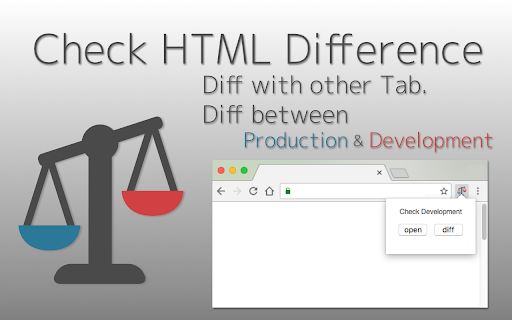
HTML Diff Check Tool is chrome addon for checking difference between tabs or between Production and Development.

You can check HTML diff with other tab.
You can open the URL of production and development server each other with pre-register pairs of those URLs. Also, you can check HTML diff of them.

[usecase]
- To check the difference between a testing and production environment before/after deployment.

- When your co-worker asks you to check a testing environment which he/she updated.

[How to use]
1. In the settings register the combination of a testing and production environment domain (including a subdomain).

2. Turn on the "balance scale" icon or select from context menu at the web page where you want to check a testing or production environment.

3. Click the "open" button then a testing or production environment domain will be opened.

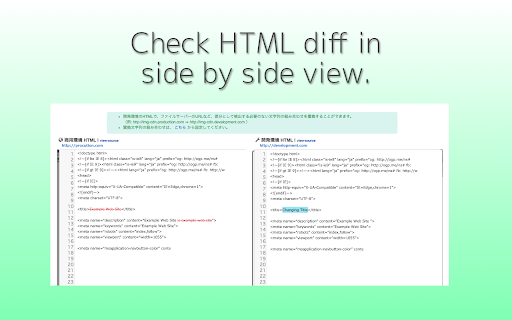
4. Click the "diff" button so you can check the difference between the HTML sources.

[about privacy]
- The registered domains, URLs or HTML sources are not sent to third parties.
- According to correspond to manifest v3, analyzed via Google Analytics is stopped.

[release note]
-v.3.0.0
correspond to manifest v3

-v.2.2.0
Add to context menus.

-v.2.0.0
Add function for checking diff with other tab.

-v.1.6.0
Add a comment box (Google form) Link

-v.1.5.0
Change UI design a little.

-v.1.4.0
Change Wrap Lines Function is added.
ShortCutKey is also added. Alt + Down (Go to next diff) /  Alt + Up (Go to prev diff) / Alt + w (Change Wrap Lines)
Bug fix.

-v.1.3.0
Nex/Prev Diff and Search Functions are added.

-v.1.2.0
-v.1.1.0
bug fix

-v.1.0.0
Add alert when it could not access to target url.

-v.0.2.0
You can also use in incognito mode.
Fix bug and strings.

- v.0.1.11
You can also check HTML diff include JavaScript rendered HTML. Change option for that, if you need.
Technical
- Version
- 3.0.0
- Manifest
- V3
- Size
- 1.46MiB
- Min Chrome
- 88
- Languages
- 2
- Featured
- Yes
Metadata
- ID
- fjbonpakihikkocmockbkndhooihpijo
- Developer ID
- ubd016f7404bf4777cf0eecf0003672ce
- Developer Email
- [email protected]
- Created
- Jan 8, 2017
- Last Updated (Store)
- Jun 24, 2024
- Last Scraped
- May 23, 2026
- Website
- —
- Support URL
- —
- Privacy Policy
- —
Similar extensions
Alternatives to HTML Diff Check Tool, ranked by description similarity.

Another Diff
Instantly compare JSON, XML, and HTML responses directly from two URLs. No copy-pasting required. Perfect for API debugging.
18
★ 5.0

Diff Anything
Compare and diff any text, JSON, or selected content across web pages. Made by Hexis Habit Technologies Inc.
—

HTML Tag Checker by ACHN
It checks HTML start and end tag pairs, etc. It also works with split HTML and forms sent via POST. (No external communication.)
41
★ 5.0

Page Diff Viewer
Page Diff Viewer: Visually compare webpage versions.
65

HTML Viewer
Paste HTML and instantly preview it.
153
★ 4.8

HTML Validator
Employ an HTML Validator online to swiftly validate HTML code. Leverage our syntax check verifier as an effective HTML error checker
2.0K
★ 4.0

DevTools Quick Launcher
One-click access to formatting.tech developer tools — JSON, XML, YAML, Diff, Timestamp, and URL utilities.
8

Visual HTML
Shows element HTML code when you hover the cursor
14
★ 5.0
Data sourced from the Chrome Web Store · last verified May 23, 2026.