
Trackpad Gestures
Increase browsing productivity by performing custom actions with simple mouse gestures
As of May 2026, Trackpad Gestures has 661 users and a 2.67/5 rating from 9 reviews in the Workflow & Planning category.
Usersup 7.3 percent+7.3%
661
661
Ratingno change0%
2.67
9 reviews
Reviewsno change0%
9
Version
1.0.0
Manifest V3
History
2 snapshotsTracking since Apr 26, 2026.
View as table
| Date | Users | Rating | Reviews | Version |
|---|---|---|---|---|
| Apr 26, 2026 | 616 | 2.67 | 9 | 1.0.0 |
| May 23, 2026 | 637 | 2.67 | 9 | 1.0.0 |
| Now | 661 | 2.67 | 9 | 1.0.0 |
Permissions & access
- Permissions
- storagesessionstabsscriptinghistory
- Host access
- <all_urls>
Screenshots


About
Trackpad Gestures

This extension allows users to use mouse gestures in conjunction with
keyboard or mouse right-click triggers to perform custom assigned actions

Features:

- Gesture Detection for movement on the vertical, horizontal, and diagonal axes
- Slide Bar for controlling sensitivity of gesture
- Playground for testing gestures

Gestures currently supported:

- Move Down
- Move Up
- Move Top Right
- Move Down Right
- Move Left
- Move Right
- Move Down Left
- Move Top Left

Triggers currently supported:

- Alt key
- Ctrl key
- Right Click

(Note: When using the Right Mouse Button as a trigger, only double right clicks would open the context menu of the browser)

Actions currently supported:

- Open New Tab
- Open New Background Tab
- Close Active Tab
- Reopen Recently Closed Tab
- Reload Active Tab
- Navigate Backwards
- Navigate Forwards
- Open New Window
- Close Active Window
- Go Home
- Reload Active Tab (Hard Refresh)
- Do Nothing
Technical
- Version
- 1.0.0
- Manifest
- V3
- Size
- 21.09KiB
- Min Chrome
- 88
- Languages
- 1
- Featured
- Yes
Metadata
- ID
- fidihidllbemadhflngbncjcjjbkfecj
- Developer ID
- u3adb6edfa3dd4e4b3ff04eae797c3ff9
- Developer Email
- [email protected]
- Created
- Jan 5, 2021
- Last Updated (Store)
- Apr 6, 2023
- Last Scraped
- May 23, 2026
- Website
- —
- Support URL
- —
- Privacy Policy
- —
Similar extensions
Alternatives to Trackpad Gestures, ranked by description similarity.

Mouse Gesture
Mouse gestures, super drag, image preview, link preview, and more.
7.0K
★ 4.3

Simple Mouse Gestures
Extension that provides the ability to define mouse gestures that will run specific actions in your Google Chrome browser
10.0K
★ 4.0

Super Drag and Go
Super Drag and Go, plus 8 most frequently used gestures.
40.0K
★ 3.8
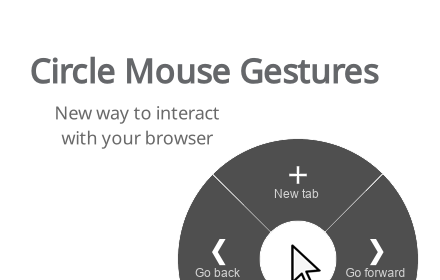
Circle Mouse Gestures (pie menu)
Circle menu with actions on right mouse click
1.0K
★ 4.7

Mouse Gestures – Right-Click Gestures & Drag Actions
Mouse Gestures extension for Chrome. Control your browser with right-click mouse gestures and drag-and-drop actions.
8.0K
★ 4.3

Chrogesture Extension
Use mouse gesture to trigger browser command.
6

Radial Mouse Gestures
Open the radial menu and execute actions quickly with simple, intuitive gestures.
7

CrxMouse: Mouse Gestures
Boost browsing productivity with mouse gestures! Super Drag, Wheel & more for effortless navigation.
700.0K
★ 4.4
Data sourced from the Chrome Web Store · last verified May 23, 2026.