
TimeZones - world clock for your toolbar
See everyone's local time at a glance and compare timezones side by side.
As of June 2026, TimeZones - world clock for your toolbar has 3 users and a 5.00/5 rating from 3 reviews in the Workflow & Planning category.
Usersno change0%
3
3
Ratingno change0%
5.00
3 reviews
Reviewsno change0%
3
Version
1.0.2
Manifest V3
90-day change · In the last 90 days this extension 2 version updates.
History
4 snapshotsTracking since May 11, 2026.
View as table
| Date | Users | Rating | Reviews | Version |
|---|---|---|---|---|
| May 11, 2026 | — | — | — | 1.0.0 |
| May 16, 2026 | — | — | — | 1.0.0 |
| May 22, 2026 | 1 | — | — | 1.0.1 |
| Jun 5, 2026 | 1 | — | — | 1.0.2 |
| Now | 3 | 5.00 | 3 | 1.0.2 |
Permissions & access
- Permissions
- storage
- Host access
- None declared
Screenshots


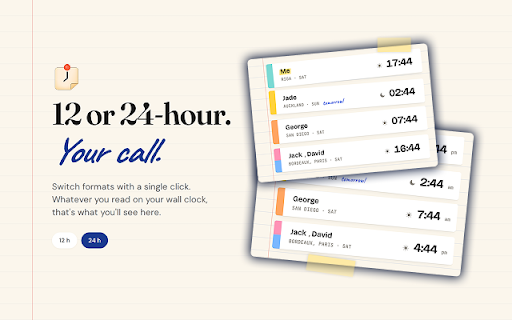

About
A simple way to see what time it is around the world, right from your Chrome toolbar.

Key features:
-A clear list of everyone's local time.
-See at a glance who's awake, who's working, and who's asleep.
-Quickly add cities worldwide - no scrolling through long lists.
-Add as many people as you want.
-Daylight savings is handled automatically.
-Keyboard shortcut support for quick navigation.
-100% private - no accounts, no tracking, no servers.
-Works offline.

Built for:
-Remote, distributed teams coordinating meetings across continents.
-Freelancers working with clients in different countries.
-Long-distance couples and families staying in touch.
-Frequent travelers tracking time at home and away.
-Sports fans figuring out when the match actually starts in their time.
-Anyone tired of mental math at 2 a.m.

Privacy and permissions
TimeZones uses a single permission: storage, to remember your people and preferences across sessions. Nothing leaves your browser. No analytics. No ads.
Technical
- Version
- 1.0.2
- Manifest
- V3
- Size
- 290KiB
- Min Chrome
- 88
- Languages
- 1
- Featured
- No
Metadata
- ID
- ficecnkignjhdjhnobijicmnplocdamg
- Developer ID
- uaa3b6596af5e168cd46138bc662609b1
- Developer Email
- [email protected]
- Created
- May 10, 2026
- Last Updated (Store)
- May 18, 2026
- Last Scraped
- Jun 11, 2026
- Website
- —
- Support URL
- —
Data sourced from the Chrome Web Store · last verified Jun 11, 2026.