
Pixel Scraper
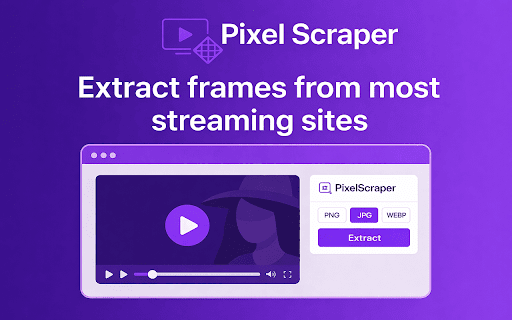
Extract frames from web videos.
As of June 2026, Pixel Scraper has 26 users and a 5.00/5 rating from 3 reviews in the Productivity category.
Usersup 136.4 percent+136.4%
26
26
Ratingno change0%
5.00
3 reviews
Reviewsno change0%
3
Version
1.0.3
Manifest V3
History
8 snapshotsTracking since Apr 1, 2026.
View as table
| Date | Users | Rating | Reviews | Version |
|---|---|---|---|---|
| Apr 1, 2026 | 11 | 5.00 | 3 | 1.0.3 |
| Apr 9, 2026 | 10 | 5.00 | 3 | 1.0.3 |
| Apr 22, 2026 | 16 | 5.00 | 3 | 1.0.3 |
| May 2, 2026 | 13 | 5.00 | 3 | 1.0.3 |
| May 10, 2026 | 12 | 5.00 | 3 | 1.0.3 |
| May 18, 2026 | 22 | 5.00 | 3 | 1.0.3 |
| May 28, 2026 | 21 | 5.00 | 3 | 1.0.3 |
| Jun 5, 2026 | 24 | 5.00 | 3 | 1.0.3 |
| Now | 26 | 5.00 | 3 | 1.0.3 |
Permissions & access
- Permissions
- activeTabstoragedownloads
- Host access
- <all_urls>
Screenshots


About
🎬 Pixel Scraper – Get video frames from web videos.

The ultimate video frame extractor and screenshot tool. Capture high-quality frames, batch extract multiple frames, crop precisely and export in multiple formats.

Note: Works perfectly on most video streaming sites but may not function on properly on some platforms with DRM-protection such as Netflix, Reddit, etc.


✨ Key Features

🎥 Video Frame Capture – Get a single frame from videos in one click.
✂️ Cropping Tool – Pixel-perfect frame cropping with a live preview.
🖼️ Video Screenshot Mode – Capture video screenshots even when direct extraction isn’t supported.
📸 Multiple Export Formats – Save as PNG, JPG, or WebP.
⏩ Frame-by-Frame Navigation – Move through video frames precisely.
🌐 Universal Compatibility – Works with most HTML5 video players and streaming sites.
⚡ Batch Frame Extraction – Extract multiple frames at 5fps, 30fps, 60fps, or even 120fps.


🔧 How It Works:
Detect Video – Pixel Scraper automatically finds playable videos on a webpage.
Capture Frames – Instantly extract single or multiple frames in a batch.
Crop & Export – Save your video frame as PNG, JPG, or WebP.
Fallback Mode – Uses smart screenshot capture when direct extraction is restricted.


🎯 Perfect For:
Content creators, editors and YouTubers
Meme makers and GIF creators
Social media managers & marketers
Game streamers capturing highlights
Educators & trainers (tutorials, presentations, E-learning)
Designers & developers capturing assets from videos


⚡ Pro Features:
Unlimited frame extraction.
Crop tool.
Batch frame capture (5+ frames at once).
Custom FPS settings.


🔒 Privacy & Security:
100% local processing – no uploads, tracking, or data sharing.
Fully GDPR compliant.
Secure checkout for Pro features.

👉 Cancel subscription anytime.

Install now to get video frames and capture video screenshots — fast, precise, and easy to use.
Technical
- Version
- 1.0.3
- Manifest
- V3
- Size
- 247KiB
- Min Chrome
- 88
- Languages
- 1
- Featured
- No
Metadata
- ID
- fhnkifhocghagnajcmjngdemlmbjckdk
- Developer ID
- u64bc46ec54c59f4eebc6ca3124f7a219
- Developer Email
- [email protected]
- Created
- Oct 9, 2025
- Last Updated (Store)
- Jan 1, 2026
- Last Scraped
- Jun 5, 2026
- Website
- —
- Support URL
- —
- Privacy Policy
- https://pixelscraper.com/privacy.html
Similar extensions
Alternatives to Pixel Scraper, ranked by description similarity.

SnapFrame: Video Frame Capture & Export
Load a video and export any specific frame or the last frame as an image.
22

Video Screenshot
Capture high quality video screenshots for free in multiple formats on YouTube, Netflix, Tiktok, Instagram, Facebook and others.
1.0K
★ 4.9

Video Frame Capture & Screenshot
Capture screenshots from any HTML5 video. Copy frames to clipboard or download images instantly.
42

PixelGrab - Screenshot & Screen Capture Tool
Capture full-page, visible area, and element screenshots. Edit, download, and manage your screenshots with ease.
8

Video Downloader Pro - Save Videos from Any Website
Download videos from websites in multiple resolutions. Detect videos on any page and save them with one click. YouTube excluded.
2.0K
★ 3.9

Clip a Frame
Save video screenshots to your clipboard effortlessly
120

AI Screen Recorder - OneshotFX
Record your screen with AI auto-captions and voiceover, then edit with zoom, trim, crop, and click effects
116
★ 5.0

Video Screenshot Online
Capture high-quality screenshots from any video playing in your browser. Works on YouTube, Netflix, and all HTML5 videos.
194
Data sourced from the Chrome Web Store · last verified Jun 5, 2026.