
Smart Inline Converter
Detects measurable values in pages and shows fast inline conversions.
As of June 2026, Smart Inline Converter has — users and a 5.00/5 rating from 2 reviews in the Productivity category.
Usersno change0%
—
—
Ratingno change0%
5.00
2 reviews
Reviewsno change0%
2
Version
0.3.0
Manifest V3
90-day change · In the last 90 days this extension 1 version update, changed permissions.
History
6 snapshotsTracking since May 6, 2026.
View as table
| Date | Users | Rating | Reviews | Version |
|---|---|---|---|---|
| May 6, 2026 | — | — | — | 0.1.0 |
| May 11, 2026 | — | — | — | 0.1.0 |
| May 16, 2026 | 2 | 5.00 | 2 | 0.1.0 |
| May 23, 2026 | — | 5.00 | 2 | 0.1.0 |
| May 30, 2026 | 1 | 5.00 | 2 | 0.1.0 |
| Jun 12, 2026 | 1 | 5.00 | 2 | 0.3.0 |
| Now | — | 5.00 | 2 | 0.3.0 |
Changelog
- May 30, 2026permissions
contextMenus, activeTab, scripting, storage
contextMenus, storage
Permissions & access
- Permissions
- contextMenusstorage
- Host access
- <all_urls>
Screenshots


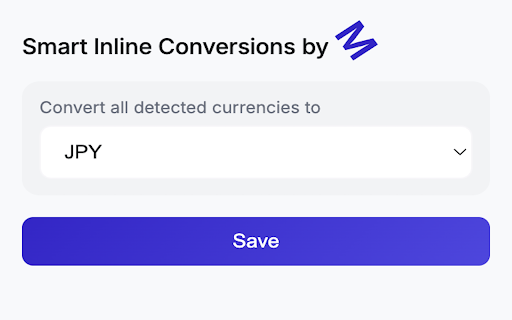
About
Smart Inline Converter automatically detects measurable values on web pages and shows instant conversions directly in context, no copying, no switching tabs.

It scans pages for currencies, units, and numeric values, then lets you view conversions on hover with minimal latency.

Key features:
• Automatic detection of currencies (USD, INR, AED, EUR, etc.)
• Inline conversion on hover with clean tooltip display
• Works on dynamic sites (React, Next.js, etc.)
• Handles asynchronously loaded content
• Lightweight and optimized for performance
• No manual input required

Why install:
When browsing international sites, values are often shown in unfamiliar formats or currencies. Smart Inline Converter removes friction by giving you immediate, contextual understanding without interrupting your workflow.

Built for speed and accuracy, it integrates directly into the page instead of redirecting you to external tools.

No clutter. No clicks. Just instant clarity.
Technical
- Version
- 0.3.0
- Manifest
- V3
- Size
- 31.24KiB
- Min Chrome
- 88
- Languages
- 1
- Featured
- No
Metadata
- ID
- fhdgnbfmmdgfjkghmjbpmngfngeoihed
- Developer ID
- u97276dcf9f8afc746f1aaafcb187b7e7
- Developer Email
- [email protected]
- Created
- May 5, 2026
- Last Updated (Store)
- May 25, 2026
- Last Scraped
- Jun 12, 2026
- Website
- —
- Support URL
- —
- Privacy Policy
- https://github.com/mqshaikh8/PrivacyPolicy
Data sourced from the Chrome Web Store · last verified Jun 12, 2026.