Docs Dimmer
Dim Docs, Sheets, and Slides with adjustable controls to reduce screen brightness and eye strain.
As of June 2026, Docs Dimmer has — users in the Workflow & Planning category.
Usersno change0%
—
—
Ratingno change0%
—
— reviews
Reviewsno change0%
—
Version
1.0.0
Manifest V3
History
1 snapshotsTracking since Jun 14, 2026.
Not enough history yet for this metric — the chart fills in as we collect more snapshots.
View as table
| Date | Users | Rating | Reviews | Version |
|---|---|---|---|---|
| Jun 14, 2026 | — | — | — | 1.0.0 |
| Now | — | — | — | 1.0.0 |
Permissions & access
- Permissions
- storage
- Host access
- None declared
Screenshots


About
Take the glare out of your documents.

Docs, Sheets, and Slides are bright white by design — and after a long day of writing or editing, that wall of white is hard on your eyes. Docs Dimmer gives you a comfortable, adjustable screen without leaving the page or changing a single thing in your document.

Slide the page down to a softer level, warm the color toward a gentle amber, or flip on a true dark mode — all live, with no reload. Set it once and your eyes will thank you.

━━━━━━━━━━━━━━━━━━━━━━━━━━━━━━
WHAT IT DOES
━━━━━━━━━━━━━━━━━━━━━━━━━━━━━━━

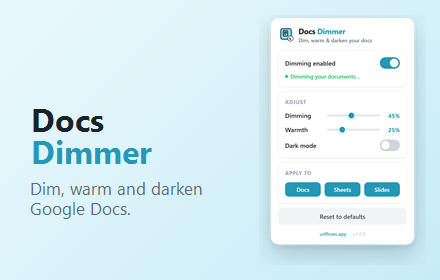
• Dimming slider — darken the bright white page to a level that's easy on your eyes.

• Warmth slider — shift the color temperature toward warm amber, night-light style, to cut blue-light glare.

• Dark mode — invert the document to a true dark theme with one click.

• Apply to — choose which editors are affected: Docs, Sheets, Slides, or any mix.

• Instant on/off — pause the effect anytime from the popup without losing your settings.

• Reset — return to sensible defaults whenever you like.

━━━━━━━━━━━━━━━━━━━━━━━━━━━━━━
WHY YOU'LL LIKE IT
━━━━━━━━━━━━━━━━━━━━━━━━━━━━━━━

• Never gets in your way — the effect is drawn as click-through overlays, so editing, selecting, and scrolling work exactly as before.
• Lives where you work — settings sync across your Chrome profile and apply live, with no page reload.
• Free, forever — no accounts, no sign-ups, no bloat.
• Private by design — everything runs locally on your computer. Nothing about your documents or browsing is ever collected, stored remotely, or transmitted anywhere.

━━━━━━━━━━━━━━━━━━━━━━━━━━━━━━
PRIVACY
━━━━━━━━━━━━━━━━━━━━━━━━━━━━━━━

Docs Dimmer requests only the minimum permission it needs:
• "storage" — to remember your dimming, warmth, and dark-mode settings locally.

The extension runs only on docs.google.com. No data leaves your browser. There are no analytics, no trackers, and no external servers.

━━━━━━━━━━━━━━━━━━━━━━━━━━━━━━
ABOUT
━━━━━━━━━━━━━━━━━━━━━━━━━━━━━━━

Docs Dimmer is part of the URLflows family of focused, no-nonsense browser extensions — small tools that do one thing well and stay out of your way.

Install it once, and read and write in comfort.
Technical
- Version
- 1.0.0
- Manifest
- V3
- Size
- 35.8KiB
- Min Chrome
- 88
- Languages
- 1
- Featured
- No
Metadata
- ID
- fgldhfejfhagkgijcdgjdjkbhppfdfin
- Developer ID
- u48931b43b0b7164940fdf3bfc024162c
- Developer Email
- [email protected]
- Created
- Jun 13, 2026
- Last Updated (Store)
- Jun 13, 2026
- Last Scraped
- Jun 14, 2026
- Website
- urlflows.app
- Support URL
- https://urlflows.app/help-center
- Privacy Policy
- https://urlflows.app/privacy
Data sourced from the Chrome Web Store · last verified Jun 14, 2026.