
Social Post Mate (Commenter AI partner)
Social Post Mate: LinkedIn, Twitter, Facebook and Instagram.
As of June 2026, Social Post Mate (Commenter AI partner) has 416 users and a 5.00/5 rating from 21 reviews in the Workflow & Planning category.
Usersdown 13.9 percent−13.9%
416
416
Ratingno change0%
5.00
21 reviews
Reviewsno change0%
21
Version
5.0.3
Manifest V3
90-day change · In the last 90 days this extension 2 version updates, changed permissions.
History
11 snapshotsTracking since Apr 6, 2026.
View as table
| Date | Users | Rating | Reviews | Version |
|---|---|---|---|---|
| Apr 6, 2026 | 483 | 5.00 | 21 | 5.0.1 |
| Apr 18, 2026 | 485 | 5.00 | 21 | 5.0.1 |
| Apr 23, 2026 | 492 | 5.00 | 21 | 5.0.2 |
| Apr 30, 2026 | 496 | 5.00 | 21 | 5.0.2 |
| May 7, 2026 | 488 | 5.00 | 21 | 5.0.2 |
| May 12, 2026 | 469 | 5.00 | 21 | 5.0.3 |
| May 17, 2026 | 460 | 5.00 | 21 | 5.0.3 |
| May 24, 2026 | 435 | 5.00 | 21 | 5.0.3 |
| May 30, 2026 | 423 | 5.00 | 21 | 5.0.3 |
| Jun 6, 2026 | 419 | 5.00 | 21 | 5.0.3 |
| Jun 15, 2026 | 435 | 5.00 | 21 | 5.0.3 |
| Now | 416 | 5.00 | 21 | 5.0.3 |
Changelog
- May 7, 2026host_permissions
https://commenter.ai/*, https://*.linkedin.com/*, https://*.unipile.com/*
https://app.commenter.ai/*, https://*.linkedin.com/*, https://*.unipile.com/*
Permissions & access
- Permissions
- storageclipboardWriteunlimitedStoragecookieswebNavigation
- Host access
- https://app.commenter.ai/*, https://*.linkedin.com/*, https://*.unipile.com/*
Screenshots

About
(Using the commenter.ai platform is highly recommended. The Social Post Mate and Commenter AI partnership is going to end soon. Please, start using the commenter.ai platform. Thank you.)

Use the power of technology to get the text from the LinkedIn, Facebook and Twitter posts that you like so you can save them for your future reference. No need to use the old-school method of copying text, now you just need to click on the button on the top of the post and it will automatically do it for you. Then you just need to choose the place to paste it. That's all. It is as simple as that, even a kid can do it.

Step 1: Pin the extension
Step 2: Turn it on
Step 3: Choose the post that you like on LinkedIn, Twitter or Facebook
Step 4: Click on the button that looks like the "Social Post Mate" icon of the Chrome extension in the upper right corner

That's all.

Now you have the text of the post and you can paste it and save it for future reference.

Update in 2.0 version:

Thanks to our recent deal with Commenter.ai:

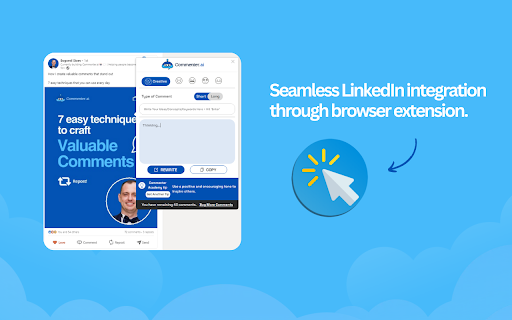
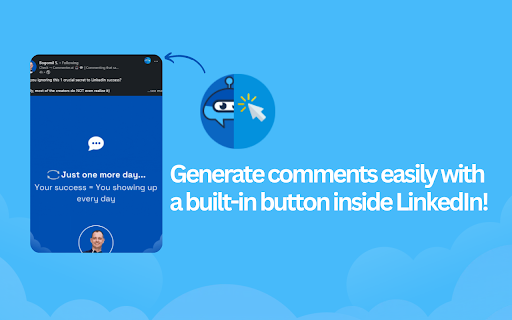
Now you can generate comments directly on LinkedIn.

Step 1: Get your API from Commenter.ai
Step 2: Add your API in Social Post Mate
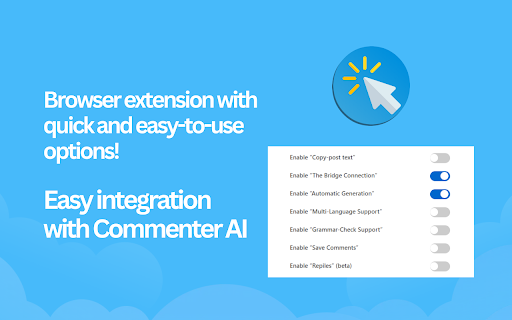
Step 3: Turn "The Bridge Connection" ON

You are ready to generate meaningful comments.

Update in 3.0.0:

- Long/short comments
- Multi-language support
- Replies (beta)

Update in 3.3.0:

- New styles
- Video course - Effective commenting with Commenter AI
Technical
- Version
- 5.0.3
- Manifest
- V3
- Size
- 2.22MiB
- Min Chrome
- 88
- Languages
- 1
- Featured
- No
Metadata
- ID
- ffebfjkgjgbpmnoogjjdgfkmiobngdnf
- Developer ID
- ue6a0aef3a7b93dc935a3dd58f278a6dc
- Developer Email
- [email protected]
- Created
- Jan 29, 2023
- Last Updated (Store)
- May 2, 2026
- Last Scraped
- Jun 15, 2026
- Website
- socialpostmate.info
- Support URL
- —
- Privacy Policy
- https://socialpostmate.info/privacy-policy/
Similar extensions
Alternatives to Social Post Mate (Commenter AI partner), ranked by description similarity.

Leadmate - LinkedIn Growth Partner
Leadmate: Your LinkedIn Growth Partner. 10x your engagement with smart, human-like AI comments in seconds.
41
★ 4.6
Reacti AI
Reinvent Your Twitter Game: Go Beyond Posting and Start Engaging by Replying More and Posting Less with Reacti.ai
217
★ 5.0

VoiceLi: AI-driven LinkedIn Comment Advisor
Boost your LinkedIn. Generate personalized, AI-driven comments effortlessly, enhancing engagement and saving time. Join now!
6
★ 5.0
Office Ink - Comment and Post with AI
Write personalised and meaningful comments and posts in clicks on Linkedin™ with Llama-3.1 AI
26
★ 5.0

Social Downloader
Download transcripts from social media
13

LinkedIn AI Helper
Elevate Your LinkedIn Game with AI Power.
6
★ 5.0

LinkedIn Comment Sync for We Post Your Thoughts
Sync comments from your LinkedIn posts to We Post Your Thoughts
—

Amplify
A LinkedIn engagement automation tool that helps professionals track posts, manage connections, and send personalized messages.
20
★ 5.0
Data sourced from the Chrome Web Store · last verified Jun 15, 2026.