
AI Reply Assistant
AI Assistant for translating and replying to messages using Gemini AI.
As of June 2026, AI Reply Assistant has 3 users in the Productivity category.
Usersno change0%
3
3
Ratingno change0%
—
— reviews
Reviewsno change0%
—
Version
2.1
Manifest V3
History
6 snapshotsTracking since Apr 22, 2026.
View as table
| Date | Users | Rating | Reviews | Version |
|---|---|---|---|---|
| Apr 22, 2026 | — | — | — | 2.1 |
| Apr 26, 2026 | — | — | — | 2.1 |
| May 9, 2026 | 1 | — | — | 2.1 |
| May 14, 2026 | 3 | — | — | 2.1 |
| May 21, 2026 | — | — | — | 2.1 |
| Jun 3, 2026 | 4 | — | — | 2.1 |
| Now | 3 | — | — | 2.1 |
Permissions & access
- Permissions
- None declared
- Host access
- None declared
Screenshots


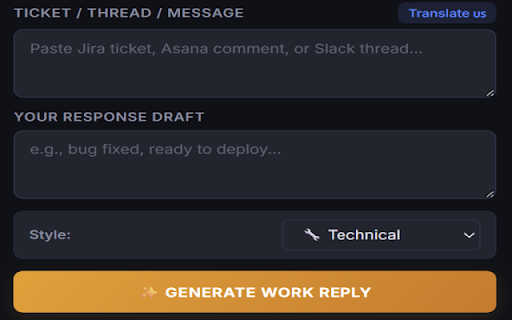
About
AI Reply is your ultimate writing assistant, designed to help you craft perfect, professional, and personalized responses across the web. Whether you are drafting an important email, replying to customer support tickets, or engaging in professional chats, AI Reply ensures your tone is always spot-on.

✨ Key Features:
- Seamless Text Selection: Simply highlight any text on any webpage and right-click to send it to AI Reply.
- Tone Customization: Choose from various tones (Professional, Friendly, Concise, etc.) to match any conversation context.
- Improve & Elaborate: Draft a quick, rough reply and let the AI polish it into a formal, well-structured response.
- Works Everywhere: Compatible with all your favorite web apps, email clients, and social platforms.
- Multi-Language Support: Automatically understands and responds in multiple languages.

🔒 Privacy First:
We value your privacy. AI Reply does not track your browsing history or store your personal data. It only processes the specific text you highlight and submit for generation. No login or account creation is required to use the base features.

Boost your productivity and never struggle with finding the right words again!
Technical
- Version
- 2.1
- Manifest
- V3
- Size
- 743KiB
- Min Chrome
- 88
- Languages
- 2
- Featured
- No
Metadata
- ID
- feljknlcdiomcphndhocmeahkgbbfnpc
- Developer ID
- ubf2ec663103f4339ae009724f4ce71ea
- Developer Email
- [email protected]
- Created
- Apr 21, 2026
- Last Updated (Store)
- May 14, 2026
- Last Scraped
- Jun 9, 2026
- Website
- —
- Support URL
- https://ai-reply-assistant-alpha.vercel.app
Data sourced from the Chrome Web Store · last verified Jun 9, 2026.