
Default Search Adjust
Search the web using this useful tool from the address bar.
As of May 2026, Default Search Adjust has 2 users in the Productivity category.
Usersno change0%
2
2
Ratingno change0%
—
— reviews
Reviewsno change0%
—
Version
1.0.0
Manifest V3
History
2 snapshotsTracking since Apr 25, 2026.
View as table
| Date | Users | Rating | Reviews | Version |
|---|---|---|---|---|
| Apr 25, 2026 | 2 | — | — | 1.0.0 |
| May 21, 2026 | 1 | — | — | 1.0.0 |
| Now | 2 | — | — | 1.0.0 |
Permissions & access
- Permissions
- None declared
- Host access
- None declared
Screenshots


About
About extension:

Default Search Adjust is an innovative browser extension designed to enhance your browsing experience on Google Chrome.
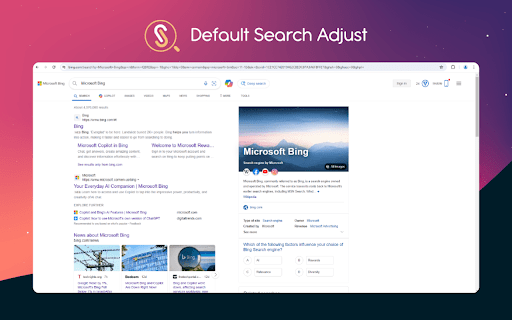
By seamlessly integrating with your address bar, this extension allows you to effortlessly search the web using the Default Search Adjust, with results provided by Bing.

Features:
With Default Search Adjust, you can effortlessly explore the web directly from your address bar.
Whether you're researching, shopping, or simply browsing, Default Search Adjust simplifies your online journey. Enjoy the convenience of typing in your search query and receiving accurate results without any extra clicks or hassle.
You can personalize your search settings to fit your preferences, ensuring a tailored browsing experience.
And if you ever decide to change your search engine of choice, uninstalling the extension is quick and easy, giving you complete control over your browser settings.
Experience the seamless integration, enhanced efficiency, and personalized browsing that Default Search Adjust brings to your Google Chrome experience.
Try Default Search Adjust today and unlock the full potential of your browsing journey.

Useful Information:
Just start by typing preferred search term (query) into the search box. The Default Search Adjust will provide Bing SERP with proper results.
To remove the Default Search Adjust extension simply go to Google Chrome "Settings" page. Find the "Extensions" in the settings menu and there you will find Default Search Adjust extension listed.
To uninstall it just use the "Remove" button.

Permissions Requested:
No special permissions requested.

About us:
Default Search Adjust team is dedicated to creating genuine products which will be useful for our users. We tend to provide GRPR aligned products, always prioritizing users' privacy.
Considering that, we recognize that location-sharing is a concern for many people (ourselves included) and it is a responsibility we take very seriously. For more information on privacy and the security of your data visit our Privacy policy below.

To reach our support please write us to this email: [email protected]
For additional information please check links below:
Privacy policy:
https://www.searchadjust.com/privacy-policy.html
Terms of service: https://www.searchadjust.com/term-of-use.html
Technical
- Version
- 1.0.0
- Manifest
- V3
- Size
- 9.79KiB
- Min Chrome
- 88
- Languages
- 1
- Featured
- No
Metadata
- ID
- fdchjkeijilhokfmddoenfljdcogkaod
- Developer ID
- ue7a1aa1650310e03cd1322fbbd0d1197
- Developer Email
- [email protected]
- Created
- Jun 6, 2024
- Last Updated (Store)
- Jun 6, 2024
- Last Scraped
- May 21, 2026
- Website
- searchadjust.com
- Support URL
- —
- Privacy Policy
- https://searchadjust.com/privacy-policy.html
Similar extensions
Alternatives to Default Search Adjust, ranked by description similarity.

Premier Search | Default Search
Premier Search is your number one choice for a convenient and fast search engine option.
253
★ 5.0

FoodIsGood Default Search
Default Search
—

Guard Search
Secure search experience by 'Guard Search'
6

Search Easy
Search Easy - The Easy Search Tool
1

Search Switch
Seamlessly switch from search engines to Microsoft Bing directly in the Chrome browser address bar
13

Safe Web Search
Search by SafeWebSearch - The best way to search
—

GreenPanthera Search
Secure search experience by 'GreenPanthera Search'
—

Search Manager by My Secure Search
Easily switch between popular search engines right from your browser's address bar.
4
Data sourced from the Chrome Web Store · last verified May 21, 2026.