Hide AI Overview & AI Mode — Disable, Remove, Block Google AI Search
Hide, disable, remove and block Google AI Overview and AI Mode. Clean, classic search results. Lightweight, private, no setup.
As of June 2026, Hide AI Overview & AI Mode — Disable, Remove, Block Google AI Search has 18 users and a 5.00/5 rating from 1 reviews in the Productivity category.
Usersno change0%
18
18
Ratingno change0%
5.00
1 reviews
Reviewsno change0%
1
Version
1.0.0
Manifest V3
History
3 snapshotsTracking since May 31, 2026.
View as table
| Date | Users | Rating | Reviews | Version |
|---|---|---|---|---|
| May 31, 2026 | — | — | — | 1.0.0 |
| Jun 6, 2026 | — | — | — | 1.0.0 |
| Jun 23, 2026 | 9 | 5.00 | 1 | 1.0.0 |
| Now | 18 | 5.00 | 1 | 1.0.0 |
Permissions & access
- Permissions
- storage
- Host access
- *://*.google.com/*, *://*.google.co.uk/*, *://*.google.de/*, *://*.google.ca/*, *://*.google.com.au/*, *://*.google.co.in/*, *://*.google.fr/*, *://*.google.es/*, *://*.google.it/*, *://*.google.com.br/*
Screenshots


About
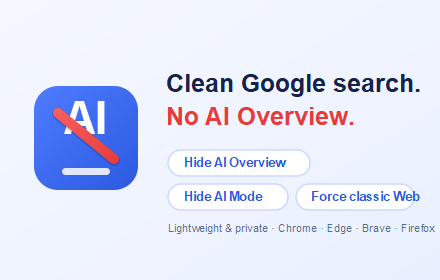
Hide AI Overview and AI Mode from Google Search instantly. This lightweight extension lets you disable, remove, and block Google's AI Overview panel and the AI Mode tab so you get clean, classic search results — only the links you came for.

Google now shows AI-generated Overview panels and an AI Mode tab above traditional results. Many people find these distracting, slow, or unreliable. This extension removes them automatically — no setup required.

FEATURES
• Hide AI Overview — removes the AI answer panel above results
• Hide the AI Mode tab in the search filter bar
• Force classic Web results (uses Google's own AI-free Web view)
• Optionally hide "People also ask" and AI-organized sections
• Simple on/off toggles for every feature
• Privacy-first: stores only your settings locally; collects no data
• Works on google.com and international Google domains

FREQUENTLY ASKED QUESTIONS
Q: How do I turn off AI Overview in Google Search?
A: Install the extension — it removes AI Overview from search pages automatically.

Q: How do I remove or disable AI Mode?
A: The AI Mode tab is hidden automatically; you can toggle it back anytime.

Q: How do I block Google AI results completely?
A: Enable "Force classic Web results" for an AI-free search experience.

Q: Is it private?
A: Yes. No browsing data is collected or sent anywhere. Settings stay on your device.

If this extension helps you, you can support development on Ko-fi: https://ko-fi.com/getinfotoyou
Technical
- Version
- 1.0.0
- Manifest
- V3
- Size
- 40.05KiB
- Min Chrome
- 88
- Languages
- 3
- Featured
- No
Metadata
- ID
- fcmogilkbaoalmppcpmnlomjlalgmnic
- Developer ID
- ua01dc4174cb365138d7918765f1d602b
- Developer Email
- [email protected]
- Created
- May 30, 2026
- Last Updated (Store)
- May 30, 2026
- Last Scraped
- Jun 23, 2026
- Website
- https://getinfotoyou.com/
- Support URL
- —
Data sourced from the Chrome Web Store · last verified Jun 23, 2026.