
Chrome Password Setting
This extension is designed to enable you to set secure passwords for Chrome users.
As of June 2026, Chrome Password Setting has 2,000 users and a 4.70/5 rating from 40 reviews in the Productivity category.
Usersno change0%
2.0K
2,000
Ratingdown 1.9 percent−1.9%
4.70
40 reviews
Reviewsup 2.6 percent+2.6%
40
Version
1.1.0
Manifest V3
90-day change · In the last 90 days this extension 1 version update, changed permissions.
History
2 snapshotsTracking since Apr 26, 2026.
View as table
| Date | Users | Rating | Reviews | Version |
|---|---|---|---|---|
| Apr 26, 2026 | 2.0K | 4.79 | 39 | 1.0.0 |
| May 6, 2026 | 2.0K | 4.79 | 39 | 1.1.0 |
| Now | 2.0K | 4.70 | 40 | 1.1.0 |
Changelog
- Apr 26, 2026name
Chrome password setting
Chrome Password Setting
- Apr 26, 2026permissions
storage, notifications
storage, tabs, windows
Permissions & access
- Permissions
- storagetabswindows
- Host access
- *://*/*
Screenshots

About
Protect your Chrome credentials with a password extension! This simple utility will help you generate a master password and store your bookmarks, history, and saved logins.  Search “Chrome password setting” extension in the Chrome Web Store for the list of the most reliable providers and continue surfing without worries! You can do this quickly, making your online privacy a lot better.


Some key Features of Chrome Password Setting Chrome Extension

Easy Password Generation: It is very easy to generate powerful and distinctive passwords within a few clicks.


Secure Storage: Restore, history, and saved login credentials with encrypted storage.


Master Password Protection: This means you need to safeguard all your credentials using this one master password.


Quick Setup: Easy to install and set up in a matter of minutes to protect you instantly.


How to Use in Simple Steps

Step 1: Installation

Type Chrome Web Store in your browser, look for the “Chrome password setting” app and click the “Add to Chrome” button.

Step 2: Setting Up the Master Password

It is advisable to install the extension and form a secure master password to access the extension. This will protect all the stored credentials.

Step 3: Save Your Credentials

Start storing your bookmarks, histories, and login information inside the extension. For your security all your data will be encrypted.


Step 4: Manage Passwords

To create new passwords, you can use the extension and when you next log into the websites, the extension will safely input the passwords for you.


FAQs

Q1: What can I do if I forgot my master password?

No, the master password cannot be recovered for security measures taken against a hacker or a malicious individual. Either it must be remembered, or it should be kept safely.

Q2: This extension works on other browsers?

It also will not work in other browsers as the extension is made for Google Chrome only.

Q3: Is my data saved in cyberspace?

No, all your data is stored locally on your device and your data is encrypted to prevent unauthorized access.
Technical
- Version
- 1.1.0
- Manifest
- V3
- Size
- 76.12KiB
- Min Chrome
- 88
- Languages
- 1
- Featured
- No
Metadata
- ID
- fbpjekllimdbpgofnidcdcmlmfooacda
- Developer ID
- u94e3f5a0a1501bccef9d9d1a0a588fb2
- Developer Email
- [email protected]
- Created
- Sep 16, 2024
- Last Updated (Store)
- Apr 10, 2026
- Last Scraped
- Jun 19, 2026
- Website
- —
- Support URL
- —
Similar extensions
Alternatives to Chrome Password Setting, ranked by description similarity.

My Password Manager
Use My Password Manager Chrome extension to generate strong passwords and securely manage them.
—
★ 5.0

Chrome Profile Lock
Password protection for Chrome profiles with auto-lock on inactivity
197
★ 5.0

Clevertone Password Manager
Clevertone Password Manager
2

Admin Password Generator
Allows you to create and share random passwords that are highly secure and extremely difficult to crack or guess.
16
★ 5.0
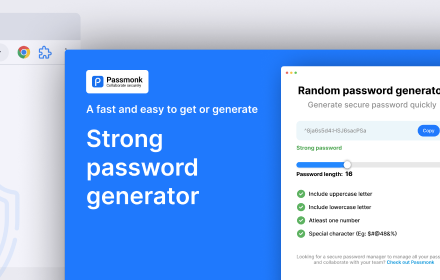
Random password generator
Generate random password of various length and complexity.
32
★ 5.0

Password Generator
A Chrome extension for generating secure passwords with history and dark mode support.
6
★ 5.0
Password Generator
This extension generate strong passwords.
18

Safe Password Generator
Generate secure, random passwords of varying lengths.
7
Data sourced from the Chrome Web Store · last verified Jun 19, 2026.