
Force HTTPS - Browse Securely, Everywhere
Automatically redirects to the secure HTTPS version of websites.
As of May 2026, Force HTTPS - Browse Securely, Everywhere has 201 users in the Productivity category.
Usersdown 1.0 percent−1.0%
201
201
Ratingno change0%
—
— reviews
Reviewsno change0%
—
Version
1.0
Manifest V3
History
2 snapshotsTracking since Apr 26, 2026.
View as table
| Date | Users | Rating | Reviews | Version |
|---|---|---|---|---|
| Apr 26, 2026 | 203 | — | — | 1.0 |
| May 23, 2026 | 262 | — | — | 1.0 |
| Now | 201 | — | — | 1.0 |
Permissions & access
- Permissions
- declarativeNetRequestdeclarativeNetRequestWithHostAccess
- Host access
- <all_urls>
Screenshots
About
Force HTTPS: Automatic Secure Browsing
Browse with Confidence and Privacy

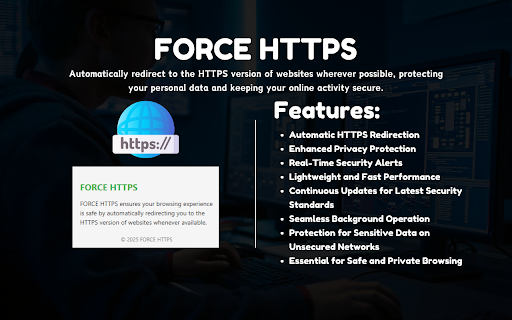
Force HTTPS is your essential Chrome extension for ensuring safe and encrypted web browsing. Automatically redirect to the HTTPS version of websites wherever possible, protecting your personal data and keeping your online activity secure.

Key Features
•	Automatic HTTPS Redirection
Seamlessly upgrade your connections to HTTPS for a secure and encrypted browsing experience on supported websites.
•	Enhanced Privacy Protection
Shield your sensitive data, including passwords and financial information, from hackers and eavesdroppers—especially on unsecured networks.
•	Security Alerts
Stay informed with real-time notifications when a website doesn't support HTTPS, so you can make safe browsing decisions.
•	Lightweight and Fast
Force HTTPS runs efficiently in the background without slowing down your browsing speed or affecting your device's performance.
•	Regular Updates
Stay secure with continuous updates that adapt to new websites and the latest security standards.

Why Choose Force HTTPS?
In a world where online security is paramount, Force HTTPS ensures every browsing session is protected. From safeguarding sensitive information to maintaining privacy on public Wi-Fi, this extension is a must-have for anyone who values secure and worry-free browsing.
Download Force HTTPS today and make secure browsing your default setting!
Technical
- Version
- 1.0
- Manifest
- V3
- Size
- 33.0KiB
- Min Chrome
- 88
- Languages
- 1
- Featured
- No
Metadata
- ID
- fbicjkgfobeeimgoplhgjjikdflfnhkd
- Developer ID
- u969225cd7f39101644c1f1681b1b0bbf
- Developer Email
- [email protected]
- Created
- Dec 28, 2024
- Last Updated (Store)
- Dec 28, 2024
- Last Scraped
- May 23, 2026
- Website
- —
- Support URL
- —
- Privacy Policy
- https://pixatab.xyz/privacy-policy/
Similar extensions
Alternatives to Force HTTPS - Browse Securely, Everywhere, ranked by description similarity.

HTTPS Only
Automatically upgrades HTTP to HTTPS with smart temporary fallback controls.
24

Smart HTTPS
Automatically changes HTTP protocol to HTTPS, and if loading encounters error, reverts it back to HTTP.
20.0K
★ 4.4

HTTP to HTTPS Redirector
Redirects HTTP to HTTPS with enable/disable functionality.
148
★ 5.0

Chrome Profile Lock
Password protection for Chrome profiles with auto-lock on inactivity
197
★ 5.0

Jago Grahak Jago App
Provides information about commercial websites
12

Auto Delete Cookies
Activate the extension to auto delete cookies and protect your privacy effortlessly.
161

Hide History
Do not track your browsing history
20

StableProxy
StableProxy
428
★ 4.9
Data sourced from the Chrome Web Store · last verified May 23, 2026.