
QuickAI - Smart Text Tools
Right-click any text to summarize, translate, rewrite, explain, or fix grammar instantly with AI.
As of July 2026, QuickAI - Smart Text Tools has — users in the Communication category.
Usersno change0%
—
—
Ratingno change0%
—
— reviews
Reviewsno change0%
—
Version
1.0.0
Manifest V3
History
1 snapshotsTracking since Jul 8, 2026.
Not enough history yet for this metric — the chart fills in as we collect more snapshots.
View as table
| Date | Users | Rating | Reviews | Version |
|---|---|---|---|---|
| Jul 8, 2026 | — | — | — | 1.0.0 |
| Now | — | — | — | 1.0.0 |
Permissions & access
- Permissions
- contextMenusstorageactiveTabscripting
- Host access
- https://api.groq.com/*
Screenshots



About
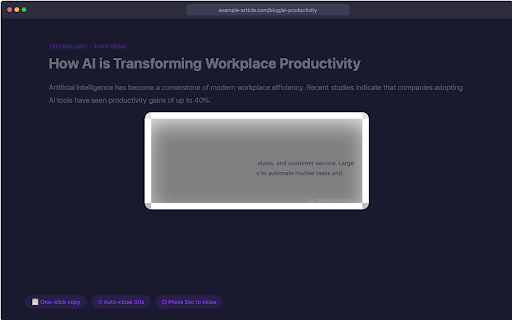
QuickAI adds powerful AI text tools to your right-click menu. Select any text on any webpage, right-click, and instantly process it with AI.
FEATURES:
8 Smart Text Tools:

Summarize — Get concise 2-3 sentence summaries
Humanize — Make AI-generated text sound natural and human
Rewrite (Formal) — Professional tone rewriting
Rewrite (Casual) — Friendly, conversational rewriting
Explain Like I'm 5 — Simple explanations anyone can understand
Fix Grammar — Correct spelling and grammar errors
Make Shorter — Cut text by 40% while keeping meaning
Make Longer — Expand text with more detail and examples

16 Language Translations:
Hindi, Bengali, Telugu, Marathi, Tamil, Gujarati, Kannada, Malayalam, Punjabi, Odia, Assamese, Urdu, Sanskrit, English, Chinese, and Russian.
HOW IT WORKS:

Get a free API key from Groq (takes 30 seconds)
Paste it in the extension settings
Select any text, right-click, choose a QuickAI tool
Results appear instantly in a floating panel

WHY QUICKAI:

Completely free — uses Groq's free tier (14,400 requests/day)
Fast — powered by LLaMA 3.3 70B, one of the best open-source AI models
Private — your API key stays on your device, no data collected
Works everywhere — on any webpage
Dark mode supported

Perfect for students, writers, professionals, and anyone who works with text online.
Technical
- Version
- 1.0.0
- Manifest
- V3
- Size
- 30.01KiB
- Min Chrome
- 88
- Languages
- 1
- Featured
- No
Metadata
- ID
- fbeaboihgbgemjcnojijolgpfhpkekgd
- Developer ID
- u61238ea5d4f38190cc23a22e3ca1dcbb
- Developer Email
- [email protected]
- Created
- Jul 7, 2026
- Last Updated (Store)
- Jul 7, 2026
- Last Scraped
- Jul 8, 2026
- Website
- —
- Support URL
- —
- Privacy Policy
- https://thewritingproject.me/quickai-privacy-policy/
Data sourced from the Chrome Web Store · last verified Jul 8, 2026.