
MemoInjo
Stick memo on any website and sync via Joplin
As of May 2026, MemoInjo has 275 users and a 5.00/5 rating from 4 reviews in the Workflow & Planning category.
Usersdown 3.5 percent−3.5%
275
275
Ratingno change0%
5.00
4 reviews
Reviewsno change0%
4
Version
0.1.3
Manifest V3
History
3 snapshotsTracking since Apr 1, 2026.
View as table
| Date | Users | Rating | Reviews | Version |
|---|---|---|---|---|
| Apr 1, 2026 | 285 | 5.00 | 4 | 0.1.3 |
| Apr 30, 2026 | 295 | 5.00 | 4 | 0.1.3 |
| May 29, 2026 | 288 | 5.00 | 4 | 0.1.3 |
| Now | 275 | 5.00 | 4 | 0.1.3 |
Permissions & access
- Permissions
- storageactiveTab
- Host access
- None declared
Screenshots

About
MemoInjo is a Chrome extension that sticks a memo on any website and stores/sync via Joplin. Simply press the icon of MemoInjo at the extension toolbar (top-right corner) in Chrome. It will show a memo editor for the browsing website. You may create a summary or a task list associated with a website easily.

MemoInjo is not a web clipper that could capture only once. You could reopen the same memo for the same URL. And thank to the sync feature of Joplin, you may access the memo across different computer.

Setup

1. Install the extension
2. Open Joplin
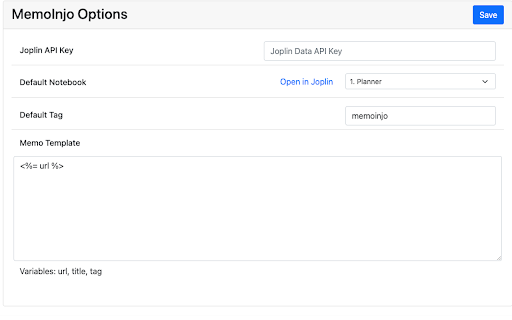
3. Go to Web Clipper Options and follow the instruction.
4. In the toolbar of the browser, press the button of MemoInjo
5. It will ask you to grant permission in Joplin.
6. Switch back to Joplin and grant the permission.

Then it is ready to use.
Technical
- Version
- 0.1.3
- Manifest
- V3
- Size
- 1.98MiB
- Min Chrome
- 88
- Languages
- 1
- Featured
- No
Metadata
- ID
- fbcdcliemdonkopdkpejdfmajlbaibac
- Developer ID
- ufae145e131724a5346883834ad62d92b
- Developer Email
- [email protected]
- Created
- Feb 8, 2022
- Last Updated (Store)
- Apr 23, 2022
- Last Scraped
- May 29, 2026
- Website
- —
- Support URL
- https://github.com/benlau/memoinjo
- Privacy Policy
- —
Similar extensions
Alternatives to MemoInjo, ranked by description similarity.

Site Memo
Leave and sync notes on specific URLs across devices.
2
★ 5.0

MemoMe
Contextual & persistent web page memos
35

SnapMemo - Quick Note-Taking
Quick, Simple Note-Taking Right in Your Browser. No sign-up required!
94
★ 5.0

MindMemo
The web extension that helps you remember the content you save for later, later.
—

OmniMemo
This extension enables you to write memo by typing "memo <your message>" in Chrome's Omnibox (the address bar).
2

Memooo
The digital sticky note for your browser. Leave reminders on websites that auto-load when you return.
—

Clip'n'Note
Where Ideas Meet Organization
3

SideMemo AI
Save notes for each webpage with local AI-powered summarization
18
Data sourced from the Chrome Web Store · last verified May 29, 2026.