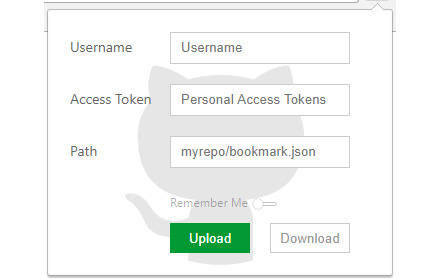
书签同步
上传/下载书签信息到Github
As of May 2026, 书签同步 has 1,000 users and a 4.71/5 rating from 45 reviews in the Developer Tools category.
Usersno change0%
1.0K
1,000
Ratingno change0%
4.71
45 reviews
Reviewsno change0%
45
Version
1.1
Manifest V3
Permissions & access
- Permissions
- bookmarksstorage
- Host access
- https://api.github.com/
Screenshots

About
使用指南:

- 登录Github,在 Settings / Developer settings/ Personal access tokens 下,点击Generate new token 生成一个访问token

- 生成的 token 需要勾选 repo 权限,保存生成的 token

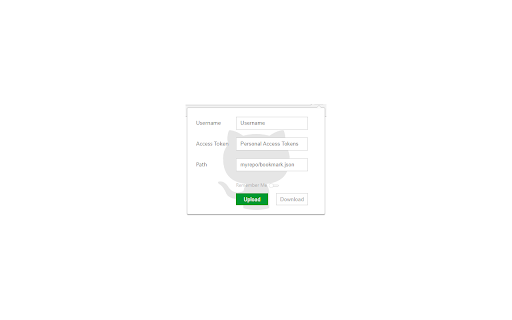
- 点击插件icon,依次输入用户名、凭据、路径(默认:my_bookmarks/data.json)

- 路径即:仓库名/书签文件名.json

- 如果需要记住填写的用户名和token数据,需要打开 Remember Me 开关

- 填写完用户数据后,便可以进行“上传”或“下载”操作

**注意:上传/下载操作是全量覆盖,不了解的情况下请先导出书签为本地文件,以防数据丢失**
Technical
- Version
- 1.1
- Manifest
- V3
- Size
- 60.74KiB
- Min Chrome
- 88
- Languages
- 1
- Featured
- No
Metadata
- ID
- fbcbemgibdnpboehnfcnkegefaomnlbk
- Developer ID
- uc7236f0af5e1bdaae364a596c16d1e51
- Developer Email
- [email protected]
- Created
- Sep 5, 2017
- Last Updated (Store)
- Dec 14, 2024
- Last Scraped
- May 29, 2026
- Website
- —
- Support URL
- —
- Privacy Policy
- —
Similar extensions
Alternatives to 书签同步, ranked by description similarity.

QuickDashboard
新标签页插件,包括: 书签管理,历史浏览记录快速访问,导航页
151
★ 5.0

regitlab
gitlab分支快速选择、创建pull Request自动化、一键生成日志
10
★ 5.0

优服务标签
优服务标签是一个简洁而又强大的导航利器,让自己的收藏无处不在。无论何地,始终随心所浏览,是您的浏览器起始页的完美选择。
—

Gemini-exporter
支持全量回溯与MD/JSON格式导出的 Gemini 插件
63
★ 4.0

DeepWiki GitHub Jumper
Adds a button to GitHub project pages to open the corresponding DeepWiki page in a new tab.
7
★ 5.0

开发者工具箱
一款集成开发者常用工具,提升开发效率的插件
447
★ 3.7

NPM 套件收藏管理器
輕鬆收藏和管理您喜愛的 NPM 套件
2

GitHub 中文汉化翻译插件
GitHub 中文汉化翻译插件用于将 GitHub 页面中的菜单、按钮、标题、提示语等界面文本进行本地化为简体中文,提升中文用户的浏览与协作效率。
8.0K
★ 4.9
Data sourced from the Chrome Web Store · last verified May 29, 2026.