
JDoodle
Use JDoodle's Chrome extension for a full-fledged IDE in your browser – instant, accessible, and subtly empowering!
As of May 2026, JDoodle has 367 users and a 5.00/5 rating from 2 reviews in the Productivity category.
Usersdown 3.9 percent−3.9%
367
367
Ratingno change0%
5.00
2 reviews
Reviewsno change0%
2
Version
1.2
Manifest V3
History
3 snapshotsTracking since Apr 1, 2026.
View as table
| Date | Users | Rating | Reviews | Version |
|---|---|---|---|---|
| Apr 1, 2026 | 382 | 5.00 | 2 | 1.2 |
| Apr 30, 2026 | 377 | 5.00 | 2 | 1.2 |
| May 29, 2026 | 379 | 5.00 | 2 | 1.2 |
| Now | 367 | 5.00 | 2 | 1.2 |
Permissions & access
- Permissions
- sidePanelcontextMenusstoragetabsactiveTab
- Host access
- None declared
Screenshots



About
The JDoodle Chrome Extension is a revolutionary tool that lets users effortlessly execute programs from any webpage. It's designed for both convenience and efficiency, making coding more accessible than ever.

With JDoodle's Chrome Extension, coding becomes more integrated into your browsing experience. It's an indispensable tool for developers, learners, and coding enthusiasts who seek a seamless, productive, and elevated coding journey.

Key Features:
- Effortless Code Execution: Select code on a webpage, right-click, and execute directly with JDoodle. Alternatively, open code in the JDoodle extension with a simple right-click.
- Execution History Tracking: Easily access the history of executed codes, including website links and results.
- User Login Requirement: Users must log in to the extension for personalized and secure usage.
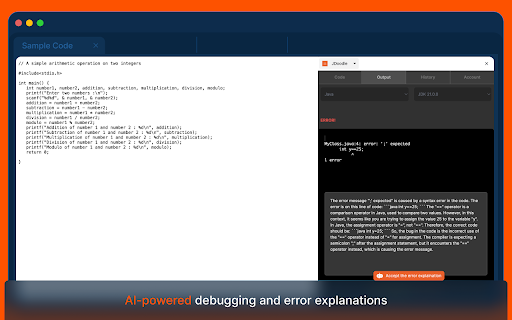
- Smart Language Detection: Utilize JDoodle AI for automatic programming language detection.
- Future AI Enhancements: Look forward to advanced AI features from JDoodle's main website in upcoming releases.

User Scenarios:
- New Users: Log in and open programs on JDoodle.com.
- Logged-in Users:
- Execute programs within the extension.
- Manage and view execution history.
- Access JDoodle.com for more features.
- Securely log out as needed.


Technical Insights:
- The extension maintains an independent login session from the browser.
- It uses a token-based system similar to mobile apps for user recognition.
- Compatible with both Chrome and Microsoft Edge, ensuring wide accessibility.
Technical
- Version
- 1.2
- Manifest
- V3
- Size
- 4.98MiB
- Min Chrome
- 116
- Languages
- 1
- Featured
- Yes
Metadata
- ID
- fbbdeoelagkhkjfihkigmhocpcigckek
- Developer ID
- uad33aad16934bd9600c13c58b4244f78
- Developer Email
- [email protected]
- Created
- Dec 7, 2023
- Last Updated (Store)
- Jun 17, 2024
- Last Scraped
- May 29, 2026
- Website
- jdoodle.com
- Support URL
- https://www.jdoodle.com
- Privacy Policy
- https://www.jdoodle.com/privacy
Similar extensions
Alternatives to JDoodle, ranked by description similarity.

Code Runner
Run Code AnyWhere! Directly run the code on your page.
54

Gemini Code Enhancer
Edit code conveniently, test code instantly in 40+ languages. Perfect for people who want to quickly test and refine code snippets.
157
★ 3.0

Jeno
Jeno - Your Smart Web Content Assistant
5

Algo Ace
AI-driven interview pal. Easy approach to correct solutions for all coding problems. All In One Click.
184
★ 4.2

GFG Shortcuts
Use this extension to get shortcuts for GeeksforGeeks Code execution
22
★ 5.0

Webpage Doodler
Overview :
Webpage Doodler is a Chrome extension that allows users to draw and doodle on web pages directly within their browser.…
52
★ 4.0

ChatGPT Code Downloader
Download code blocks from ChatGPT and DeepSeek with rename and search options.
31
★ 5.0

Javascript Chrome
Quickly disable/enable JavaScript for the Chrome browser in 1 click. Works on any website.
8.0K
★ 4.7
Data sourced from the Chrome Web Store · last verified May 29, 2026.