
Tab Group Ex
Tab group extension
As of May 2026, Tab Group Ex has 84 users in the Workflow & Planning category.
Usersup 7.7 percent+7.7%
84
84
Ratingno change0%
—
— reviews
Reviewsno change0%
—
Version
3.3.1
Manifest V3
History
5 snapshotsTracking since Apr 1, 2026.
View as table
| Date | Users | Rating | Reviews | Version |
|---|---|---|---|---|
| Apr 1, 2026 | 78 | — | — | 3.3.1 |
| Apr 21, 2026 | 80 | — | — | 3.3.1 |
| May 6, 2026 | 86 | — | — | 3.3.1 |
| May 17, 2026 | 86 | — | — | 3.3.1 |
| May 31, 2026 | 83 | — | — | 3.3.1 |
| Now | 84 | — | — | 3.3.1 |
Permissions & access
- Permissions
- storagetabGroupstabs
- Host access
- None declared
Screenshots


About
🌐 **English Description**

◇ Overview
**Tab Group Ex** makes tab management in Chrome simple and powerful. With just one click, you can group, save, and restore tabs based on domain, custom rules, or your preference.

◇ Features

* Group Tabs

  * Group all ungrouped tabs
  * Group by domain
  * Group by custom-defined domain (ignoring subdomains)
* Ungroup Tabs

  * Ungroup all tabs easily
* View Tab Groups

  * See all groups in the current window
  * Click to expand and view page titles
  * Right-click group name to open/close
  * Access group actions like close or ungroup
* Save & Restore

  * Save your tab groups
  * View saved groups and restore them
  * Mark groups as favorites for one-click restore

◇ Custom Domain Grouping
You can define your own domain rules under the “Rules” tab.

Example:
[https://chrome.google.com/](https://chrome.google.com/) → google
[https://www.google.com/](https://www.google.com/) → google

*Note: Subdomains are ignored.*

◇ Shortcut Keys

* Open extension: Ctrl + Shift + Z
* Group ungrouped tabs: Ctrl + Shift + A
* Group by domain: Not set
* Group by custom domain: Not set
* Ungroup all tabs: Not set
* Save current tab groups: Ctrl + Shift + S
* Restore favorite tab groups: Ctrl + Shift + R

◇ Recent Updates

v3.3.0

* Replaced Settings tab with new Actions tab
* Users can now freely select actions
* Added action-specific shortcut keys
* Added option to enable/disable notifications
* Introduced favorite tab groups, which can be restored all at once

v3.2.0

* Added shortcut to save tab groups
* Improved delete icon clarity
* Fixed a window-close bug when deleting a tab
* Removed default shortcut for custom domain grouping

---

🇯🇵 **日本語説明**

◇ 概要
**Tab Group Ex**は、Chromeのタブ管理をより簡単かつ効率的にする拡張機能です。ドメインや独自ルールに基づいて、ワンクリックでタブを整理・保存・復元できます。

◇ 機能

* タブのグループ化

  * 未グループのタブをすべて1つのグループに
  * ドメイン別にグループ化
  * ユーザー定義のカスタムドメインでグループ化(サブドメインは無視)
* タブのグループ解除

  * すべてのタブをグループ解除可能
* グループの表示

  * 現在のウィンドウ内のすべてのタブグループを一覧表示
  * グループ名クリックでページタイトルを展開
  * グループ名を右クリックで開閉を切り替え
  * 設定アイコンからグループを閉じる・解除など操作可能
* 保存と復元

  * タブグループを保存
  * 保存済みグループの一覧表示と復元
  * お気に入り登録して一括復元も可能

◇ カスタムドメインによるグループ化
「Rules」タブで独自のドメインルールを追加できます。

例:
[https://chrome.google.com/](https://chrome.google.com/) → google
[https://www.google.com/](https://www.google.com/) → google

※ サブドメインは無視され、メインドメインとして扱われます。

◇ ショートカットキー一覧

* 拡張機能を開く:Ctrl + Shift + Z
* 未グループタブのグループ化:Ctrl + Shift + A
* ドメイン別にグループ化:デフォルトでは未設定
* カスタムドメインでグループ化:デフォルトでは未設定
* すべてのグループ解除:デフォルトでは未設定
* 現在のタブグループを保存:Ctrl + Shift + S
* お気に入りタブグループを復元:Ctrl + Shift + R

◇ 最近のアップデート

v3.3.0

* 設定タブを廃止し、新しくアクションタブを追加
* モードの概念を削除し、任意の操作を自由に選択可能に
* 各アクションにショートカットキー表示を追加
* 操作時の通知(スナックバー)のON/OFF切替を追加
* 保存済みグループのお気に入り機能を追加、一括復元可能に

v3.2.0

* タブグループ保存用ショートカットを追加
* グループ削除とタブ削除のアイコンを分離し、分かりやすく改善
* グループ内のタブ削除時に拡張機能ウィンドウが閉じる不具合を修正
* カスタムドメイングループ化のショートカットを初期設定から削除
Technical
- Version
- 3.3.1
- Manifest
- V3
- Size
- 1.02MiB
- Min Chrome
- 88
- Languages
- 1
- Featured
- No
Metadata
- ID
- fapofgkidlmimpfamjgmeikgafjjgbpk
- Developer ID
- ua107d34b514224502fb1da922b2c0597
- Developer Email
- [email protected]
- Created
- Dec 22, 2022
- Last Updated (Store)
- Jun 23, 2025
- Last Scraped
- May 31, 2026
- Website
- —
- Support URL
- —
- Privacy Policy
- —
Similar extensions
Alternatives to Tab Group Ex, ranked by description similarity.
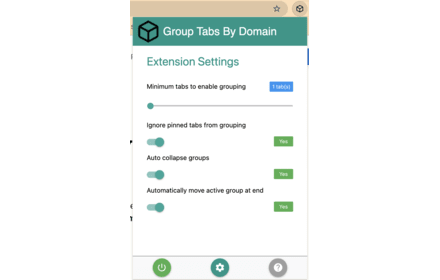
Group Tabs By Domain
Streamline browsing. Group tabs by domain effortlessly. Stay organized, boost productivity.
5.0K
★ 4.3

One Click Auto Tab Group
Auto-group tabs by site, then learn how you organize
455
★ 4.7

Auto Tab Grouper & Search
Automatically group tabs by domain or path and search existing groups.
—

Auto Group Tabs
Automatically group browser tabs by domain. Set custom domain rules and organize tabs into Chrome tab groups.
58
★ 1.0

Tabee: Tab Modifier
The original Tab Modifier reborn — rename, organize, and control your browser tabs effortlessly.
4.0K
★ 5.0

shimtab
Group the tabs of your visiting sites with auto keywords
—

Auto Tab Grouper
Automatically groups tabs by domain (supports wildcards, configurable via options/popup).
13

Tab Manager AI for Chrome
Organize browsing with Tab Manager AI for Chrome: see all open tabs, close duplicate tabs, restore, group manually or with AI.
335
★ 5.0
Data sourced from the Chrome Web Store · last verified May 31, 2026.