
AI Slop Filter for LinkedIn — Hide AI Posts
Detect and hide AI-generated 'slop' posts in your LinkedIn feed. 100% local — your feed never leaves your browser.
As of June 2026, AI Slop Filter for LinkedIn — Hide AI Posts has — users in the Social & Communication category.
Usersno change0%
—
—
Ratingno change0%
—
— reviews
Reviewsno change0%
—
Version
1.0.1
Manifest V3
History
1 snapshotsTracking since Jun 16, 2026.
Not enough history yet for this metric — the chart fills in as we collect more snapshots.
View as table
| Date | Users | Rating | Reviews | Version |
|---|---|---|---|---|
| Jun 16, 2026 | — | — | — | 1.0.1 |
| Now | — | — | — | 1.0.1 |
Permissions & access
- Permissions
- storage
- Host access
- None declared
Screenshots


About
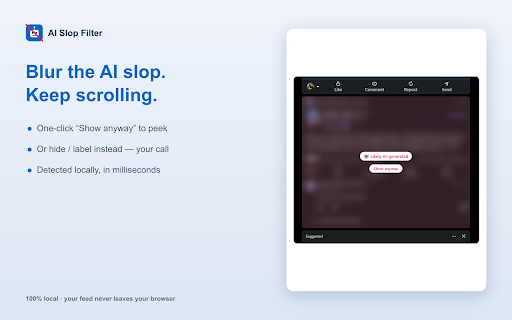
Tired of your LinkedIn feed filling up with AI-generated "slop" — the "I'm thrilled to announce", emoji-bulleted, "Agree? 👇" engagement bait that all sounds the same? AI Slop Filter scores every post in your feed and hides, blurs, or labels the ones that read like they were written by a bot.

★ 100% LOCAL & PRIVATE
All detection runs inside your browser. Your feed never leaves your device — no servers, no analytics, no data collection. Ever.

★ THREE FILTER MODES
• Blur — softly blur flagged posts with a one-click "Show anyway" button (default)
• Hide — collapse flagged posts to a slim, expandable stub
• Label — just tag them "🤖 Likely AI" so you decide

★ TUNE IT TO YOUR FEED
• Sensitivity slider — from relaxed to aggressive
• Custom phrases — always hide posts containing words you choose
• Per-author allowlist — never filter people you actually want to read
• One-click floating toggle to flip the filter on/off without leaving the feed
• "Posts filtered today" counter

★ HOW IT WORKS
The detector looks for the tells of AI/engagement-bait writing: canned opener phrases, emoji-bulleted lists, one-sentence-per-line cadence, excessive em-dashes, hashtag clusters, and call-to-action endings. It's fully heuristic and runs in milliseconds, locally.

★ HONEST ABOUT LIMITS
No detector is perfect — that's why Blur mode (with "Show anyway") is the default instead of hard-hiding. You're always in control.

Works on the LinkedIn feed (linkedin.com). Not affiliated with LinkedIn.
Technical
- Version
- 1.0.1
- Manifest
- V3
- Size
- 16.22KiB
- Min Chrome
- 88
- Languages
- 1
- Featured
- No
Metadata
- ID
- fannjfklaopjklpdnoebcjajodhijhgf
- Developer ID
- u0733f73745efd4b3589546c9c38c89e0
- Developer Email
- [email protected]
- Created
- Jun 15, 2026
- Last Updated (Store)
- Jun 16, 2026
- Last Scraped
- Jun 16, 2026
- Website
- —
- Support URL
- —
- Privacy Policy
- https://slopfilter-alessandro-rodis-projects.vercel.app/
Data sourced from the Chrome Web Store · last verified Jun 16, 2026.