Watchtime Badge: YouTube & Netflix Timer
Track your time on YouTube, Netflix, and Prime Video to prevent binge-watching.
As of June 2026, Watchtime Badge: YouTube & Netflix Timer has 4 users in the Well Being category.
Usersno change0%
4
4
Ratingno change0%
—
— reviews
Reviewsno change0%
—
Version
1.0.2
Manifest V3
History
3 snapshotsTracking since Apr 1, 2026.
View as table
| Date | Users | Rating | Reviews | Version |
|---|---|---|---|---|
| Apr 1, 2026 | 4 | — | — | 1.0.2 |
| May 10, 2026 | 2 | — | — | 1.0.2 |
| May 21, 2026 | 3 | — | — | 1.0.2 |
| Now | 4 | — | — | 1.0.2 |
Permissions & access
- Permissions
- tabsstoragealarms
- Host access
- None declared
Screenshots

About
A smart browser extension that tracks your actual time spent on video streaming sites to help prevent binge-watching.

Ever realized you've spent the whole day watching videos?
This tool helps you regain control of your attention by displaying your daily viewing duration right on your browser toolbar in real-time.

[Key Features]

• Real-time Badge Display:
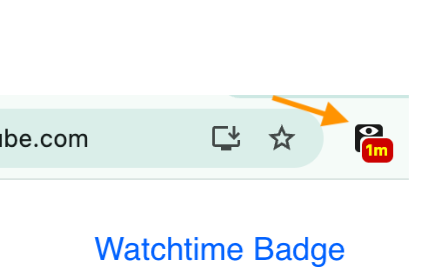
  Shows today's total time spent on the icon (e.g., "45s", "59m", "1.5h").
  - Active Mode (Red): Lights up when you are engaging with the site.
  - Inactive Mode (Gray): Dims when you are not watching or the window is in the background.

• Detailed Tooltip:
  Hover over the icon to see the exact time down to the second (e.g., "Today: 1h 23m 45s").

• Fully Customizable Sites:
  By default, it supports YouTube, Netflix, and Amazon Prime Video.
  You can add any other video site you want to track via the Preferences tab!

• Smart Tracking (Attention-based):
  Tracks time not just by video playback, but by your attention. The timer counts when the video tab is active OR audio is playing.
  It automatically stops counting when:
  - The tab is no longer active and no audio is playing.
  - Your PC goes to sleep.

• History & CSV Export:
  Click the icon to view your past viewing history in a popup.
  You can also download the data as a CSV file for your own analysis.

[Data & Privacy]

This extension is designed with user privacy as the top priority.

• Local Storage Only: All viewing records are stored locally on your device.
• No External Tracking: No data is ever sent to external servers or analytics tools.
• Permissions: Uses only the minimum necessary permissions.

[Updates]
  - v1.0.2: Minor performance improvements and internal data optimizations.
  - v1.0.1: Fixed an issue where the timer would stop during long video playback.
Technical
- Version
- 1.0.2
- Manifest
- V3
- Size
- 16.96KiB
- Min Chrome
- 88
- Languages
- 2
- Featured
- No
Metadata
- ID
- famanoajelinbeolnphfocdhihdgbffm
- Developer ID
- u01a4330d306b5ae71b39452b86f17e8f
- Developer Email
- [email protected]
- Created
- Feb 2, 2026
- Last Updated (Store)
- Feb 24, 2026
- Last Scraped
- Jun 5, 2026
- Website
- —
- Support URL
- https://github.com/tinyalg/youtube-timer
- Privacy Policy
- https://tinyalg.be/en/privacy/
Similar extensions
Alternatives to Watchtime Badge: YouTube & Netflix Timer, ranked by description similarity.

Watch time
calculates media watch time
15

Website Screen Time — Time Cost Overlay
Website screen time tracker. Minimal overlay with per-site analytics. 100% local and private.
3

Time Tracker
Track your time spent on websites and block distracting sites
13

TubeTimer
TubeTimer helps you reclaim your time from endless YouTube viewing.
14

Website Usage Tracker
Track how much time you spend on different websites
—

FrogoFocus – Smart Productivity Tracker
Stay focused with FrogoFocus! Track screen time, set limits, and boost productivity with smart insights.
2

TIME TAX for YouTube
Visualize your YouTube watch time as financial loss. Reclaim your focus with distraction blocking and audio-only work modes.
4
★ 5.0

BrowseBuddy
Track browsing time and set daily limits to manage your web activity.
2
★ 5.0
Data sourced from the Chrome Web Store · last verified Jun 5, 2026.