
Voz - Voice to Clean Text
Voice to text with AI transformation. Record, get clean text, transform to emails, summaries, bullets & more.
As of June 2026, Voz - Voice to Clean Text has 4 users in the Productivity category.
Usersup 33.3 percent+33.3%
4
4
Ratingno change0%
—
— reviews
Reviewsno change0%
—
Version
3.1.0
Manifest V3
History
1 snapshotsTracking since May 30, 2026.
View as table
| Date | Users | Rating | Reviews | Version |
|---|---|---|---|---|
| May 30, 2026 | 3 | — | — | 3.1.0 |
| Now | 4 | — | — | 3.1.0 |
Permissions & access
- Permissions
- activeTabstoragecontextMenusscripting
- Host access
- https://voz-backend-9pbv.onrender.com/*
Screenshots


About
Voz – Speak 3x Faster Than You Type

Turn your voice into clean, professional text directly inside Gmail, Google Docs, Slack, Notion and any text field on the web.

Hold a hotkey, speak naturally, and watch Voz remove filler words, fix grammar, and insert polished text instantly. No copy-paste. No switching apps.

⸻

Core Features

Voice to Clean Text
	•	Convert speech into refined writing in real time
	•	Automatically removes filler words like “um” and “uh”
	•	Fixes grammar, punctuation, and formatting
	•	Works in any text field across the web

Text Transformation
	•	Highlight text → right-click → rewrite
	•	Styles include: Professional, Casual, Bullet Points, Shorter, Longer, Fix Grammar, Simpler, TLDR and more

Templates
	•	Generate emails, meeting summaries, action items, Slack messages, blog outlines and more
	•	Works anywhere you write

Read Aloud
	•	Listen to any selected text with natural voices
	•	Adjustable playback speed
	•	Works on all webpages

⸻

How It Works
	1.	Click in any text field
	2.	Activate Voz and speak naturally
	3.	Release to insert clean, polished text instantly

No copy-paste. No extra tabs.

⸻

Privacy

Voz processes audio transiently to generate text and does not retain recordings after transcription.
We do not sell user data.

Full privacy policy:
https://getvoz.app/privacy-policy.html

⸻

Optional Upgrade

A free tier is available.
Optional upgrades unlock higher usage limits and additional features.

⸻

Get Started

Install Voz, grant microphone permission, and start speaking.

Stop typing. Start talking.
Technical
- Version
- 3.1.0
- Manifest
- V3
- Size
- 4.18MiB
- Min Chrome
- 88
- Languages
- 1
- Featured
- No
Metadata
- ID
- fahmbahnojgfhfmilhdomiiandjbokmo
- Developer ID
- ub351df81d458108b95c76c5aa7d91cf5
- Developer Email
- [email protected]
- Created
- Jan 22, 2026
- Last Updated (Store)
- Feb 14, 2026
- Last Scraped
- Jun 8, 2026
- Website
- getvoz.app
- Support URL
- https://getvoz.app/support.html
- Privacy Policy
- https://getvoz.app/privacy-policy.html
Similar extensions
Alternatives to Voz - Voice to Clean Text, ranked by description similarity.

VoxType - Voice & AI Writing Assistant
Click, Speak, Get Polished Text - ANYWHERE. Voice dictation with AI enhancement powered by VoxGenie.
10

Loquent - Voice to Text (Beta)
Speak naturally, paste perfectly. AI-powered voice dictation for any website.
15
★ 5.0

VoiceType AI
Speech-to-text with OpenAI Whisper
18
★ 5.0

VerbScribe - Voice to Text
Voice-to-text transcription with AI style processing for any text field. Linked to your VerbScribe account.
2

AICHE - Voice Typing & Dictation | AI Speech to Text
AI voice typing & speech to text for any website. Dictate naturally, get polished text instantly. Works everywhere.
12

YapText
YapText — Record your voice, get instant text. Powered by OpenAI Whisper & GPT-4o Transcribe.
—
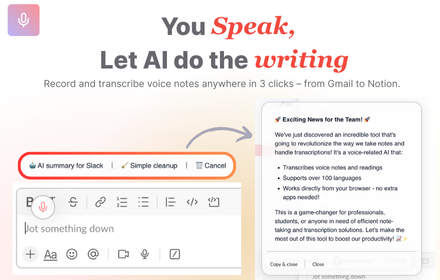
VoiceRecorder.AI - Record thoughts & let AI do the writing on any websites
VoiceRecorder.AI - Record thoughts & let AI do the writing on any websites
42
★ 5.0

LuvVoice - Text to Speech
Convert any text to natural speech with 300+ AI voices. Free online text-to-speech tool powered by AI.
64
Data sourced from the Chrome Web Store · last verified Jun 8, 2026.