
Reader View 2.0
Read articles without any distractions 📖
As of May 2026, Reader View 2.0 has 1,000 users and a 4.89/5 rating from 9 reviews in the Workflow & Planning category.
Usersno change0%
1.0K
1,000
Ratingno change0%
4.89
9 reviews
Reviewsno change0%
9
Version
0.0.1
Manifest V3
Permissions & access
- Permissions
- storageactiveTabscriptingcontextMenusnotifications
- Host access
- None declared
Screenshots

About
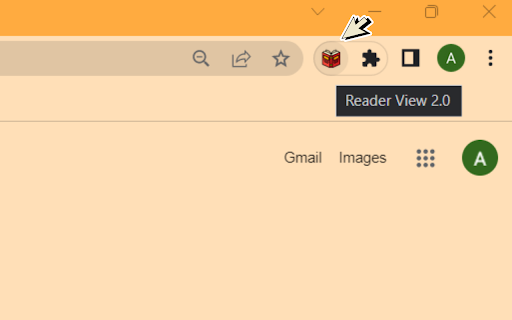
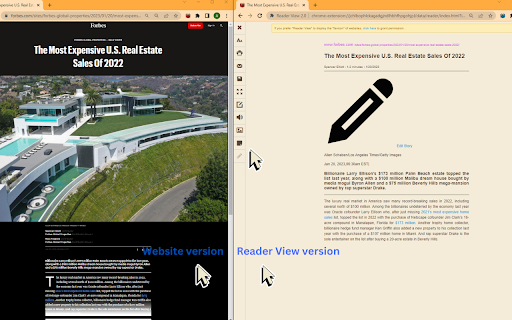
⬇️ Easy to set up ⬇️: 1. Install and pin 📌 the extension. 2. Click on the extension on any page to enter the reader's view of the page. 3. Or you can select any part of the page and click on the extension to enter into the reader view with only that reader. ✨ Features ✨ 1. Fullscreen reader mode. 📖 2. Blocks 🚫 the ads and hides the additional links. 3. Adjusts the text size, formatting, navigation, and theme. 🔖 Enjoy your favorite articles without distractions and without having to exit your browser!
Technical
- Version
- 0.0.1
- Manifest
- V3
- Size
- 949KiB
- Min Chrome
- 88
- Languages
- 1
- Featured
- No
Metadata
- ID
- eppinjigfiplgigdmgkjkhgkkpddcofa
- Developer ID
- u398c696f68fc98e6d0e4e1d9989f4d58
- Developer Email
- [email protected]
- Created
- Jan 23, 2023
- Last Updated (Store)
- Jan 23, 2023
- Last Scraped
- May 29, 2026
- Website
- —
- Support URL
- —
- Privacy Policy
- —
Similar extensions
Alternatives to Reader View 2.0, ranked by description similarity.
Reader View
Strips away clutter like buttons, background images, and changes the page's text size, contrast and layout for better readability
40.0K
★ 4.6

Chrome Reader Mode
Reader Mode Chrome extension offers distraction-free reading. It removes clutter, ads allowing users to focus on the content
10.0K
★ 3.9

Easy View
Easy View extension provides a way to view web content in clean and readable view.
10.0K
★ 4.8

Quick Reader
A browser extension for clean and fast reading mode.
14
★ 4.0

Genuine Reader Mode
Determine the major components of a web page and zoom them in
59

Read Zone: Speed Reading & Focus Trainer
Distraction-free reading tool with guided speed reader, focus mode & page customizations for faster, easier & more focused reading.
25
★ 5.0

Smart Reader
Read without distractions or listen hands-free
45
★ 4.9

Eggcracker Reader
Shows a clean, text-only view of the current page in a new tab.
4
Data sourced from the Chrome Web Store · last verified May 29, 2026.