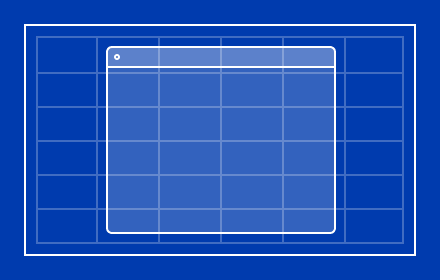
Tiled - Tiling window manager
Forget about generic presets—design and save your own window layouts
As of May 2026, Tiled - Tiling window manager has 1,000 users and a 4.25/5 rating from 4 reviews in the Workflow & Planning category.
Usersno change0%
1.0K
1,000
Ratingdown 3.4 percent−3.4%
4.25
4 reviews
Reviewsdown 20.0 percent−20.0%
4
Version
1.3.13
Manifest V3
History
2 snapshotsTracking since Apr 1, 2026.
View as table
| Date | Users | Rating | Reviews | Version |
|---|---|---|---|---|
| Apr 1, 2026 | 1.0K | 4.40 | 5 | 1.3.13 |
| Apr 30, 2026 | 1.0K | 4.25 | 4 | 1.3.13 |
| Now | 1.0K | 4.25 | 4 | 1.3.13 |
Permissions & access
- Permissions
- system.displaystorage
- Host access
- None declared
Screenshots



About
Introducing Tiled, the grid-based layout manager for Google Chrome ™. With Tiled, your workspace becomes a harmonious haven, allowing you to craft personalised layouts that suit your style.

====================
FEATURES
====================

CREATE YOUR IDEAL LAYOUT

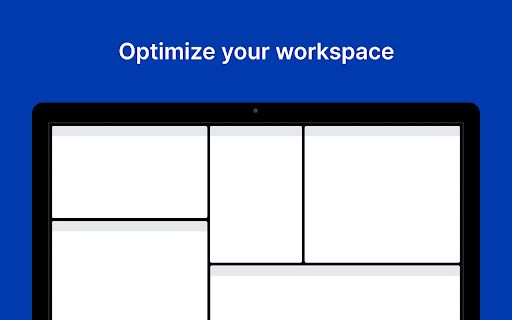
Forget about generic presets—Tiled understands that workspace layouts are as unique as the individuals using them. That's why Tiled takes an intuitive approach to help you create your workspace layout. Use the grid to design your window arrangement, click "Apply" and all your browser windows will fall in line just the way you envisioned.

SAVE LAYOUTS

After designing a new layout, click "Save layout" and enter a name for your new arrangement. Whenever you want to switch to a specific layout, you can do so effortlessly with a single click from the extension popup.

MULTI-DISPLAY SUPPORT

Tiled's grid mirrors the aspect ratio of your current display. Tiled always uses the current display when applying layouts, so the display where your window is located at the time of applying a layout will be the one used by Tiled.

BEAUTIFUL INTERFACE

Tiled seamlessly integrates into the Google Chrome™ environment, both in its visual design and behaviour. Launch the extension by clicking the extension icon or using the keyboard shortcut Ctrl+Shift+L or Command+Shift+L. The arrow keys can be used to navigate the menu or keyboard shortcuts can be used to quickly access the menu items.
Technical
- Version
- 1.3.13
- Manifest
- V3
- Size
- 30.4KiB
- Min Chrome
- 88
- Languages
- 1
- Featured
- Yes
Metadata
- ID
- epebbpgbdaoolneajfaccpgckebbbjfo
- Developer ID
- uf403dbb484794318cda94635aaaf21d8
- Developer Email
- [email protected]
- Created
- Apr 8, 2023
- Last Updated (Store)
- Jul 8, 2023
- Last Scraped
- May 29, 2026
- Website
- —
- Support URL
- —
- Privacy Policy
- —
Similar extensions
Alternatives to Tiled - Tiling window manager, ranked by description similarity.

Magnet - Automatic window tiling
Magnet keeps your workspace tidy by automatically tiling your windows.
391
★ 5.0

Tiling Window Manager
Automatically tile your browser windows to maximise your screen space.
120
★ 1.0
Table - Custom New Tab Dashboard
A fast, customizable new tab dashboard — bookmark tiles, world clocks, custom colors, synced across Chrome. Private by design.
94
★ 4.7

Nexus Tab: Your Daily Command Center
Transform your new tab into a modular productivity command center with glassmorphism widgets you can toggle on or off.
10

Glidescape - Productivity New Tab
Transform your new tab into a powerful productivity workspace with timeline, tasks, and calendar.
—
★ 5.0

Daily Tab - New tab for Chrome
Get modern New tab. Customize your bookmarks, layout, background and more.
1.0K
★ 4.6

Tab & Group Manager
A tab manager with vertical view designed for developers
33
★ 5.0

Tixio extension
Your personal dashboard for the new TAB page with features like to-do, weather, world clock, and many more!
950
★ 4.4
Data sourced from the Chrome Web Store · last verified May 29, 2026.