
ToLinks - Smart Shortcuts & Link Organizer
Save long URLs as memorable to/ shortcuts, organize bookmarks with tags, and open links instantly for faster browsing.
As of June 2026, ToLinks - Smart Shortcuts & Link Organizer has 39 users and a 4.20/5 rating from 5 reviews in the Workflow & Planning category.
Usersno change0%
39
39
Ratingdown 16.0 percent−16.0%
4.20
5 reviews
Reviewsup 25.0 percent+25.0%
5
Version
3.0.0
Manifest V3
90-day change · In the last 90 days this extension 1 version update.
History
11 snapshotsTracking since Apr 1, 2026.
View as table
| Date | Users | Rating | Reviews | Version |
|---|---|---|---|---|
| Apr 1, 2026 | 39 | 5.00 | 4 | 2.0.5 |
| Apr 30, 2026 | 38 | 5.00 | 4 | 2.0.5 |
| May 5, 2026 | 40 | 4.20 | 5 | 3.0.0 |
| May 10, 2026 | 39 | 4.20 | 5 | 3.0.0 |
| May 17, 2026 | 40 | 4.20 | 5 | 3.0.0 |
| May 21, 2026 | 39 | 4.20 | 5 | 3.0.0 |
| May 26, 2026 | 46 | 4.20 | 5 | 3.0.0 |
| May 31, 2026 | 41 | 4.20 | 5 | 3.0.0 |
| Jun 4, 2026 | 44 | 4.20 | 5 | 3.0.0 |
| Jun 9, 2026 | 43 | 4.20 | 5 | 3.0.0 |
| Jun 16, 2026 | 41 | 4.20 | 5 | 3.0.0 |
| Now | 39 | 4.20 | 5 | 3.0.0 |
Changelog
- Apr 30, 2026description
This extension helps create a memorable link alias of your favorite URL, right click on any page and select "Add this page as a ToLink" from menu or click the pinned ToLinks icon, then add your alias and hit save. Now whenever you feel like opening the URL just hit "to<TAB or SPACE or />youralias" in search bar and hit enter and it will take you to the designated link.

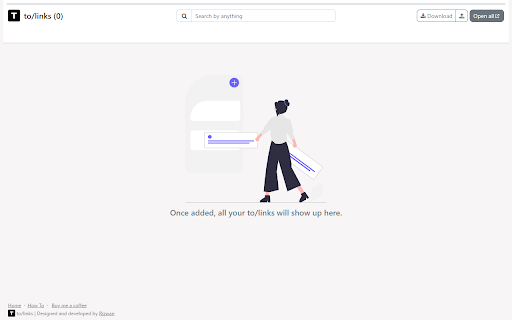
To see all your saved links, navigate to to/links

You can,
- Add multiple tags to a link
- Filter and search links by tag, title, link and pretty much everything
- Open a set of filtered links in a group for better tab management
- Download a set of filtered links to share them
- Upload your Chrome bookmarks, by exporting bookmarks from bookmark manager
- Copy the saved link
- Edit the URL and tag of the link
- Remove a link when no longer relevant or required
ToLinks turns long URLs into memorable to/ shortcuts so you can open pages instantly, organize with tags, and launch focused tab groups faster.

Stop digging through bookmarks and start navigating by intent.

ToLinks helps you create memorable shortcuts like to/docs, to/billing, and to/dashboard so your most important links are always one quick command away.

What you can do with ToLinks:
- Create custom to/ aliases for any page
- Open links instantly from the address bar
- Use omnibox suggestions while typing
- Organize links with tags, pinning, and smart sorting
- Search by alias, title, URL, or tags
- Switch between compact and detailed views
- Open filtered links together in one tab group
- Generate QR codes for quick sharing
- Import Chrome bookmarks to get started quickly
- Export and upload your link library as HTML backups

Why teams and power users love it:
- Faster daily workflows with fewer clicks
- Cleaner browser organization without bookmark clutter
- No account required
- Local-first data storage in your browser

Built for Chromium browsers:
Works on Google Chrome, Microsoft Edge, Brave, and other Chromium-based browsers with Manifest V3 support.
- Apr 30, 2026short_description
Extension to remember the lengthy URLs for you
Save long URLs as memorable to/ shortcuts, organize bookmarks with tags, and open links instantly for faster browsing.
- Apr 30, 2026name
ToLinks
ToLinks - Smart Shortcuts & Link Organizer
Permissions & access
- Permissions
- contextMenusactiveTabscriptingtabswebNavigationtabGroups
- Host access
- None declared
Screenshots


About
ToLinks turns long URLs into memorable to/ shortcuts so you can open pages instantly, organize with tags, and launch focused tab groups faster.

Stop digging through bookmarks and start navigating by intent.

ToLinks helps you create memorable shortcuts like to/docs, to/billing, and to/dashboard so your most important links are always one quick command away.

What you can do with ToLinks:
- Create custom to/ aliases for any page
- Open links instantly from the address bar
- Use omnibox suggestions while typing
- Organize links with tags, pinning, and smart sorting
- Search by alias, title, URL, or tags
- Switch between compact and detailed views
- Open filtered links together in one tab group
- Generate QR codes for quick sharing
- Import Chrome bookmarks to get started quickly
- Export and upload your link library as HTML backups

Why teams and power users love it:
- Faster daily workflows with fewer clicks
- Cleaner browser organization without bookmark clutter
- No account required
- Local-first data storage in your browser

Built for Chromium browsers:
Works on Google Chrome, Microsoft Edge, Brave, and other Chromium-based browsers with Manifest V3 support.
Technical
- Version
- 3.0.0
- Manifest
- V3
- Size
- 1.25MiB
- Min Chrome
- 88
- Languages
- 1
- Featured
- Yes
Metadata
- ID
- emlbogjofmkhpbmpjfgpecpdkjjjdfkm
- Developer ID
- ub662c07be03e671fae32540145bcb4fb
- Developer Email
- [email protected]
- Created
- Jun 20, 2023
- Last Updated (Store)
- Apr 11, 2026
- Last Scraped
- Jun 16, 2026
- Website
- —
- Support URL
- —
- Privacy Policy
- —
Similar extensions
Alternatives to ToLinks - Smart Shortcuts & Link Organizer, ranked by description similarity.

Custom Links New Tab
A new tab extension enables putting custom links on your new tab to improve your workflow. Backup, restore, and share links.
58
★ 5.0

Link Saver
Easily save, manage, and share your links with just a click
383
★ 4.8

Link Manager
Link Manager is a clean and user friendly Chrome extension that helps you save, organize, and access your favorite links all from a…
20
★ 5.0

LinkHub
Save, organize, group, bookmark, and consolidate all of your links into one dashboard PLUS a ToDo List!
31
★ 5.0

NinjaSwipe
Intuitive and versatile, easily store important links for quick access!
2

LinkCollect - Save & Share Bookmarks
linkcollect is the simplest way to save & share web links, bookmarks or tabs from anywhere to anyone
1.0K
★ 4.1

LinkSphinx
Right-click to save and jump to your most used sites via categorized context menus.
2

Gaia
A simple link bookmarking app by Malik Piara
3
Data sourced from the Chrome Web Store · last verified Jun 16, 2026.