
JustFrame
A calm photo new tab with beautiful rotating scenes.
As of June 2026, JustFrame has 831 users and a 5.00/5 rating from 6 reviews in the art category.
Usersdown 72.3 percent−72.3%
831
831
Ratingno change0%
5.00
6 reviews
Reviewsup 50.0 percent+50.0%
6
Version
5.0.0
Manifest V3
90-day change · In the last 90 days this extension lost 2.2K users, 1 version update.
History
11 snapshotsTracking since Apr 4, 2026.
View as table
| Date | Users | Rating | Reviews | Version |
|---|---|---|---|---|
| Apr 4, 2026 | 3.0K | 5.00 | 4 | 4.3.0 |
| Apr 16, 2026 | 4.0K | 5.00 | 4 | 4.3.0 |
| Apr 22, 2026 | 2.0K | 5.00 | 5 | 5.0.0 |
| Apr 26, 2026 | 922 | 5.00 | 5 | 5.0.0 |
| May 4, 2026 | 933 | 5.00 | 5 | 5.0.0 |
| May 10, 2026 | 931 | 5.00 | 5 | 5.0.0 |
| May 14, 2026 | 918 | 5.00 | 5 | 5.0.0 |
| May 21, 2026 | 913 | 5.00 | 5 | 5.0.0 |
| May 27, 2026 | 897 | 5.00 | 5 | 5.0.0 |
| Jun 3, 2026 | 836 | 5.00 | 6 | 5.0.0 |
| Jun 9, 2026 | 873 | 5.00 | 6 | 5.0.0 |
| Now | 831 | 5.00 | 6 | 5.0.0 |
Changelog
- Apr 16, 2026description
Unsplash Instant transforms every new tab into a distraction‑free canvas showcasing a randomly selected, high‑resolution photo from Unsplash. It preloads the next image for near‑instant display and gives you lightweight controls that stay out of the way until you need them.

Key features:
• Instant random Unsplash photo each new tab
• Photographer name, profile link, and location details
• History panel to revisit previously shown images
• One‑click download, share/copy links
• Optional minimal/ clean mode to hide UI
• Subtle motion/animation toggle for ambience (can be disabled)
• Smart caching to reduce bandwidth and flicker
• No sign‑in, no ads, no analytics beacons added

How it works:
On each new tab, the extension fetches a random photo via the Unsplash API (or cached queue) and immediately begins preloading the next one in the background.

Privacy & permissions:
• storage / unlimitedStorage: used only to cache recent images, preferences, and history locally
• No personal data collection or external tracking scripts beyond the Unsplash image/API request itself

Usage tips:
• Press the history icon to reopen a past favorite
• Toggle minimal mode for a pure, text‑free photo experience
• Use the download or share buttons to keep or send an image (respect photographer license terms)
JustFrame turns every new tab into a calm, full-screen photo experience. Instead of a blank page or a busy dashboard, you get a high-resolution scene with subtle controls, photographer credit, and location details that stay out of the way until you want them.

JustFrame focuses on one thing: making your browser feel quieter, cleaner, and more intentional.

What you get:
- A fresh full-bleed photograph on every new tab
- Photographer credit with a direct profile link
- Location details when available
- A history panel to revisit recent photos
- One-click download and share
- Optional minimal mode for a distraction-free view
- Optional motion effects for subtle ambience
- Smart caching and preloading for smoother transitions

Why people use JustFrame:
- It makes Chrome feel calmer without adding clutter
- It loads quickly and prepares the next image in the background
- It works without sign-in, ads, or noisy extras

How it works:
JustFrame currently uses the Unsplash API as its photo source. When you open a new tab, JustFrame shows a queued or freshly fetched image and preloads the next one in the background for a smooth handoff between tabs.

Privacy and permissions:
- `storage` and `unlimitedStorage` are used only for local preferences, recent history, and image caching on your device
- No personal data is collected
- No added analytics or third-party tracking scripts are included beyond the required image and API requests

A few useful tips:
- Use the history panel to go back to recent images you love
- Turn on minimal mode for a cleaner, text-light new tab
- Use the download or share controls to save or send a photo
- Respect photographer attribution and image licensing when reusing images
- Apr 16, 2026short_description
Beautiful photos from Unsplash in your new tabs.
A calm photo new tab with beautiful rotating scenes.
- Apr 16, 2026name
Unsplash Instant
JustFrame
Permissions & access
- Permissions
- storageunlimitedStorage
- Host access
- None declared
Screenshots


About
JustFrame turns every new tab into a calm, full-screen photo experience. Instead of a blank page or a busy dashboard, you get a high-resolution scene with subtle controls, photographer credit, and location details that stay out of the way until you want them.

JustFrame focuses on one thing: making your browser feel quieter, cleaner, and more intentional.

What you get:
- A fresh full-bleed photograph on every new tab
- Photographer credit with a direct profile link
- Location details when available
- A history panel to revisit recent photos
- One-click download and share
- Optional minimal mode for a distraction-free view
- Optional motion effects for subtle ambience
- Smart caching and preloading for smoother transitions

Why people use JustFrame:
- It makes Chrome feel calmer without adding clutter
- It loads quickly and prepares the next image in the background
- It works without sign-in, ads, or noisy extras

How it works:
JustFrame currently uses the Unsplash API as its photo source. When you open a new tab, JustFrame shows a queued or freshly fetched image and preloads the next one in the background for a smooth handoff between tabs.

Privacy and permissions:
- `storage` and `unlimitedStorage` are used only for local preferences, recent history, and image caching on your device
- No personal data is collected
- No added analytics or third-party tracking scripts are included beyond the required image and API requests

A few useful tips:
- Use the history panel to go back to recent images you love
- Turn on minimal mode for a cleaner, text-light new tab
- Use the download or share controls to save or send a photo
- Respect photographer attribution and image licensing when reusing images
Technical
- Version
- 5.0.0
- Manifest
- V3
- Size
- 239KiB
- Min Chrome
- 88
- Languages
- 1
- Featured
- No
Metadata
- ID
- embphhnhnpokdhfdmgjfdppdapaedlgk
- Developer ID
- u4b99cb991f9b59c592d4be1b0f065229
- Developer Email
- [email protected]
- Created
- Aug 28, 2025
- Last Updated (Store)
- Apr 8, 2026
- Last Scraped
- Jun 9, 2026
- Website
- —
- Support URL
- —
- Privacy Policy
- —
Similar extensions
Alternatives to JustFrame, ranked by description similarity.

New Horizon
Shows a random photo from Unsplash every time a new tab is opened.
3

Unsplash Wanderer
Elevate your browsing with stunning Unsplash photos on every new tab. Simple, beautiful, and ad-free.
1.0K
★ 4.3

Unsplash Instant Reborn
Transform your new tab into a gallery of stunning photography. The modern, Manifest V3 successor to Unsplash Instant.
103

Beautiful Photos
Enjoy beautiful photos from Unsplash in every new Chrome tab—stunning HD images and beautiful background photos instantly!
404
★ 5.0

NewSplash
Displays a beautiful photo on every new tab.
4
★ 5.0

Tab
Get beautiful photos & backgrounds in your new tab page.
12
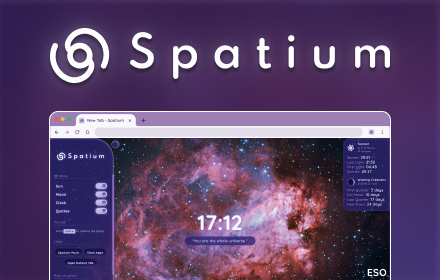
Spatium
Beautiful space images and information of your current sky map location on every new tab.
3.0K
★ 4.7
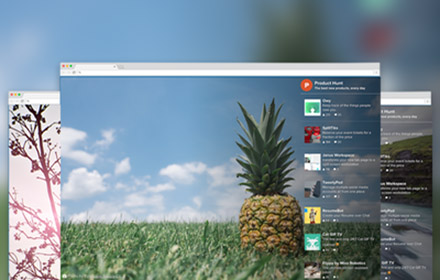
HuntSplash: Beautiful Photos & Top Products
See beautiful photos along with top trending products on every new tab you open in Google Chrome.
280
★ 5.0
Data sourced from the Chrome Web Store · last verified Jun 9, 2026.