
BlockFire: Stop Distractions and Get Things Done!
BlockFire: Stop Distractions and Get Things Done!
As of June 2026, BlockFire: Stop Distractions and Get Things Done! has 3 users in the Productivity category.
Usersno change0%
3
3
Ratingno change0%
—
— reviews
Reviewsno change0%
—
Version
2.0.0
Manifest V3
90-day change · In the last 90 days this extension 1 version update.
History
7 snapshotsTracking since Apr 1, 2026.
View as table
| Date | Users | Rating | Reviews | Version |
|---|---|---|---|---|
| Apr 1, 2026 | 3 | — | — | 1.1 |
| Apr 18, 2026 | 2 | — | — | 1.1 |
| Apr 28, 2026 | 4 | — | — | 1.1 |
| May 8, 2026 | 4 | — | — | 1.1 |
| May 18, 2026 | 5 | — | — | 2.0.0 |
| May 24, 2026 | 6 | — | — | 2.0.0 |
| May 31, 2026 | 5 | — | — | 2.0.0 |
| Now | 3 | — | — | 2.0.0 |
Changelog
- May 8, 2026description
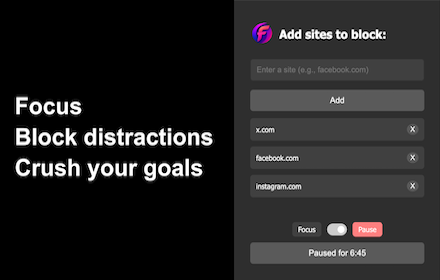
BlockFire is a lightweight website blocker that helps you stay focused by removing distractions in one click. No accounts, no clutter, no tracking — your blocked list is stored locally and you stay in control.

How it works

Block instantly: Open a distracting site, click the BlockFire icon, and hit “Block Current Site”.
Stay on track: Blocked sites redirect to a clean focus screen with optional motivational quotes.
Unblock anytime: Open BlockFire and click a site in your list to remove it.

Get started

1. Download BlockFire from the Chrome Web Store.
2. Pin it: click the puzzle icon in Chrome, find BlockFire, and pin it to your toolbar.
3. Block up to 7 sites to build your focus habit fast.

Install BlockFire, block a distraction, and get back to what matters.
BlockFire is a lightweight website blocker that helps you stay focused by removing distractions in one click. No accounts, no clutter, no tracking — your blocked list is stored locally and you stay in control.

Features

1. Block any site
2. NEW - Monk Mode, Blocks all sites that aren't already open.

More feathures to come soon!

Get started

1. Download BlockFire from the Chrome Web Store.
2. Pin it: click the puzzle icon in Chrome, find BlockFire, and pin it to your toolbar.

Install BlockFire, block a distraction, and get back to what matters.
Permissions & access
- Permissions
- storagetabswebNavigation
- Host access
- None declared
Screenshots

About
BlockFire is a lightweight website blocker that helps you stay focused by removing distractions in one click. No accounts, no clutter, no tracking — your blocked list is stored locally and you stay in control.

Features

1. Block any site
2. NEW - Monk Mode, Blocks all sites that aren't already open.

More feathures to come soon!

Get started

1. Download BlockFire from the Chrome Web Store.
2. Pin it: click the puzzle icon in Chrome, find BlockFire, and pin it to your toolbar.

Install BlockFire, block a distraction, and get back to what matters.
Technical
- Version
- 2.0.0
- Manifest
- V3
- Size
- 2.47MiB
- Min Chrome
- 88
- Languages
- 1
- Featured
- No
Metadata
- ID
- ekjcljbdjpncnbmpilnkfkedlgfkkhpm
- Developer ID
- uc6605b0fc8573cc815b34587a722ce4f
- Developer Email
- [email protected]
- Created
- Nov 24, 2025
- Last Updated (Store)
- May 7, 2026
- Last Scraped
- Jun 6, 2026
- Website
- —
- Support URL
- —
- Privacy Policy
- https://mrsingh.github.io/BlockFire/privacy_policy.md
Similar extensions
Alternatives to BlockFire: Stop Distractions and Get Things Done!, ranked by description similarity.

Website Blocker - Block sites and focus mode
Easy way to block websites and stay focused. Block sites, use focus mode, block by category, and use pomodoro timer.
416
★ 5.0
Focus: Block Websites & Stay Focused
Block any site to avoid distraction
10
★ 5.0

DistractionBlocker
Block distracting sites and stay focused.
—

Blockito
Block distracting websites and stay focused. Simple, effective, no bypass.
5
★ 5.0

Lockit
This is a Extension you can use to block some site which distract you from being focused.
46
★ 5.0

Website Blocker - Complete To Do List
Block distracting websites until you finish your todo list
9

DistractionBlocker
Block distracting sites and stay focused.
—

BlockDistractions - Domain & Keywords Blocker
Take Control of Your Digital Focus
24
★ 5.0
Data sourced from the Chrome Web Store · last verified Jun 6, 2026.