
Smilebox Tab
With Smilebox Tab you get fast access to your favorite sites and to the amazing selection of Smilebox ecards for all occasions
As of May 2026, Smilebox Tab has 8,000 users in the Productivity category.
Usersno change0%
8.0K
8,000
Ratingno change0%
—
— reviews
Reviewsno change0%
—
Version
1.0.3
Manifest V3
Permissions & access
- Permissions
- storage
- Host access
- None declared
Screenshots


About
With Smilebox Tab you get fast access to your favorite social, shopping, and entertainment sites, as well as to the amazing selection of Smilebox e-cards/slideshows/invitations for all occasions, all in one place.
The extension also features New Tab search functionality, making it easy to search for anything right from the new tab.

By clicking “Add to Chrome”, you accept and agree to install the Smilebox Tab Chrome Extension, set the Chrome™ New Tab to Smilebox Tab with Yahoo, and to the Terms of Use and Privacy Policy.

Use Smilebox Tab to:

-	Access 3500+ original designs for every occasion
-	Enjoy quick access to your favourite sites and create shortcuts
-	Use New Tab search included in the extension

For easy access to shortcuts, we recommend pinning the extension to your browser toolbar.

Terms of Use:  http://www.smilebox.co/terms-of-use
Privacy Policy:  http://www.smilebox.co/privacy-policy

You may uninstall the extension at any time.

To remove our extension from Chrome:
1) Click on the three vertical dots icon in the upper right-hand corner of your Chrome browser.
2) Go to "More tools”
3) In the left menu that appears, click on "Extensions.”
4) From the list of installed Extensions, locate the extension you would like to uninstall.
5) To remove the extension, click on the "Remove" button, which is to the right of the "Details" button (for the extension you wish to uninstall).
6) Close your browser completely and reopen it. The extension should now be removed from your browser.

For assistance from our customer service team, please email us at [email protected]
Technical
- Version
- 1.0.3
- Manifest
- V3
- Size
- 8.62KiB
- Min Chrome
- 88
- Languages
- 1
- Featured
- No
Metadata
- ID
- ekfgfhknjepopojlaicagndpgkcdahmc
- Developer ID
- u74322ce4defbe4d9a77ace402dd893df
- Developer Email
- [email protected]
- Created
- Jan 31, 2022
- Last Updated (Store)
- Jan 29, 2025
- Last Scraped
- May 26, 2026
- Website
- —
- Support URL
- http://smilebox.co/contact
- Privacy Policy
- http://www.smilebox.co/privacy-policy
Similar extensions
Alternatives to Smilebox Tab, ranked by description similarity.

Great Start - Homepage
Quickly access your favorite apps and websites
300.0K
★ 4.7
Light Tab
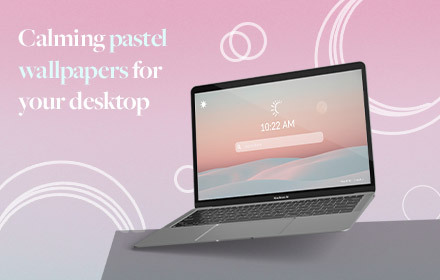
Light tab- a spectrum of soft pastel wallpapers that will look pretty on your background and contribute to a calmness while working.
10.0K
★ 4.4

People
The People extension is making browsing super fast and efficient for todays web users.
438
★ 4.9

Swift Shortcuts
Turn your address bar into a shortcut launcher for tabs, history, downloads, and web search with swiftshortcuts.net.
—

Reminder - New Tab
Chrome Extension for reminder of New Tab
4

Search Pro
Rapidly search the web with Search Pro!
—

Ezyroo
Ezyroo - Motivational Quotes Extension
307
★ 3.5

NewTab. Search
The extension changes default search provider.
70.0K
★ 4.5
Data sourced from the Chrome Web Store · last verified May 26, 2026.