
Tab Rename
Quickly rename the current tab title.
As of May 2026, Tab Rename has 321 users and a 5.00/5 rating from 3 reviews in the Productivity category.
Usersup 32.1 percent+32.1%
321
321
Ratingno change0%
5.00
3 reviews
Reviewsup 200.0 percent+200.0%
3
Version
0.1.3
Manifest V3
History
4 snapshotsTracking since Apr 19, 2026.
View as table
| Date | Users | Rating | Reviews | Version |
|---|---|---|---|---|
| Apr 19, 2026 | 243 | 5.00 | 1 | 0.1.3 |
| May 4, 2026 | 270 | 5.00 | 1 | 0.1.3 |
| May 14, 2026 | 262 | 5.00 | 2 | 0.1.3 |
| May 26, 2026 | 289 | 5.00 | 3 | 0.1.3 |
| Now | 321 | 5.00 | 3 | 0.1.3 |
Permissions & access
- Permissions
- activeTabscriptingstorage
- Host access
- None declared
Screenshots
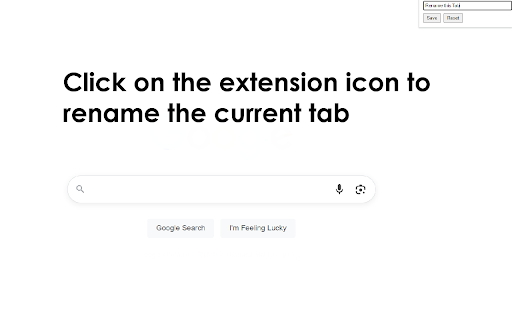
About
Modern knowledge workers juggle dozens—sometimes hundreds—of open tabs each day. While browsers offer basic tab-management tools, they rarely tackle the most fundamental cognitive burden: remembering which tab is which. A rename-tabs extension lets you edit the title of any open tab, so instead of twenty pages that all read “Dashboard – Company Name,” you see clear, task-oriented labels such as “Q2 Metrics,” “Client A Brief,” or “Invoice Template.” That seemingly simple change delivers a surprising range of benefits, from faster navigation to better focus and lower memory load. Below are the key reasons a rename-tabs plugin deserves a permanent slot in your productivity toolkit.

Instant Visual Landmarks for Faster Navigation Default page titles are often generic, truncated, or identical across multiple tabs. Renaming converts those cryptic snippets into meaningful labels you choose, creating visual landmarks your brain can scan in milliseconds. Instead of hovering over favicons or cycling with Ctrl + Tab, you jump directly to “Marketing Plan DRAFT” or “Vendor Contract v3,” shortening retrieval time on every context switch. Compounded over a full workday, that recovery adds up to minutes—or even hours—of reclaimed time.

Cognitive Off-Loading and Reduced Mental Fatigue Working memory is finite; the more details you try to juggle, the quicker you tire. By externalizing tab context into explicit names, you off-load that information from your brain onto the interface. This “second brain” approach frees cognitive bandwidth for higher-level thinking, research, or creative problem-solving. The effect is subtle but significant: fewer “What was I doing in this tab?” moments and a smoother mental flow, especially during long stretches of deep work.

Enhanced Focus During Presentations and Screen Sharing Nothing derails a client demo faster than fumbling through a sea of ambiguous tabs while your audience waits. Renaming helps you script your flow: arrange tabs in order and label them “Step 1,” “Step 2,” “Live Demo,” and “Q&A Resources.” When sharing your screen, viewers see crisp, purposeful titles instead of half-visible URLs or irrelevant brand slogans, projecting professionalism and keeping the meeting on track.
Technical
- Version
- 0.1.3
- Manifest
- V3
- Size
- 53.42KiB
- Min Chrome
- 88
- Languages
- 40
- Featured
- No
Metadata
- ID
- ehpgmafhbcgjlpoadjepkiokghjnhmil
- Developer ID
- u560c068e654062145fcfd2d87576449b
- Developer Email
- [email protected]
- Created
- May 14, 2025
- Last Updated (Store)
- May 14, 2025
- Last Scraped
- May 26, 2026
- Website
- —
- Support URL
- —
- Privacy Policy
- https://tab-rename.pdfwork.com/privacy-policy
Similar extensions
Alternatives to Tab Rename, ranked by description similarity.

Easy Tab Renamer
Click the icon, right-click, or use a shortcut to rename your tabs!
4

Tab Tree
Live hierarchical tree of all open Browser tabs.
21

Rename Tab
Rename Chrome tabs with persistent titles across page refreshes
58
★ 3.0

Tab Stack Lite
Collapse all tabs into a single side panel list and restore them later.
11

Tab Renamer
Rename your browser tabs easily
125
★ 5.0

Duplicate Tab Remover
Keep browser clean and organizedby removing duplicate tabs and consolidating tabs into a single window.
166
★ 4.0

Retabtile
Retabtile - set the title of your browser tabs.
58
★ 5.0

Custom Tab Name
Customize browser tab titles manually or automatically.
138
★ 3.0
Data sourced from the Chrome Web Store · last verified May 26, 2026.