
URL Portal: Quick Switch Domain, Path, Params
With one simple click you can change part(s) of the current URL: protocal, domain, host, path, search parameters, hash
As of June 2026, URL Portal: Quick Switch Domain, Path, Params has 97 users and a 5.00/5 rating from 1 reviews in the Workflow & Planning category.
Usersup 19.8 percent+19.8%
97
97
Ratingno change0%
5.00
1 reviews
Reviewsno change0%
1
Version
1.0
Manifest V3
History
3 snapshotsTracking since Apr 1, 2026.
View as table
| Date | Users | Rating | Reviews | Version |
|---|---|---|---|---|
| Apr 1, 2026 | 81 | 5.00 | 1 | 1.0 |
| May 3, 2026 | 85 | 5.00 | 1 | 1.0 |
| Jun 2, 2026 | 86 | 5.00 | 1 | 1.0 |
| Now | 97 | 5.00 | 1 | 1.0 |
Permissions & access
- Permissions
- activeTabcontextMenusstoragescripting
- Host access
- None declared
Screenshots

About
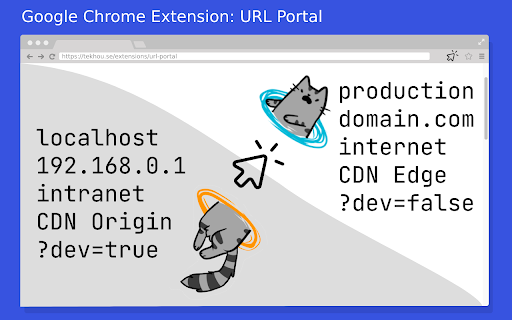
Picture this, during your daily work, you have to constantly change similar URLs from one to another.

For example, switching from local develop URL to corresponding production URL (only protocol and domain are changed, remain path and params the same), and vice versa:

http://localhost/path/to/feature/?param=value
⬆️ ⬇️
https://your-domain.com/path/to/feature/?param=value

With this extension, you can easily achieve this by editing the URL in popup. And save your frequent settings into favourite. You can even use the right click menu to quick navigate to the destination. Just like a magic portal.

✅ Manifest V3 enabled
Technical
- Version
- 1.0
- Manifest
- V3
- Size
- 349KiB
- Min Chrome
- 88
- Languages
- 1
- Featured
- No
Metadata
- ID
- ehkgmmfjcgcklijpcjlakphgaollpccp
- Developer ID
- u6a3d64722daa34ed4ef0a93798122841
- Developer Email
- [email protected]
- Created
- Jan 21, 2023
- Last Updated (Store)
- Jan 11, 2024
- Last Scraped
- Jun 2, 2026
- Website
- —
- Support URL
- —
- Privacy Policy
- —
Similar extensions
Alternatives to URL Portal: Quick Switch Domain, Path, Params, ranked by description similarity.

URL Prefix
A tool for links where URL prefix is same and suffix changes. Ideal for Jira, GitHub, and ticketing links.
1.0K
★ 5.0

Wormhole
quicker way to access frequently used url
49

Multiple URL Manager
Open multiple URLs at once and save all open tabs to a file
31

Open Environment Extension
Open current url in another tab replacing host url only but keeping the rest of the path.
6
★ 5.0

NavForward
Get rightmost URL chunk that's a number and increment it
6

NavBackward
Get rightmost URL chunk that's a number and decrement it
5

URL Saver
A simple and fashionable way to save and manage your URLs.
264
★ 5.0

URL Redirector
Automatically redirects old domains to new domains
389
Data sourced from the Chrome Web Store · last verified Jun 2, 2026.