Unknown
As of June 2026, Unknown has — users.
Usersno change0%
—
—
Ratingno change0%
—
— reviews
Reviewsno change0%
—
Version
—
90-day change · In the last 90 days this extension changed permissions.
History
1 snapshotsTracking since Apr 1, 2026.
Not enough history yet for this metric — the chart fills in as we collect more snapshots.
View as table
| Date | Users | Rating | Reviews | Version |
|---|---|---|---|---|
| Apr 1, 2026 | 4.0K | 4.33 | 9 | 1.0.0 |
| Now | — | — | — | — |
Changelog
- Apr 1, 2026description
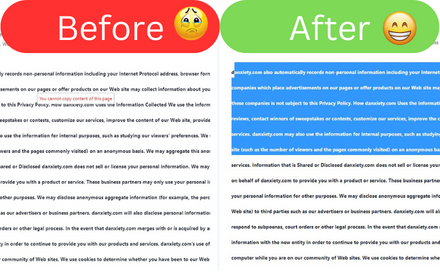
Break free from website restrictions! Allow Copy empowers you to select, copy, and interact with web content on any site.

Have you ever been frustrated by websites that prevent you from copying text, using right-click menus, or selecting content? Allow Copy is your solution to these annoying restrictions!

🚀 Key Features:

Enable Text Selection: Highlight and select text on any website.

Restore Right-Click Functionality: Access context menus with ease.

Unblock Copying: Copy text and content from previously restricted sites.

Smart Activation: Automatically detects and bypasses copy protection.

Minimal Impact: Uses advanced technology to avoid breaking website functionality.

One-Click Toggle: Easily activate or deactivate for any website.

💡 Why Choose Allow Copy?

User-Friendly: Simple one-click activation – no technical knowledge required!

Versatile: Works on a wide range of websites, from news articles to academic resources.

Non-Intrusive: Doesn't interfere with normal website functions unrelated to copying and selection.

Productivity Booster: Save time and effort when researching, studying, or gathering information online.

Free and Efficient: Enjoy unrestricted browsing at no cost.

🛠 How It Works:

Install the extension.

Click the Allow Copy icon when you encounter a restricted website.

Enjoy unrestricted selection, copying, and right-click functionality!

Don't let website limitations hinder your online experience. With Allow Copy, you're in control of how you interact with web content. Whether you're a student, researcher, professional, or casual user, Allow Copy ensures you can access and use online information efficiently.

Unlock the full potential of the web – install Allow Copy today and browse without boundaries!

Note: Please use this extension responsibly and respect copyright laws and content creators' rights.

Empower your browsing experience – get Allow Copy now and say goodbye to frustrating web restrictions!
(empty)
- Apr 1, 2026short_description
Restore the ability to copy text, save images, and enable right-click on websites.
(empty)
- Apr 1, 2026name
Allow Copy & Enable Right Click
Unknown
- Apr 1, 2026category
productivity/tools
(empty)
- Apr 1, 2026host_permissions
*://*/*
(empty)
Permissions & access
- Permissions
- None declared
- Host access
- None declared
Technical
- Version
- —
- Manifest
- —
- Size
- —
- Min Chrome
- —
- Languages
- 0
- Featured
- No
Metadata
- ID
- ehfmpjdcdldhefieelihdobnjfpalhic
- Developer ID
- —
- Developer Email
- —
- Created
- —
- Last Updated (Store)
- —
- Last Scraped
- Jun 2, 2026
- Website
- —
- Support URL
- —
- Privacy Policy
- —
Similar extensions
Alternatives to Unknown, ranked by description similarity.

Allow Copy & Enable Right Click
Remove copy protection and restore right-click functionality
5
Allow Copy
Allow Copy on every websites
353

Activate Copy and Paste
Re-enable text selection, copy, and right-click on restricted websites.
233

Enable Right Click ─ Allow Copy Everywhere
Allow copying and remove copy protection. Enable text selection, right-click menu, and context menu.
6.0K
★ 4.9

Allow Right Click & Copy
Prevents websites from blocking text selection, right-click and copying.
80

Enable Copy Paste Extension
Enable copy paste on websites that have disabled copy paste
796
★ 5.0

Enable right click - allow copy & select
Enable copy and right-click on protected websites
117
★ 5.0

Right Click & Copy Enabler
Re-enables right-click and text copying on restricted websites.
—
Data sourced from the Chrome Web Store · last verified Jun 2, 2026.