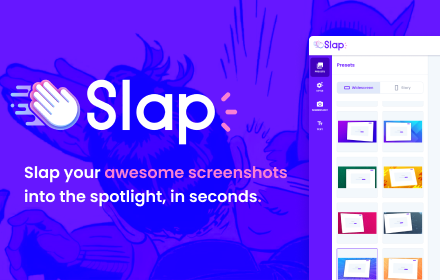
Slap — Screenshot Beautifier & Editor
Capture, beautify & share screenshots in seconds. Add backgrounds, text, highlights & effects.
As of June 2026, Slap — Screenshot Beautifier & Editor has 57 users and a 5.00/5 rating from 4 reviews in the Developer Tools category.
Usersdown 3.4 percent−3.4%
57
57
Ratingno change0%
5.00
4 reviews
Reviewsno change0%
4
Version
1.0.8
Manifest V3
90-day change · In the last 90 days this extension 2 version updates, changed permissions.
History
8 snapshotsTracking since Apr 1, 2026.
View as table
| Date | Users | Rating | Reviews | Version |
|---|---|---|---|---|
| Apr 1, 2026 | 59 | 5.00 | 4 | 1.0.5 |
| May 3, 2026 | 67 | 5.00 | 4 | 1.0.5 |
| May 9, 2026 | 55 | 5.00 | 4 | 1.0.7 |
| May 14, 2026 | 61 | 5.00 | 4 | 1.0.8 |
| May 20, 2026 | 62 | 5.00 | 4 | 1.0.8 |
| May 26, 2026 | 64 | 5.00 | 4 | 1.0.8 |
| Jun 2, 2026 | 55 | 5.00 | 4 | 1.0.8 |
| Jun 8, 2026 | 61 | 5.00 | 4 | 1.0.8 |
| Now | 57 | 5.00 | 4 | 1.0.8 |
Changelog
- May 3, 2026description
Slap your awesome screenshots, in seconds.

👉 Do you need to share some screenshots in a presentation, slides or on social posts?

We all went there, editing screenshots in a quick & dirty way using paint or powerpoint...But guess what, we can all see it is fake...

Use Slap to stand out from others and look like a pro designer.

📝 Edit a webpage: blur a part, hide another, edit a text
📷 Capture it (or upload): full page or an area
🎨 Choose your style: select a predefined style, adjust it to fit your brand
🤩 Wow your audience: copy paste or download png
Slap is the fastest way to turn plain screenshots into polished visuals.

Capture any page, area or element — then beautify it with backgrounds, text, highlights and effects. Perfect for product updates, social media, docs, Slack, and Notion.

Features:
- One-click capture (full page, area, or element)
- Beautiful gradient & solid backgrounds
- Add text with custom fonts, colors & styles
- Highlight parts of your screenshot
- Drag & resize everything on canvas
- Browser frame mockup
- Snap alignment guides (like Figma)
- Export in any dimension (landscape, portrait, custom)
- Edit page content before capturing (hide, blur, change text)
- Keyboard shortcuts for speed

Use cases:
- Changelog & release notes screenshots
- Product Hunt gallery images
- Social media posts (Twitter/X, LinkedIn)
- Blog headers & documentation
- Bug reports & Slack updates
- Before/after comparisons

Free and fast. No sign-up, no watermark (yet), no Figma detour.
Install and start shipping beautiful screenshots.
- May 3, 2026short_description
You will love sharing screenshots 🤩
Capture, beautify & share screenshots in seconds. Add backgrounds, text, highlights & effects.
- May 3, 2026name
Edit & screenshot your page with SLAP!
Slap — Screenshot Beautifier & Editor
- May 3, 2026category
productivity/communication
productivity/developer
- May 3, 2026permissions
activeTab, storage, downloads, tabs, scripting
activeTab, contextMenus, storage, downloads, tabs, scripting
Permissions & access
- Permissions
- activeTabcontextMenusstoragedownloadstabsscripting
- Host access
- http://*/*, https://*/*
Screenshots


About
Slap is the fastest way to turn plain screenshots into polished visuals.

Capture any page, area or element — then beautify it with backgrounds, text, highlights and effects. Perfect for product updates, social media, docs, Slack, and Notion.

Features:
- One-click capture (full page, area, or element)
- Beautiful gradient & solid backgrounds
- Add text with custom fonts, colors & styles
- Highlight parts of your screenshot
- Drag & resize everything on canvas
- Browser frame mockup
- Snap alignment guides (like Figma)
- Export in any dimension (landscape, portrait, custom)
- Edit page content before capturing (hide, blur, change text)
- Keyboard shortcuts for speed

Use cases:
- Changelog & release notes screenshots
- Product Hunt gallery images
- Social media posts (Twitter/X, LinkedIn)
- Blog headers & documentation
- Bug reports & Slack updates
- Before/after comparisons

Free and fast. No sign-up, no watermark (yet), no Figma detour.
Install and start shipping beautiful screenshots.
Technical
- Version
- 1.0.8
- Manifest
- V3
- Size
- 10.04MiB
- Min Chrome
- 88
- Languages
- 1
- Featured
- No
Metadata
- ID
- egoodkmbdbnciihghfplgnfngeahpbek
- Developer ID
- u7b7e52852d6f0aac773ad2baea739e0f
- Developer Email
- [email protected]
- Created
- Jul 11, 2023
- Last Updated (Store)
- May 5, 2026
- Last Scraped
- Jun 8, 2026
- Website
- slapit.io
- Support URL
- —
- Privacy Policy
- —
Similar extensions
Alternatives to Slap — Screenshot Beautifier & Editor, ranked by description similarity.

SnapStyle
Create beautiful, professional-looking screenshots with style
3

Snapkit.pro - Professional Screenshot Editor
Create beautiful, professional screenshots. For presentations, documentation, and social media.
—

SnapShot Go – Create Stunning Screenshots in Seconds
Turn boring browser screenshots into stunning, presentation-ready visuals in seconds. No Figma. No Photoshop. No design degree.
8
★ 5.0

Screencap
Fast, beautiful screenshot capture and enhancement
90
★ 5.0

Screenshot Editor
Capture screenshots and edit with professional annotation tools: highlight, arrows, text, and blur.
30
★ 5.0

SnapEdit
Chrome extension to capture full pages or selected visible areas
29
★ 5.0

FramedShot: Screenshot Frames, Mockup & Editor
Polish screenshots and tab recordings with frames, annotations, redactions, mockups, and local export.
114
★ 5.0

SnapPage Pro - Full Page Screenshot
Capture full page screenshots with advanced editing, annotations, and export to PNG, JPEG, or PDF
383
★ 5.0
Data sourced from the Chrome Web Store · last verified Jun 8, 2026.