
Grobel - Send Screenshots to Discord
Send Screenshots to Discord with a Single Button!
As of June 2026, Grobel - Send Screenshots to Discord has 92 users and a 4.00/5 rating from 1 reviews in the Workflow & Planning category.
Usersdown 5.2 percent−5.2%
92
92
Ratingno change0%
4.00
1 reviews
Reviewsno change0%
1
Version
1.0.6
Manifest V3
History
5 snapshotsTracking since Apr 20, 2026.
View as table
| Date | Users | Rating | Reviews | Version |
|---|---|---|---|---|
| Apr 20, 2026 | 97 | 4.00 | 1 | 1.0.6 |
| May 5, 2026 | 102 | 4.00 | 1 | 1.0.6 |
| May 16, 2026 | 94 | 4.00 | 1 | 1.0.6 |
| May 29, 2026 | 98 | 4.00 | 1 | 1.0.6 |
| Jun 10, 2026 | 94 | 4.00 | 1 | 1.0.6 |
| Now | 92 | 4.00 | 1 | 1.0.6 |
Permissions & access
- Permissions
- tabsactiveTabstorage
- Host access
- <all_urls>
Screenshots
About
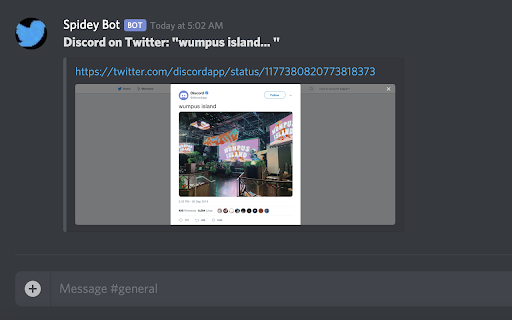
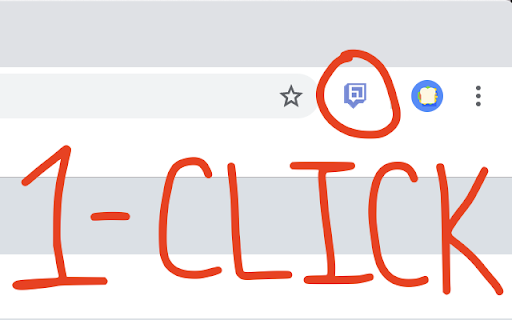
Grobel is a simple one-click method for sharing websites + screenshots to Discord.

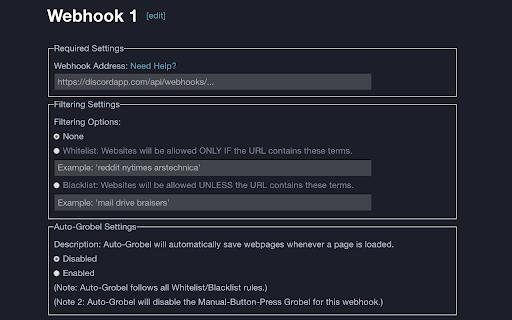
It features whitelist and blacklist functionality, so you can be selective about what you share.

As well as an 'Auto-Grobel' feature, so you can automatically track personalized histories with screenshot context.

The extension comes with a grand total of 40 webhooks.
Technical
- Version
- 1.0.6
- Manifest
- V3
- Size
- 16.67MiB
- Min Chrome
- 88
- Languages
- 1
- Featured
- Yes
Metadata
- ID
- eeobebgelloiljapehlibobeapgmoanl
- Developer ID
- u63d23e16f40d309495a13c48ff86f604
- Developer Email
- [email protected]
- Created
- Nov 2, 2019
- Last Updated (Store)
- Jun 9, 2025
- Last Scraped
- Jun 10, 2026
- Website
- —
- Support URL
- —
- Privacy Policy
- —
Similar extensions
Alternatives to Grobel - Send Screenshots to Discord, ranked by description similarity.

Grabbit
Drag to open multiple links, copy URLs with formatting, or create bookmarks instantly. Premium: AI-powered product comparison.
100.0K
★ 4.0

GoProof Web Proofing Extension
Collaborate on websites and HTML5 content through GoProof
226

Bookmarks Supercharged
Bookmark manager with auto-sort rules, full-text search, short links, duplicate cleanup, and dark mode.
3

Grok Suite
Batch-create and save AI videos and images from Grok. Auto-save, prompt tools, upscale, optional library sync.
89
★ 5.0

QuickSend
A Webhook and Whatsapp sender
27

Refiner for Grok
Professional control surface for iterative AI editing on Grok and X.com. Pin fragments, add precise instructions, manage revisions.
7

Page to guide
Convert anything on the webpage into Notion as editable and publishable how-to-guides.
10

Glubler - Gluing the Internet
Instantly save and organize websites to your Glubler account with one click!
9
★ 5.0
Data sourced from the Chrome Web Store · last verified Jun 10, 2026.