
Detachit
Detach the current tab into a new window using a keyboard shortcut.
As of June 2026, Detachit has 29 users and a 5.00/5 rating from 1 reviews in the Productivity category.
Usersup 11.5 percent+11.5%
29
29
Ratingno change0%
5.00
1 reviews
Reviewsno change0%
1
Version
1.0.1
Manifest V3
History
4 snapshotsTracking since Apr 20, 2026.
View as table
| Date | Users | Rating | Reviews | Version |
|---|---|---|---|---|
| Apr 20, 2026 | 26 | 5.00 | 1 | 1.0.1 |
| May 5, 2026 | 22 | 5.00 | 1 | 1.0.1 |
| May 16, 2026 | 33 | 5.00 | 1 | 1.0.1 |
| Jun 9, 2026 | 28 | 5.00 | 1 | 1.0.1 |
| Now | 29 | 5.00 | 1 | 1.0.1 |
Permissions & access
- Permissions
- None declared
- Host access
- None declared
Screenshots


About
Overview
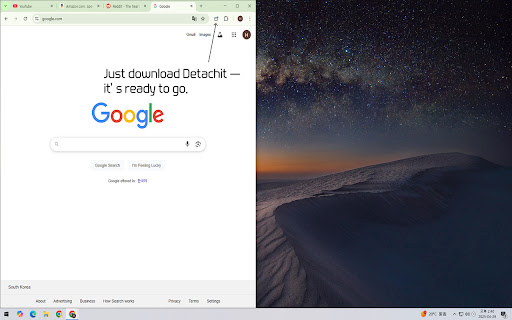
Detachit ("Detach + it") instantly moves your current tab into a new window with a single shortcut.

- One-keystroke detach: Press Ctrl+Shift+Y (Mac: ⌘+Shift+Y) to quickly open the active tab in a new window.
- Zero-click UI: No extra buttons—just install and you're ready.
- Lightweight & fast: Requires only the tabs permission with minimal performance impact.
- Built-in i18n: Automatically displays in English or Korean based on your browser language.

How to Use
1. Install Detachit from the Chrome Web Store.
2. Press Ctrl+Shift+Y (Mac: ⌘+Shift+Y) to detach your active tab.
3. To customize the shortcut, visit chrome://extensions/shortcuts.

Support Detachit
This extension is free to use.
If you find it helpful, you can support the developer via [Buy Me a Coffee](https://buymeacoffee.com/upnode).
Support is optional and not required to enjoy the extension.
Technical
- Version
- 1.0.1
- Manifest
- V3
- Size
- 37.24KiB
- Min Chrome
- 88
- Languages
- 2
- Featured
- No
Metadata
- ID
- eebfbjolhaompllgbjlpjbcapcmhopcc
- Developer ID
- uc00e2286091f9f849b0ec1a6b326ffb1
- Developer Email
- [email protected]
- Created
- Apr 30, 2025
- Last Updated (Store)
- May 6, 2025
- Last Scraped
- Jun 9, 2026
- Website
- —
- Support URL
- —
- Privacy Policy
- —
Similar extensions
Alternatives to Detachit, ranked by description similarity.

Detach Tab
Detach and Reattach tab with customizable keyboard shortcuts.
—

Quick Active Tab Extension
Interacts with the quick active tab.
6

Tab Dedup
Detects duplicate tabs and offers to switch to existing ones. Keyboard navigation and custom domain rules.
1

Shortcuts for Chrome Tab Pin & Duplicate
Keyboard shortcuts for pinning and duplicating tabs in Chrome
94

PanePro - Split Screen Layouts
Resize your tab and the ones to its right into separate, organized windows
34

Quick Tab Opener
Open single URLs and groups of URLs using fully customizable keyboard shortcuts.
8

Tab Overview
View all open tabs, filter by keywords, and close them all in one click with this extension.
56
★ 5.0

Tab Splitter
Organize and view your Chrome tabs in a beautiful split-screen layout.
9
★ 5.0
Data sourced from the Chrome Web Store · last verified Jun 9, 2026.