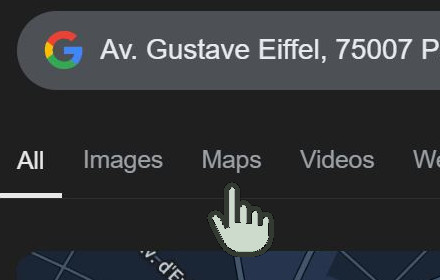
Google Search Maps Button
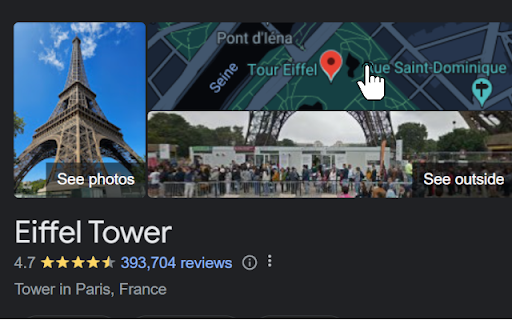
Adds back the Maps button to Google search pages and makes the search result map images clickable again for seamless navigation.
As of June 2026, Google Search Maps Button has 200,000 users and a 4.81/5 rating from 646 reviews in the Functionality & UI category.
Usersno change0%
200.0K
200,000
Ratingno change0%
4.81
646 reviews
Reviewsup 1.1 percent+1.1%
646
Version
1.2.4
Manifest V3
History
5 snapshotsTracking since Apr 18, 2026.
View as table
| Date | Users | Rating | Reviews | Version |
|---|---|---|---|---|
| Apr 18, 2026 | 200.0K | 4.81 | 639 | 1.2.4 |
| Apr 28, 2026 | 200.0K | 4.81 | 641 | 1.2.4 |
| May 14, 2026 | 200.0K | 4.81 | 640 | 1.2.4 |
| May 24, 2026 | 200.0K | 4.81 | 643 | 1.2.4 |
| Jun 3, 2026 | 200.0K | 4.81 | 644 | 1.2.4 |
| Now | 200.0K | 4.81 | 646 | 1.2.4 |
Permissions & access
- Permissions
- activeTab
- Host access
- None declared
Screenshots

About
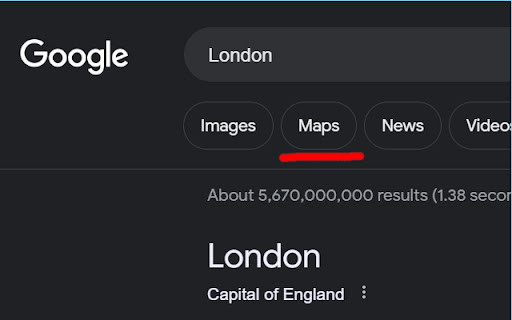
The "Google Search Maps Button" Chrome extension brings the Google Maps button back to the Google Search navigation bar for users in Europe. If you've found the Google Maps button gone or missing from your search experience, this extension is designed to address exactly that.

What it Does: This extension ensures you can access Google Maps with just one click from the Google Search page. It also makes map images clickable within search results, significantly improving your navigation experience.

Why it's Needed: In response to the Digital Markets Act (DMA), which is aimed at fostering fair competition and innovation, the Google Maps shortcut was removed for European users. This tool effectively restores that lost convenience.

Privacy and Security: Operating without saving any user data, the extension ensures your privacy and security are protected.

For anyone who's noticed the Google Maps button gone from the Google Search navigation bar in Europe, this extension provides a straightforward and effective solution, seamlessly reintegrating this essential feature into your browsing routine.


Troubleshooting steps if the extension is not working:

1. Check Plugin Status: Make sure that the plugin is enabled in your Chrome browser.

2. Verify Site Access: Open the details for this plugin under "My Extensions" and ensure that "Site Access" is enabled.
NB! For Opera users: Go to the Manage Extension section and tick the „Allow access to search page results” option. Otherwise the plugin wont work.


If you'd like to say thanks, you can do so via PayPal at [email protected]. I'm truly grateful for any support, though it's absolutely not necessary or expected.
Technical
- Version
- 1.2.4
- Manifest
- V3
- Size
- 8.97KiB
- Min Chrome
- 88
- Languages
- 1
- Featured
- No
Metadata
- ID
- edllcgchknhokighleffpipdedmpgiln
- Developer ID
- u980ba3e03a489b1fea8226dfe92fb074
- Developer Email
- [email protected]
- Created
- Feb 11, 2024
- Last Updated (Store)
- Dec 22, 2025
- Last Scraped
- Jun 3, 2026
- Website
- —
- Support URL
- —
Similar extensions
Alternatives to Google Search Maps Button, ranked by description similarity.

Restore Google Search Maps Button
Adds back the Maps button to Google search pages and makes the search result map images clickable again for seamless navigation.
507
★ 5.0

Maps Link Back
Brings back links from Google Search to Google Maps. Removed by European Union.
361
★ 4.7
Google Maps Button Reviver
Restore the 'Maps' button in your Google searches & replace the static map with an interactive one.
8.0K
★ 4.9

Maps Button for Google Search
Adds a convenient button to open locations directly in Google Maps from Google Search results and business panels
25

Clickable Google Maps
Make Google Maps images in Google Search Results clickable and add back the Maps tab for seamless navigation.
5.0K
★ 4.6

Google Maps Button Search
Restore direct map access from Google Search results with one click, bypassing recent EU regulation.
8.0K
★ 4.6
Google Maps Button Everywhere
Clickable mini maps, maps menu is back, open maps buttons everywhere in Google search. Right click search and map links history.
8.0K
★ 4.9

Google Maps Button
A browser extension that re-adds the Google Maps link to searches.
443
★ 5.0
Data sourced from the Chrome Web Store · last verified Jun 3, 2026.