
Telzio
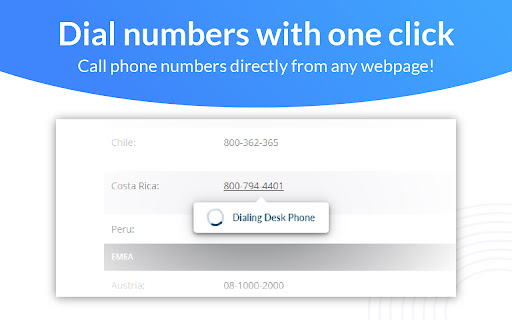
Finds phone numbers on webpages and lets you click to dial with the Telzio Webphone or directly on your desk phone or mobile app.
As of June 2026, Telzio has 536 users and a 4.33/5 rating from 6 reviews in the Communication category.
Usersup 4.3 percent+4.3%
536
536
Ratingno change0%
4.33
6 reviews
Reviewsno change0%
6
Version
1.0.9
Manifest V3
90-day change · In the last 90 days this extension 1 version update.
History
3 snapshotsTracking since Apr 22, 2026.
View as table
| Date | Users | Rating | Reviews | Version |
|---|---|---|---|---|
| Apr 22, 2026 | 514 | 4.33 | 6 | 1.0.6 |
| May 12, 2026 | 519 | 4.33 | 6 | 1.0.6 |
| Jun 7, 2026 | 528 | 4.33 | 6 | 1.0.6 |
| Now | 536 | 4.33 | 6 | 1.0.9 |
Permissions & access
- Permissions
- alarmscontextMenuscookiesscriptingactiveTabstorage
- Host access
- <all_urls>
Screenshots

About
The Telzio Chrome Extension highlights and activates phone numbers on webpages, allowing you to make calls on Telzio’s cloud-based VoIP system with ease.

Click phone numbers on any web page to automatically open and dial the Telzio Webphone or start a call directly on your desk phone. Dial your own numbers using the built-in dialpad in the extension’s easily accessible menu. The Telzio Chrome extension makes your VoIP experience streamlined and fast. Expand your calling workflow and dial numbers faster than ever!

With the Telzio Chrome Extension you can:
- Use your Telzio numbers and Users to make calls
- Choose where you want your Click-to-Dial numbers to be taken
- Click-to-dial numbers across the web

To configure Click-to-Dial functionality, click the Telzio logo in your Chrome toolbar and click the gear icon in the top right corner. For the Telzio Chrome Extension to work with your desk phone, visit https://telzio.com and set up a desk phone for your user.

Note: To use this extension, you must have an active Telzio account. Visit https://telzio.com to learn more.
Technical
- Version
- 1.0.9
- Manifest
- V3
- Size
- 773KiB
- Min Chrome
- 88
- Languages
- 1
- Featured
- No
Metadata
- ID
- edclikoemekepiinheaaogbflbgjgkam
- Developer ID
- uf94898a6f2f21064d535fad8faaa6b1e
- Developer Email
- [email protected]
- Created
- Jun 8, 2019
- Last Updated (Store)
- May 21, 2026
- Last Scraped
- Jun 7, 2026
- Website
- https://telzio.com/
- Privacy Policy
- https://telzio.com/legal/privacy
Similar extensions
Alternatives to Telzio, ranked by description similarity.

Elisha Telecom Extension (JU)
Click to dial
—

Elisha Telecom Extension (HubSpot)
Click to dial
2

PhoneHQ - Click to Call
Click to Call
19
★ 5.0

Taalk Phone Extension
Dial phone call through Taalk Phone.
8

MobeX Click2Dial
MobeX Click2Dial Chrome extension.
104

Voys Klik-en-bel
Eenvoudig bellen met één klik in je browser. De extensie die telefoonnummers direct herkent én belt.
5.0K
★ 2.1

TeleCMI - Global Business Phone System
A TeleCMI Chrome extension allows users to make phone calls directly from their web browser by clicking call button
12

TeleCMI - Business Phone System
A TeleCMI Chrome extension allows users to make phone calls directly from their web browser by clicking call button
164
Data sourced from the Chrome Web Store · last verified Jun 7, 2026.