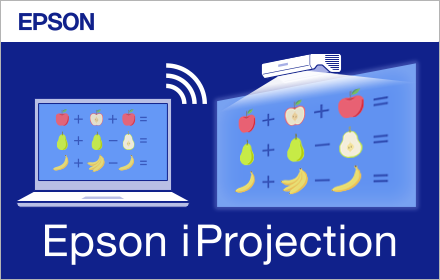
Epson iProjection
Epson iProjection for Chromebook is an intuitive mobile projection app that enables wireless projection from a Chromebook to an…
As of June 2026, Epson iProjection has 100,000 users and a 2.31/5 rating from 71 reviews.
Usersdown 66.7 percent−66.7%
100.0K
100,000
Ratingno change0%
2.31
71 reviews
Reviewsno change0%
71
Version
2.2.2
Manifest V2
90-day change · In the last 90 days this extension lost 200.0K users.
History
2 snapshotsTracking since May 12, 2026.
View as table
| Date | Users | Rating | Reviews | Version |
|---|---|---|---|---|
| May 12, 2026 | 300.0K | 2.31 | 71 | 2.2.2 |
| Jun 7, 2026 | — | 2.31 | 71 | 2.2.2 |
| Now | 100.0K | 2.31 | 71 | 2.2.2 |
Permissions & access
- Permissions
- desktopCapturesystem.displaystoragealarmsidentitysystem.networkidentity.emailidlefullscreenapp.window.fullscreen.overrideEscalwaysOnTopWindows
- Host access
- *://*/
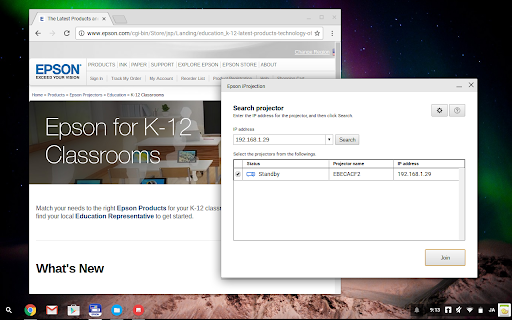
Screenshots

About
Epson iProjection for Chromebook is an intuitive mobile projection app that enables wireless projection from a Chromebook to an Epson projector with network functionality.

* Support for Chrome Apps will end in January 2025. Instead, Epson iProjection version 4.1.0 has already been released on Google Play in December 2024. To use Epson iProjection Ver.4.1.0 on a Chromebook, the Chrome extension ‘Epson iProjection Extension’ is also required. After the end of support for the Chrome Apps, install and use Epson iProjection Ver.4.1.0 and Epson iProjection Extension.
https://play.google.com/store/apps/details?id=com.epson.iprojection

Chrome, Chromebook, and Google Play are trademarks of Google LLC.


Key Features

What it enables you to do:
1.	Wirelessly display images from Chromebook™ devices
2.	With Epson iProjection for Windows/macOS/iOS/Android users can control images projected from Chromebook™ devices.
3.	Output the audio of your Chromebook™ devices from the projector.

Below features are not supported in Epson iProjection for Chromebook™
-	Automatic projector search
-	Quick connection mode
-	Moderator host
-	Interactive Pen (PC Interactivity) * Interactive projector only

*This application is tested only on Chromebook™.
*Don't plug/un-plug HDMI cable during network projection.

Projectors supported
For the list of all supported projectors, go to www.epson.com

We welcome your feedback and much appreciate your understanding that we cannot reply to you individually.

+ What's New in this Version
====================================
V2.2.2
Notification of Chrome App Support Discontinuation and Transition to Android Version
====================================
Technical
- Version
- 2.2.2
- Manifest
- V2
- Size
- 2.05MiB
- Min Chrome
- 35
- Languages
- 2
- Featured
- No
Metadata
- ID
- eckfnjciamkgacmglbfgficbidfdjpim
- Developer ID
- u94107ac55f194a4ee4e9fc0c25604283
- Developer Email
- [email protected]
- Created
- Sep 26, 2016
- Last Updated (Store)
- Dec 24, 2024
- Last Scraped
- Jun 7, 2026
- Website
- —
- Support URL
- —
- Privacy Policy
- —
Similar extensions
Alternatives to Epson iProjection, ranked by description similarity.

Epson Classroom Connect Extension
This extension allows you to share your Chromebook's screen to an Epson projector when used with the Epson Classroom Connect app.
1.0K

Epson iProjection Extension
This extension allows you to mirror your Chromebook's screen to an Epson projector when used with the Epson iProjection app.
100.0K
★ 2.3
Epson Print Admin Client
Chrome Extension for Epson Print Admin
3.0K
★ 1.0

EZCastPro
EZCast
—
★ 2.5

C-Connection
Screen projection to CASIO projector via network.
7.0K

MirrorOp Sender
Real-time screen sharing and remote desktop operations
9.0K
★ 3.0

C-Connection
Real-time screen sharing
2.0K
★ 5.0

EShare
EShare
100.0K
★ 3.4
Data sourced from the Chrome Web Store · last verified Jun 7, 2026.