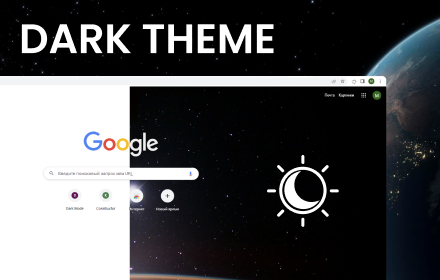
Dark Mode for Chrome
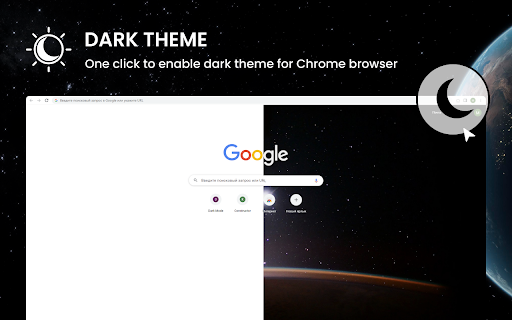
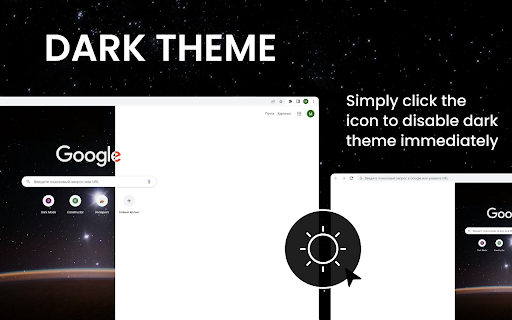
Click the icon to enable Dark Mode For Chrome. Dark theme for all website with a single move. Black theme for Chrome
As of June 2026, Dark Mode for Chrome has 1,000 users and a 4.83/5 rating from 6 reviews in the Productivity category.
Usersno change0%
1.0K
1,000
Ratingup 0.6 percent+0.6%
4.83
6 reviews
Reviewsup 20.0 percent+20.0%
6
Version
0.1.2
Manifest V3
History
1 snapshotsTracking since Apr 1, 2026.
View as table
| Date | Users | Rating | Reviews | Version |
|---|---|---|---|---|
| Apr 1, 2026 | 1.0K | 4.80 | 5 | 0.1.2 |
| Now | 1.0K | 4.83 | 6 | 0.1.2 |
Permissions & access
- Permissions
- storagecontextMenus
- Host access
- <all_urls>
Screenshots
About
"Dark Mode for Chrome" is a browser extension (plugin) for Google Chrome, which is designed to change the color scheme of your browser and web pages to dark mode. This plug-in can be especially useful at night or in low light conditions, when the bright white background of web pages and browser interfaces can be annoying or uncomfortable for the eyes.

Here are some key features and functions of "Dark Mode for Chrome":

1. **Dark Mode for Web Pages**: The plugin changes the color scheme of the web pages you open to become dark. This can reduce eye strain and make web browsing more comfortable in low light conditions.

2. **Dark Browser Interface**: In addition to web pages, the plugin also changes the colors of the Google Chrome interface, including the address bar, bookmarks bar, and menus. This creates a uniform dark style for the entire browser.

3. **Settings and Personalization**: "Dark Mode for Chrome" usually provides custom settings, allowing you to choose when and how to activate dark mode. You can turn it on by default, set up a schedule, or turn it on and off manually.

4. **Energy Saver and Reduce Eye Fatigue**: Dark Mode can help save power on laptops and monitors with OLED screens and reduce eye fatigue during prolonged computer use.

5. **Compatibility**: This plugin is generally compatible with most websites, but there may be some display issues on certain websites as they may use their own styles.

Please note that "Dark Mode for Chrome" is a third party plugin and its functionality may vary depending on the developer. To install and configure this plugin, open the Chrome Web Store and search for the plugin name, then follow the installation and configuration instructions.
Technical
- Version
- 0.1.2
- Manifest
- V3
- Size
- 257KiB
- Min Chrome
- 88
- Languages
- 54
- Featured
- No
Metadata
- ID
- ebicpcgpphapkikpnijepngcchnpmbao
- Developer ID
- udb998910ed3b227615c48170e5b93746
- Developer Email
- [email protected]
- Created
- Sep 10, 2023
- Last Updated (Store)
- Oct 11, 2023
- Last Scraped
- Jun 2, 2026
- Website
- —
- Support URL
- —
- Privacy Policy
- —
Similar extensions
Alternatives to Dark Mode for Chrome, ranked by description similarity.

Dark Mode
Dark Mode.
12

Dark Mode
Applies a smart inversion dark theme instantly at document start.
7
★ 5.0

Dark Mode Everywhere
Apply dark mode to any website with custom themes and eye strain reduction features. Perfect for night workers and developers.
11
★ 3.7

Dark Mode
Toggle dark mode on any website
23
★ 5.0

Dark Mode Toggle
Toggle dark mode on any website.
10

Dark Mode for Chrome – Simple Reader & Eye Protection Theme
Enable dark mode for every site. Enjoy clean reading & protect your eyes with a night-friendly theme for Chrome.
7.0K
★ 4.7

Classic Dark Theme for Web
Dark Mode a classic dark theme for all websites. Switch for night and day browsing
999
★ 4.7

Dark Mode Toggle
Toggle dark mode on the current webpage.
20
★ 5.0
Data sourced from the Chrome Web Store · last verified Jun 2, 2026.