
Enable Right Click +
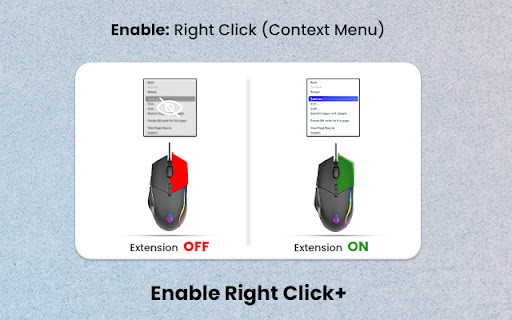
Enable copying on websites with copy protection: enable right-click and restore context menu functionality.
As of June 2026, Enable Right Click + has 429 users and a 2.50/5 rating from 2 reviews in the Accessibility category.
Usersdown 2.5 percent−2.5%
429
429
Ratingno change0%
2.50
2 reviews
Reviewsno change0%
2
Version
1.0.0
Manifest V3
History
3 snapshotsTracking since Apr 1, 2026.
View as table
| Date | Users | Rating | Reviews | Version |
|---|---|---|---|---|
| Apr 1, 2026 | 440 | 2.50 | 2 | 1.0.0 |
| May 3, 2026 | 441 | 2.50 | 2 | 1.0.0 |
| Jun 2, 2026 | 411 | 2.50 | 2 | 1.0.0 |
| Now | 429 | 2.50 | 2 | 1.0.0 |
Permissions & access
- Permissions
- activeTab
- Host access
- <all_urls>
Screenshots
About
Tired of websites restricting your ability to right-click and use the context menu? Look no further! Introducing Enable Right Click+, the ultimate solution to regain control of your browsing experience.

🔓 Unlock Restricted Features:
This powerful Chrome extension allows you to enable right-click functionality on any website, giving you the freedom to copy text, images, and other content without limitations. Say goodbye to frustrating restrictions and hello to effortless browsing.

🖱️ Effortless and Intuitive:
Enable Right Click is designed with simplicity in mind. With just a click, you can unblock the right-click option, making it easy to interact with web pages, save images, and access other context menu features without any hassle.

🛡️ Security and Privacy:
Rest assured, your security is our priority. Enable Right Click is secure to use and doesn’t compromise your privacy. It’s a reliable solution that ensures you have the tools you need without compromising your online safety.

⚙️ Customize Your Experience:
Tailor the extension to your preferences. Enable Right Click offers customization options, allowing you to choose which websites you want to enable right-click on. Enjoy a personalized browsing experience that suits your needs.

🌟 Why Choose Enable Right Click?
- **Seamless Functionality:** Effortlessly enable right-click functionality on any website.
- User-Friendly: Intuitive interface, making it accessible for users of all levels.
- Secure: Trustworthy and safe, ensuring your online security.
- Customizable: Adapt the extension to work the way you want it to.

Say goodbye to restrictions and hello to browsing freedom! Enable Right Click+ now and take back control of your online experience. It’s time to browse without boundaries! 🚀
Technical
- Version
- 1.0.0
- Manifest
- V3
- Size
- 26.77KiB
- Min Chrome
- 88
- Languages
- 1
- Featured
- Yes
Metadata
- ID
- ebhkhdfjobinchlmkiokjkolihfppghk
- Developer ID
- u3b1f5d189d8ba53278745e640bad8a6f
- Developer Email
- [email protected]
- Created
- Nov 5, 2023
- Last Updated (Store)
- Nov 5, 2023
- Last Scraped
- Jun 2, 2026
- Website
- —
- Support URL
- —
Similar extensions
Alternatives to Enable Right Click +, ranked by description similarity.

Enable Right Click
Enable Right Click on restricted websites.
7.0K
★ 4.7

Automatic Right-Click Enabler
Enable right-click functionality on websites
5
★ 1.0

Enable Copy and Allow Right Click
Enable copy, right-click, and image saving on sites that blocked them. Unlock text selection and downloads.
1.0K
★ 4.3

Allow Right Click & Copy
Prevents websites from blocking text selection, right-click and copying.
80

Enable right click - allow copy & select
Enable copy and right-click on protected websites
117
★ 5.0

Allow Copy Plus
Unlocks content with allow copy feature.
7.0K
★ 4.5

Allow Copy & Right Click
Allow Copy & Right Click on restricted websites.
1.0K
★ 5.0

Click & Copy
Restores right-click, text selection, and copy/paste on all websites.
5
Data sourced from the Chrome Web Store · last verified Jun 2, 2026.