
Base64Coder
Base64Coder is a Chrome extension that allows you to encode and decode data in Base64 format.
As of June 2026, Base64Coder has 245 users and a 5.00/5 rating from 2 reviews in the Developer Tools category.
Usersdown 5.8 percent−5.8%
245
245
Ratingno change0%
5.00
2 reviews
Reviewsno change0%
2
Version
1.28.0
Manifest V3
History
3 snapshotsTracking since Apr 1, 2026.
View as table
| Date | Users | Rating | Reviews | Version |
|---|---|---|---|---|
| Apr 1, 2026 | 260 | 5.00 | 2 | 1.28.0 |
| Apr 21, 2026 | 276 | 5.00 | 2 | 1.28.0 |
| Jun 7, 2026 | 265 | 5.00 | 2 | 1.28.0 |
| Now | 245 | 5.00 | 2 | 1.28.0 |
Permissions & access
- Permissions
- contextMenus
- Host access
- None declared
Screenshots
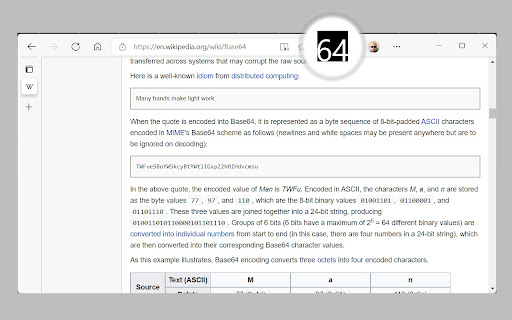

About
Base64Coder is a powerful and versatile Chrome extension designed to simplify encoding, decoding, and working with Base64 data, including JWT (JSON Web Tokens) and images. Whether you're a developer, data analyst, or someone who frequently handles Base64 strings, JWTs, or images, this tool provides a seamless experience with its intuitive interface, dark theme support, customizable hotkeys, and unique image-to-Base64 conversion feature. Encode text, files or even images from web pages to Base64, decode Base64 data, or inspect JWT tokens—all within your browser.

Key Features:

- Encode to Base64: Instantly convert plain text, files, or URLs into Base64 format.
- Decode from Base64: Decode Base64 strings back to their original text, file, or image format.
- JWT Decoding: Decode JSON Web Tokens (JWT) to view the header, payload, and signature details.
- Image to Base64: Copy images directly from web pages and convert them to Base64 format in one click.
- Dark Theme Support: A sleek, eye-friendly dark theme for comfortable use in low-light environments.
- Hotkeys for Speed: Keyboard shortcuts to speed up encoding, decoding, and other actions.
- Clipboard Integration: Copy encoded or decoded results (including Base64 images) to your clipboard instantly.
- File Handling: Encode and decode files directly within the extension.
- Lightweight & Fast: Minimal resource usage for quick and efficient performance.

Ideal For:

- Developers working with APIs, data encoding, JWT authentication, or Base64 image handling.
- Data analysts handling Base64-encoded datasets, inspecting JWT tokens, or working with Base64 images.
- Designers or content creators needing to extract and encode images from web pages.
- Anyone needing quick Base64 conversions, JWT decoding, or image encoding with a streamlined workflow.

Transform your workflow with Base64Coder—install it today and enjoy a faster, smoother, and more feature-rich experience!
Technical
- Version
- 1.28.0
- Manifest
- V3
- Size
- 203KiB
- Min Chrome
- 88
- Languages
- 1
- Featured
- Yes
Metadata
- ID
- ebgonfpmppfndacngpbmgajldoabnjkm
- Developer ID
- u46c2e13f94cfd6818e34202e034b22ef
- Developer Email
- [email protected]
- Created
- Feb 16, 2022
- Last Updated (Store)
- Apr 15, 2025
- Last Scraped
- Jun 7, 2026
- Website
- —
- Support URL
- —
Similar extensions
Alternatives to Base64Coder, ranked by description similarity.

Base64 - Encoder & Decoder
Quickly encode or decode Base64 text with proper UTF-8 support — fully offline and local.
4

Base64 Decode and Encode - Online
Decode from Base64 format or encode into it with various options. Our extension has an easy-to-use online tool to convert data
185

Base64 Image Converter
Convert images to Base64 strings and Base64 to images with a professional interface.
6

Base64 Decoder
Simple Base64 Decoder is a Chrome extension to instantly base64 decode and base64 encode online. A quick, easy-to-use B64 decoder!
413
★ 5.0

Base64 Buddy
Encode or decode selected text to/from Base64
17

New Instant Base64
Right-click on any image to copy its Base64 encoding to clipboard
98

en/de coder
A simple encoder/decoder for Base64, Hex, and URI
20
★ 5.0

Base64ly
Instant Base64 encode/decode with zero friction. Auto-detects and converts clipboard content.
12
Data sourced from the Chrome Web Store · last verified Jun 7, 2026.