
MozBar
SEO Toolbar by Moz
As of June 2026, MozBar has 900,000 users and a 3.32/5 rating from 2,537 reviews in the Productivity category.
Usersno change0%
900.0K
900,000
Ratingno change0%
3.32
2.5K reviews
Reviewsdown 0.1 percent−0.1%
2.5K
Version
5.0.15
Manifest V3
90-day change · In the last 90 days this extension 4 version updates, changed permissions.
History
7 snapshotsTracking since Apr 1, 2026.
View as table
| Date | Users | Rating | Reviews | Version |
|---|---|---|---|---|
| Apr 1, 2026 | 900.0K | 3.32 | 2.5K | 4.1.1 |
| Apr 21, 2026 | 900.0K | 3.32 | 2.5K | 4.1.1 |
| May 11, 2026 | 1.0M | 3.32 | 2.5K | 4.1.1 |
| Jun 1, 2026 | 900.0K | 3.32 | 2.5K | 5.0.12 |
| Jun 4, 2026 | 900.0K | 3.32 | 2.5K | 5.0.12 |
| Jun 7, 2026 | 900.0K | 3.32 | 2.5K | 5.0.13 |
| Jun 12, 2026 | 900.0K | 3.32 | 2.5K | 5.0.14 |
| Now | 900.0K | 3.32 | 2.5K | 5.0.15 |
Changelog
- Jun 12, 2026description
MozBar: The All-In-One SEO Toolbar

Analyze SEO metrics, audit on-page elements, and track Domain Authority in real-time.

The industry’s most trusted SEO extension has been completely re-engineered. MozBar V5 is a faster, more powerful SEO toolkit built for the modern web. Whether you are performing competitive research or a technical site audit, MozBar provides instant data as you analyze websites.

What’s New in Version 5:

We’ve rebuilt MozBar from the ground up to ensure it never slows down your workflow:

• Lightning-Fast Performance: A modern framework ensures zero lag while browsing.
• Smart Data Caching: New 48-hour caching reduces redundant API calls, helping you stay within your Moz Pro query limits.
• Customizable UI: Dock the toolbar to the top, bottom, left, or right—keep your workspace clear.
• Enhanced Link Summaries: Advanced internal link reporting with precise counts and alt-text audits.

Key SEO Features:

1. Instant Authority Metrics
View Domain Authority (DA), Page Authority (PA), and the exclusive Brand Authority metric the moment you land on a page.

2. On-Page SEO Highlighter
Identify and categorize links instantly. Visualize Followed, No-Follow, External, and Internal links with color-coded overlays.

3. Technical SEO Audits
No more digging through source code. Audit Schema markup, hreflang tags, robots.txt, and Sitemaps in one click.

4. SERP Analysis & CSV Export
Compare link metrics across any Google Search Result Page (SERP) and export your findings to a CSV for easy reporting.

5. Keyword & Content Insights
Access Moz Pro data to view a site’s top-ranking keywords and get real-time Page Optimization scores.

👥 Choose Your Access Level:

• Guest: Free access to On-Page Elements, General Attributes, and Internal Link details.
• Community (Free Account): Everything in Guest Mode + DA and PA metrics.
• Moz Pro Subscribers: The full power of Moz. Unlock Spam Score, Page Optimization, Domain Analysis, and Keyword Ranking queries.

Why Choose MozBar?

MozBar is the preferred browser extension for SEOs, marketers, and developers worldwide. By integrating Moz’s world-class data directly into your Chrome browser, you can make data-driven decisions faster than ever before.

Join the community of over 1 million SEO professionals. Download MozBar V5 today.

Last Updated: June 4, 2026

Fixes:
Fixed On-Page Grader scores
Added "Follow Links" underline as a new category in the link highlighter.
MozBar: The All-In-One SEO Toolbar

Analyze SEO metrics, audit on-page elements, and track Domain Authority in real-time.

The industry’s most trusted SEO extension has been completely re-engineered. MozBar V5 is a faster, more powerful SEO toolkit built for the modern web. Whether you are performing competitive research or a technical site audit, MozBar provides instant data as you analyze websites.

What’s New in Version 5:

We’ve rebuilt MozBar from the ground up to ensure it never slows down your workflow:

• Lightning-Fast Performance: A modern framework ensures zero lag while browsing.
• Smart Data Caching: New 48-hour caching reduces redundant API calls, helping you stay within your Moz Pro query limits.
• Customizable UI: Dock the toolbar to the top, bottom, left, or right—keep your workspace clear.
• Enhanced Link Summaries: Advanced internal link reporting with precise counts and alt-text audits.

Key SEO Features:

1. Instant Authority Metrics
View Domain Authority (DA), Page Authority (PA), and the exclusive Brand Authority metric the moment you land on a page.

2. On-Page SEO Highlighter
Identify and categorize links instantly. Visualize Followed, No-Follow, External, and Internal links with color-coded overlays.

3. Technical SEO Audits
No more digging through source code. Audit Schema markup, hreflang tags, robots.txt, and Sitemaps in one click.

4. SERP Analysis & CSV Export
Compare link metrics across any Google Search Result Page (SERP) and export your findings to a CSV for easy reporting.

5. Keyword & Content Insights
Access Moz Pro data to view a site’s top-ranking keywords and get real-time Page Optimization scores.

👥 Choose Your Access Level:

• Guest: Free access to On-Page Elements, General Attributes, and Internal Link details.
• Community (Free Account): Everything in Guest Mode + DA and PA metrics.
• Moz Pro Subscribers: The full power of Moz. Unlock Spam Score, Page Optimization, Domain Analysis, and Keyword Ranking queries.

Why Choose MozBar?

MozBar is the preferred browser extension for SEOs, marketers, and developers worldwide. By integrating Moz’s world-class data directly into your Chrome browser, you can make data-driven decisions faster than ever before.

Join the community of over 1 million SEO professionals. Download MozBar V5 today.

Last Updated: June 9, 2026

Fixes:
Fixed On-Page Grader scores (v5.0.14)
Added "Follow Links" underline as a new category in the link highlighter. (v5.0.14)
Resolved conflict with sites using various WordPress themes (dark mode toggle issues, interfering with site elements). (v.5.0.15)
- Jun 7, 2026description
MozBar: The All-In-One SEO Toolbar

Analyze SEO metrics, audit on-page elements, and track Domain Authority in real-time.

The industry’s most trusted SEO extension has been completely re-engineered. MozBar V5 is a faster, more powerful SEO toolkit built for the modern web. Whether you are performing competitive research or a technical site audit, MozBar provides instant data as you analyze websites.

What’s New in Version 5:

We’ve rebuilt MozBar from the ground up to ensure it never slows down your workflow:

• Lightning-Fast Performance: A modern framework ensures zero lag while browsing.
• Smart Data Caching: New 48-hour caching reduces redundant API calls, helping you stay within your Moz Pro query limits.
• Customizable UI: Dock the toolbar to the top, bottom, left, or right—keep your workspace clear.
• Enhanced Link Summaries: Advanced internal link reporting with precise counts and alt-text audits.

Key SEO Features:

1. Instant Authority Metrics
View Domain Authority (DA), Page Authority (PA), and the exclusive Brand Authority metric the moment you land on a page.

2. On-Page SEO Highlighter
Identify and categorize links instantly. Visualize Followed, No-Follow, External, and Internal links with color-coded overlays.

3. Technical SEO Audits
No more digging through source code. Audit Schema markup, hreflang tags, robots.txt, and Sitemaps in one click.

4. SERP Analysis & CSV Export
Compare link metrics across any Google Search Result Page (SERP) and export your findings to a CSV for easy reporting.

5. Keyword & Content Insights
Access Moz Pro data to view a site’s top-ranking keywords and get real-time Page Optimization scores.

👥 Choose Your Access Level:

• Guest: Free access to On-Page Elements, General Attributes, and Internal Link details.
• Community (Free Account): Everything in Guest Mode + DA and PA metrics.
• Moz Pro Subscribers: The full power of Moz. Unlock Spam Score, Page Optimization, Domain Analysis, and Keyword Ranking queries.

Why Choose MozBar?

MozBar is the preferred browser extension for SEOs, marketers, and developers worldwide. By integrating Moz’s world-class data directly into your Chrome browser, you can make data-driven decisions faster than ever before.

Join the community of over 1 million SEO professionals. Download MozBar V5 today.
MozBar: The All-In-One SEO Toolbar

Analyze SEO metrics, audit on-page elements, and track Domain Authority in real-time.

The industry’s most trusted SEO extension has been completely re-engineered. MozBar V5 is a faster, more powerful SEO toolkit built for the modern web. Whether you are performing competitive research or a technical site audit, MozBar provides instant data as you analyze websites.

What’s New in Version 5:

We’ve rebuilt MozBar from the ground up to ensure it never slows down your workflow:

• Lightning-Fast Performance: A modern framework ensures zero lag while browsing.
• Smart Data Caching: New 48-hour caching reduces redundant API calls, helping you stay within your Moz Pro query limits.
• Customizable UI: Dock the toolbar to the top, bottom, left, or right—keep your workspace clear.
• Enhanced Link Summaries: Advanced internal link reporting with precise counts and alt-text audits.

Key SEO Features:

1. Instant Authority Metrics
View Domain Authority (DA), Page Authority (PA), and the exclusive Brand Authority metric the moment you land on a page.

2. On-Page SEO Highlighter
Identify and categorize links instantly. Visualize Followed, No-Follow, External, and Internal links with color-coded overlays.

3. Technical SEO Audits
No more digging through source code. Audit Schema markup, hreflang tags, robots.txt, and Sitemaps in one click.

4. SERP Analysis & CSV Export
Compare link metrics across any Google Search Result Page (SERP) and export your findings to a CSV for easy reporting.

5. Keyword & Content Insights
Access Moz Pro data to view a site’s top-ranking keywords and get real-time Page Optimization scores.

👥 Choose Your Access Level:

• Guest: Free access to On-Page Elements, General Attributes, and Internal Link details.
• Community (Free Account): Everything in Guest Mode + DA and PA metrics.
• Moz Pro Subscribers: The full power of Moz. Unlock Spam Score, Page Optimization, Domain Analysis, and Keyword Ranking queries.

Why Choose MozBar?

MozBar is the preferred browser extension for SEOs, marketers, and developers worldwide. By integrating Moz’s world-class data directly into your Chrome browser, you can make data-driven decisions faster than ever before.

Join the community of over 1 million SEO professionals. Download MozBar V5 today.

Last Updated: June 4, 2026

Fixes:
Fixed On-Page Grader scores
Added "Follow Links" underline as a new category in the link highlighter.
- May 11, 2026description
The all new MozBar V4 from Moz!

Last Updated - December 13, 2024 (Version 4.1.1)

Community Users get access to Domain Authority and Page Authority - up to 1,000 calls per month.
Moz Pro Users: Access to all metrics & additional features from Moz Pro, including Spam Score


The all-in-one SEO toolbar for research on the go.
- *NEW* Popup extension complements the metrics bar (MozBar) SEOs have used for years.
- Rebuilt dark mode and Moz Pro navigation mode offer greater flexibility and accessibility.
- Quickly assess the Page Authority and Domain Authority of any site or page.
- *NEW* to MozBar V4: Brand Authority, Moz’s exclusive metric that measures a brand’s strength and influence, is available to all MozBar Premium users
- Find and highlight keywords on a page and differentiate links by type: Followed, No-Followed, External, or Internal.
- Rebuilt Page Analysis provides all the on-page elements you’ve come to love with MozBar and the new ability to identify hreflang tags, robots.txt, and sitemap URLs.
- *NEW* identify and copy schema markup on web pages for a simpler auditing process.
- *NEW* tap into your Moz Pro keyword queries to get a snapshot of a website’s top-ranking keywords.
- Access and compare link metrics across pages while viewing any SERP.
- Export your search engine results page (SERP) analysis details to a CSV file.
- Get instant page optimization details and know which factors are impacting a page’s ability to rank.

4.1.1 Updates:
- Fixed CSS conflicts with certain websites
- Introduced SERP Overlay on Places (Beta Feature)
- Fixed issue where highlight links function didn't carry over to subsequent pages
- Redirect path now shows in HTTP Status tab

4.1.0 Updates:
- Brought DA mode back -- enabled by default, can disable it in the Settings tab
- Brought "Log in with Moz Pro" function back
- Fixed issue with Spain missing from Search Profile dropdown menu
- Data update with SERP Overlay function

4.0.9 Updates:
- Updated Quotas language on MozBar for Community and Pro users
- Removed Blank Meta Description Column (we decided not to pull that due to issues pulling it w/ - - - Show Remaining Quota on MozBar
- Blocklist language update
- Highlight Links - fix implemented to nofollow function
- Accept all types of email addresses on login function
- Fixed issue related Mozbar- seated users not able to use main account's quota

4.0.8 Updates:
- Added Spam Score to Link Metrics tab
- After logging in, settings tab opens up
- Resolved issue where DA & PA did not show on new URLs
- Added ability to click on Helpful and Hurting scores to access the respective tabs
- Added link on Home tab to MozBar Feature Access Levels
MozBar: The All-In-One SEO Toolbar

Analyze SEO metrics, audit on-page elements, and track Domain Authority in real-time.

The industry’s most trusted SEO extension has been completely re-engineered. MozBar V5 is a faster, more powerful SEO toolkit built for the modern web. Whether you are performing competitive research or a technical site audit, MozBar provides instant data as you analyze websites.

What’s New in Version 5:

We’ve rebuilt MozBar from the ground up to ensure it never slows down your workflow:

• Lightning-Fast Performance: A modern framework ensures zero lag while browsing.
• Smart Data Caching: New 48-hour caching reduces redundant API calls, helping you stay within your Moz Pro query limits.
• Customizable UI: Dock the toolbar to the top, bottom, left, or right—keep your workspace clear.
• Enhanced Link Summaries: Advanced internal link reporting with precise counts and alt-text audits.

Key SEO Features:

1. Instant Authority Metrics
View Domain Authority (DA), Page Authority (PA), and the exclusive Brand Authority metric the moment you land on a page.

2. On-Page SEO Highlighter
Identify and categorize links instantly. Visualize Followed, No-Follow, External, and Internal links with color-coded overlays.

3. Technical SEO Audits
No more digging through source code. Audit Schema markup, hreflang tags, robots.txt, and Sitemaps in one click.

4. SERP Analysis & CSV Export
Compare link metrics across any Google Search Result Page (SERP) and export your findings to a CSV for easy reporting.

5. Keyword & Content Insights
Access Moz Pro data to view a site’s top-ranking keywords and get real-time Page Optimization scores.

👥 Choose Your Access Level:

• Guest: Free access to On-Page Elements, General Attributes, and Internal Link details.
• Community (Free Account): Everything in Guest Mode + DA and PA metrics.
• Moz Pro Subscribers: The full power of Moz. Unlock Spam Score, Page Optimization, Domain Analysis, and Keyword Ranking queries.

Why Choose MozBar?

MozBar is the preferred browser extension for SEOs, marketers, and developers worldwide. By integrating Moz’s world-class data directly into your Chrome browser, you can make data-driven decisions faster than ever before.

Join the community of over 1 million SEO professionals. Download MozBar V5 today.
- May 11, 2026short_description
MozBar extension
SEO Toolbar by Moz
- May 11, 2026host_permissions
<all_urls>
https://api.moz.com/*, https://stage.api.moz.com/*, https://staging.api.moz.com/*, https://development.api.moz.com/*, https://lsapi.seomoz.com/*, https://moz.com/*, https://*.moz.com/*, http://localhost/*
- May 11, 2026permissions
tabs, activeTab, storage, cookies, webRequest
tabs, storage, activeTab, webNavigation, cookies
Permissions & access
- Permissions
- tabsstorageactiveTabwebNavigationcookies
- Host access
- https://api.moz.com/*, https://stage.api.moz.com/*, https://staging.api.moz.com/*, https://development.api.moz.com/*, https://lsapi.seomoz.com/*, https://moz.com/*, https://*.moz.com/*, http://localhost/*
Screenshots


About
MozBar: The All-In-One SEO Toolbar

Analyze SEO metrics, audit on-page elements, and track Domain Authority in real-time.

The industry’s most trusted SEO extension has been completely re-engineered. MozBar V5 is a faster, more powerful SEO toolkit built for the modern web. Whether you are performing competitive research or a technical site audit, MozBar provides instant data as you analyze websites.

What’s New in Version 5:

We’ve rebuilt MozBar from the ground up to ensure it never slows down your workflow:

• Lightning-Fast Performance: A modern framework ensures zero lag while browsing.
• Smart Data Caching: New 48-hour caching reduces redundant API calls, helping you stay within your Moz Pro query limits.
• Customizable UI: Dock the toolbar to the top, bottom, left, or right—keep your workspace clear.
• Enhanced Link Summaries: Advanced internal link reporting with precise counts and alt-text audits.

Key SEO Features:

1. Instant Authority Metrics
View Domain Authority (DA), Page Authority (PA), and the exclusive Brand Authority metric the moment you land on a page.

2. On-Page SEO Highlighter
Identify and categorize links instantly. Visualize Followed, No-Follow, External, and Internal links with color-coded overlays.

3. Technical SEO Audits
No more digging through source code. Audit Schema markup, hreflang tags, robots.txt, and Sitemaps in one click.

4. SERP Analysis & CSV Export
Compare link metrics across any Google Search Result Page (SERP) and export your findings to a CSV for easy reporting.

5. Keyword & Content Insights
Access Moz Pro data to view a site’s top-ranking keywords and get real-time Page Optimization scores.

👥 Choose Your Access Level:

• Guest: Free access to On-Page Elements, General Attributes, and Internal Link details.
• Community (Free Account): Everything in Guest Mode + DA and PA metrics.
• Moz Pro Subscribers: The full power of Moz. Unlock Spam Score, Page Optimization, Domain Analysis, and Keyword Ranking queries.

Why Choose MozBar?

MozBar is the preferred browser extension for SEOs, marketers, and developers worldwide. By integrating Moz’s world-class data directly into your Chrome browser, you can make data-driven decisions faster than ever before.

Join the community of over 1 million SEO professionals. Download MozBar V5 today.

Last Updated: June 9, 2026

Fixes:
Fixed On-Page Grader scores (v5.0.14)
Added "Follow Links" underline as a new category in the link highlighter. (v5.0.14)
Resolved conflict with sites using various WordPress themes (dark mode toggle issues, interfering with site elements). (v.5.0.15)
Technical
- Version
- 5.0.15
- Manifest
- V3
- Size
- 445KiB
- Min Chrome
- 88
- Languages
- 1
- Featured
- No
Metadata
- ID
- eakacpaijcpapndcfffdgphdiccmpknp
- Developer ID
- u50ad95f154de273f733390ea80b20221
- Developer Email
- [email protected]
- Created
- Jul 23, 2010
- Last Updated (Store)
- Jun 10, 2026
- Last Scraped
- Jun 17, 2026
- Website
- moz.com
- Support URL
- https://moz.com/help
- Privacy Policy
- https://moz.com/privacy-policy
Similar extensions
Alternatives to MozBar, ranked by description similarity.
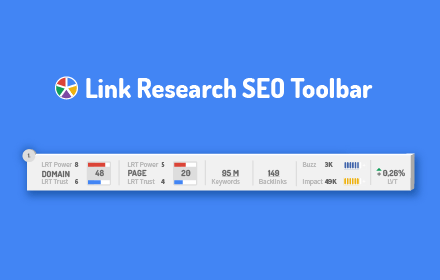
Link Research SEO Toolbar
Enjoy looking at the most advanced SEO metrics while you search the Web.
10.0K
★ 4.4

SEO Metrics Snapshot
Complete SEO analysis: Domain Authority, Page Authority, On-Page, Links, Images, Social Previews, and Schema Markup.
540
★ 4.9

SEO Extension [Metrics, Backlinks, On-Page]
Speed up your SEO routine with SEO extension by Mangools. See the important metrics & website insights on a click.
60.0K
★ 4.3

Buzzmatic Advanced SEO-Toolbar
Professional SEO analysis tool with comprehensive page insights, accessibility testing, and quick access to essential SEO resources.
127
★ 5.0

Orca SEO - Your All-in-One SEO Extension
Optimize your website with Orca SEO. Analyze SEO, check broken links, preview SERPs, and simulate rankings.
500
★ 5.0

Domain Authority Checker - Google SERP
Check domain and page authority metrics for any website, both in Google search results and via popup
1.0K
★ 3.8

Sprout SEO Extension 🌱
Speed up your daily SEO routine, get one-click insights on any page you're on. Sprout is for marketers who take SEO seriously.
3.0K
★ 5.0
SEO Tools
Modern SEO toolkit with indexability check, schema validation, link analysis. Integrates Google Search Console, Ahrefs, Archive.org.
83
Data sourced from the Chrome Web Store · last verified Jun 17, 2026.