
Chrome Color Picker
With Color Picker you can pick colors from inside and outside the browser.
As of June 2026, Chrome Color Picker has 273 users and a 5.00/5 rating from 2 reviews in the Developer Tools category.
Usersdown 8.4 percent−8.4%
273
273
Ratingno change0%
5.00
2 reviews
Reviewsno change0%
2
Version
0.1.1
Manifest V3
History
3 snapshotsTracking since Apr 1, 2026.
View as table
| Date | Users | Rating | Reviews | Version |
|---|---|---|---|---|
| Apr 1, 2026 | 298 | 5.00 | 2 | 0.1.1 |
| May 3, 2026 | 329 | 5.00 | 2 | 0.1.1 |
| Jun 2, 2026 | 316 | 5.00 | 2 | 0.1.1 |
| Now | 273 | 5.00 | 2 | 0.1.1 |
Permissions & access
- Permissions
- storage
- Host access
- None declared
Screenshots


About
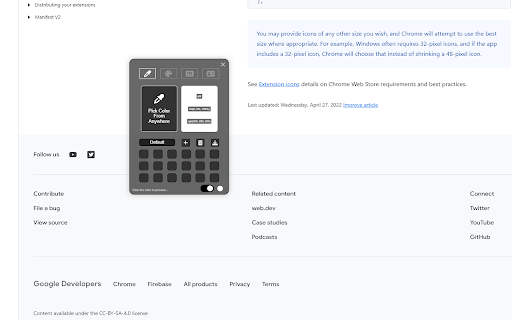
With Color Picker you can pick colors from inside and outside the browser.Simply copy the code and paste it for your use. you can costum collections and more...
Here is how to use the Color Picker for Chrome:
✓ After installing visit any webpage from where you want to grab a color code
✓ Then click on the extension icon and it will enable the color picker
✓ Now tap on the desired point and it will give you the info of that color code in HEX, HSL and RGB options
✓ Click on the color code to Copy the code and replicate the same steps to find another color code.
✓ You can create different collections with different colors and download it as excel file.
Technical
- Version
- 0.1.1
- Manifest
- V3
- Size
- 109KiB
- Min Chrome
- 88
- Languages
- 1
- Featured
- Yes
Metadata
- ID
- eajgjbilafcioiaojbaoodldoomnbnng
- Developer ID
- u064f265f3c12f796cf7aaeb3332260ea
- Developer Email
- [email protected]
- Created
- Oct 5, 2022
- Last Updated (Store)
- Jul 31, 2023
- Last Scraped
- Jun 2, 2026
- Website
- —
- Support URL
- —
- Privacy Policy
- —
Similar extensions
Alternatives to Chrome Color Picker, ranked by description similarity.

Color Picker Extension
A simple color picker extension created by Arshad Ali.
39

Color Picker for Chrome™
HEX, RGB Color picker, Advanched Eyedropper, Find color code on any page
700.0K
★ 4.0

Stark Color Picker
The tool for selecting colors on your computer and on Web pages is a Google Chrome extension.
4
★ 5.0

Color Picker Plus
Grab colors from any website with the color picker extension.
281

Easy Color Picker
A beautiful, professional color picker with Hex, RGB, and transparency support
10
★ 5.0

Color Picker Chrome extension
Color Picker Chrome extension addon lets you to pick color from any webpage
70.0K
★ 4.1

Color Picker HEX | Eyedropper | Pick color from image
Pick colors from image or screen. Extract HEX and RGB color codes. Advanced Color Picker for Chrome.
100.0K
★ 5.0

ColorPick Eyedropper
Webpage Color Picker with Eyedropper & History show
862
★ 5.0
Data sourced from the Chrome Web Store · last verified Jun 2, 2026.