
Color Picker
Pick HTML and CSS color values (HEX,RGB,RGBa,HSL,HSLa) from a Wheel!
As of June 2026, Color Picker has 244 users and a 1.00/5 rating from 8 reviews.
Usersdown 6.9 percent−6.9%
244
244
Ratingno change0%
1.00
8 reviews
Reviewsno change0%
8
Version
1.0.0.60
Manifest V2
History
3 snapshotsTracking since Apr 1, 2026.
View as table
| Date | Users | Rating | Reviews | Version |
|---|---|---|---|---|
| Apr 1, 2026 | 262 | 1.00 | 8 | 1.0.0.60 |
| May 3, 2026 | 268 | 1.00 | 8 | 1.0.0.60 |
| Jun 2, 2026 | 257 | 1.00 | 8 | 1.0.0.60 |
| Now | 244 | 1.00 | 8 | 1.0.0.60 |
Permissions & access
- Permissions
- storageclipboardWritefullscreen
- Host access
- None declared
Screenshots


About
Pick HTML and CSS color values (HEX,RGB,RGBa,HSL,HSLa) from a color wheel image.

Simple to use, just click-on a color to get the color values.

FEATURES:...
- There is a 'Picked List'. The 'Picked List' is a list of all the color values that have been set(clicked-on). The values can be displayed in HEX, RGB, RGBa, HSL, HSLa format.

- 'Data Manage' controls to save picked lists to storage. This feature is in testing but is operational.

OPERATION:...
- Click-on or touch the color wheel image to set a value.

- The set value is displayed in the HEX, RGB, RGBa, HSL, HSLa text boxes. These values will not change until another color value is set(clicked-on).

- Use the 'CopyClip' buttons to copy the value to the clipboard. You can then paste this value to another application. You can also click into the HEX, RGB, RGBa, HSL, HSLa text boxes and select the value.

- If you have a mouse, then as you move over the image, the examples will change as the mouse pointer moves.


UPDATES:
March 2016:
- Changed location of 'CopyClip' buttons.
- Added set color example area.
Febuary 2016:
- Changed layout of application controls. Moved picked list to below color wheel image.
- Enhance controls and added full screen button.

NOTES:
Minimum Chrome Version 29.

USER LICENSE:
After a trial period some features are disabled.
On purchase of a user license disabled features will be enabled.
Use the 'Pricing' button to see current pricing.
Use the 'Buy' button to purchase a user license.

SUPPORT:
Please use the Chrome Web Store support options to contact the developer.
Support Email: [email protected]
Support Web Site: lessteele.net

DEVELOPER:
Les Steele,
Chief Bottle Top Washer,
SSoftWare (Steele SoftWare).
An Australian small business.
Technical
- Version
- 1.0.0.60
- Manifest
- V2
- Size
- 454KiB
- Min Chrome
- 29
- Languages
- 4
- Featured
- No
Metadata
- ID
- dpdjpheikkiakpalfiejfedacijmjbea
- Developer ID
- ub74d13c5342d51b76e20395251a421c5
- Developer Email
- [email protected]
- Created
- Dec 23, 2014
- Last Updated (Store)
- Mar 8, 2016
- Last Scraped
- Jun 2, 2026
- Website
- lessteele.net
- Support URL
- http://lessteele.net/colorpicker/
- Privacy Policy
- —
Similar extensions
Alternatives to Color Picker, ranked by description similarity.
Chroma
Pick a color. Choose a shade. PROFIT. If you are in dire need of a superb color picker, you’ve found it!
7.0K
★ 4.6
Easy Color Picker
Grab colors from webpages anytime, instant color picker and personal color history.
8.0K
★ 4.5
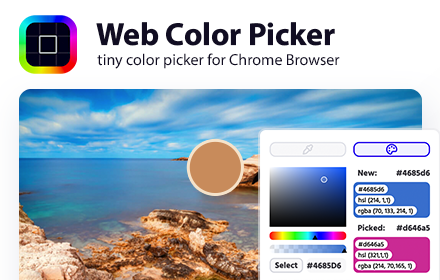
Web Color Picker - online color grabber
Grab colors from web pages. Color picker, color history. Live smart color picker tool in HEX, RGBA. Eyedropper colorpick for free
30.0K
★ 4.0

Simple Color Picker
A simple and powerful color picker extension with eyedropper functionality
5

AKColor
The first 3D color selection tool with integrated eye dropper.
2.0K
★ 4.9
Unknown
—

ColorPick Eyedropper
A zoomed eyedropper & color chooser tool that allows you to select color values from webpages and more.
900.0K
★ 4.2

TintTaster
Pick any color from any page with EyeDropper or precision loupe. Copy HEX/RGB/HSL, export, and check WCAG contrast.
43
Data sourced from the Chrome Web Store · last verified Jun 2, 2026.