
WordLens - Smart Dictionary
Instantly understand any word with definitions, pronunciation, etymology, prefix/suffix analysis, and more. Just select a word!
As of June 2026, WordLens - Smart Dictionary has 30 users and a 5.00/5 rating from 5 reviews in the Productivity category.
Usersup 15.4 percent+15.4%
30
30
Ratingno change0%
5.00
5 reviews
Reviewsup 66.7 percent+66.7%
5
Version
0.0.1
Manifest V3
History
6 snapshotsTracking since Apr 1, 2026.
View as table
| Date | Users | Rating | Reviews | Version |
|---|---|---|---|---|
| Apr 1, 2026 | 26 | 5.00 | 3 | 0.0.1 |
| Apr 19, 2026 | 27 | 5.00 | 3 | 0.0.1 |
| Apr 29, 2026 | 32 | 5.00 | 3 | 0.0.1 |
| May 16, 2026 | 34 | 5.00 | 3 | 0.0.1 |
| May 25, 2026 | 31 | 5.00 | 3 | 0.0.1 |
| Jun 4, 2026 | 36 | 5.00 | 5 | 0.0.1 |
| Now | 30 | 5.00 | 5 | 0.0.1 |
Permissions & access
- Permissions
- storage
- Host access
- https://*/*
Screenshots


About
WordLens – Smart Dictionary & Etymology Tool for the Web

WordLens is a lightweight browser extension that helps you instantly understand any word while reading online. Instead of opening new tabs or interrupting your focus, WordLens lets you select a word on any webpage and see its meaning immediately in a clean popup.

The extension is designed for readers, students, and professionals who want to improve their vocabulary and comprehension without breaking their reading flow.

How WordLens Works

When you select a single word on a webpage, WordLens automatically analyzes it and displays a compact popup near the selected text. The popup provides clear definitions, pronunciation, examples, and word structure insights. Everything appears instantly on the page you are reading, so there is no need to switch tabs or search manually.

WordLens only activates for valid single words and does nothing when text selections are not relevant, keeping the experience smooth and distraction-free.

Key Features

- Instant Word Lookup
Select any word on a webpage to view its meaning instantly. No typing, no searching, and no page reloads.

- Clear Definitions with Examples
Each word includes concise definitions organized by part of speech, along with real-world usage examples to help you understand context.

- Pronunciation with Audio
Listen to the correct pronunciation directly from the popup to improve speaking and listening skills.

- Smart Etymology Analysis
WordLens breaks words into prefixes, roots, and suffixes when applicable. It explains what each part means, helping you understand how the word is formed and why it carries its meaning.

- Synonyms and Antonyms
Expand your vocabulary by viewing related words and opposites for better expression and comprehension.

Two-Tab Interface

- Definition Tab shows meanings, examples, pronunciation, and related words

- Etymology Tab shows word structure, prefix and suffix explanations, and historical origin

Why Install WordLens

Reading online often introduces unfamiliar words that interrupt your focus. Traditional dictionary tools require opening a new tab, copying the word, and switching back and forth. WordLens removes this friction entirely.

With a simple word selection, you get everything you need directly on the page you are reading. This makes WordLens especially useful for:

- Students reading articles, textbooks, or research papers

- Developers, writers, and professionals reading technical content

- Language learners building vocabulary naturally while browsing

- Anyone who wants faster and smoother word understanding

By explaining not just the meaning of a word but also its structure and origin, WordLens helps users learn more deeply and remember words more effectively.

Thoughtful Design and Performance

WordLens is built to feel fast and unobtrusive:

- Clean white interface that blends naturally with webpages

- Compact popup size that does not cover important content

- Keyboard support with Escape key to close

- Click-outside dismissal for intuitive control

- Efficient caching for faster repeated lookups

- Debounced selection handling to avoid unnecessary processing

The extension respects system appearance preferences and is designed to work consistently across different websites.

Privacy and Safety

WordLens does not track your browsing activity or collect personal data. It only processes the word you select in order to show its definition and analysis. No user accounts are required, and no background tracking is performed.

- Simple to Use

- Browse any website

- Select a single word by double-clicking or dragging

- View definitions, pronunciation, and etymology instantly

- Press Escape or click outside the popup to close

There are no complicated settings or learning curves. WordLens works automatically once installed.

Built with Modern Web Technologies

WordLens is developed using modern browser extension technologies to ensure reliability, performance, and compatibility with the latest versions of Chrome.

Open Source and Actively Maintained

WordLens is an open-source project, and contributions are welcome. The extension is continuously improved with a focus on clarity, performance, and user experience.

If you regularly read content online and want a faster, smarter way to understand words without losing focus, WordLens is a simple and effective tool to add to your browser.
Technical
- Version
- 0.0.1
- Manifest
- V3
- Size
- 122KiB
- Min Chrome
- 88
- Languages
- 1
- Featured
- No
Metadata
- ID
- dolgephofidmbocpenhhdanfmmfbadik
- Developer ID
- u21160fa159e18e0d07bcfc43ec06bef5
- Developer Email
- [email protected]
- Created
- Dec 19, 2025
- Last Updated (Store)
- Dec 19, 2025
- Last Scraped
- Jun 4, 2026
- Website
- —
- Support URL
- —
- Privacy Policy
- http://wordlens.mohitkholiya.in/privacy-policy
Similar extensions
Alternatives to WordLens - Smart Dictionary, ranked by description similarity.

Dictionary
View definitions with a click as you browse the web.
23
★ 5.0

LexiClick
LexiClick: Instantly access definitions, examples, synonyms, and antonyms on double-click, plus AI-driven search for deeper insights
12
★ 5.0

Origin ai
Enhance your reading experience by analyzing selected words. Get instant access to meanings, etymology, usage examples and synonyms.
15
★ 5.0
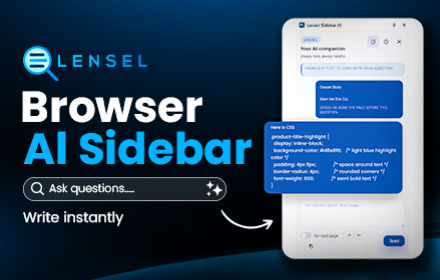
AI Sidebar - Lensel: Ask Any Page Without Leaving It
AI on your sidebar. Highlight text to ask questions instantly with full context, or autofill inputs with smart suggestions.
—
★ 5.0

Wordmemo Translate
Translate selected text using Google or Bing. Save words to Wordmemo and learn them. Supports 100+ languages.
27
★ 4.5

Mark My Words - Highlighting and translating words on any page.
Select any text to translate and save it.
10
★ 5.0

Explain It
A better way to browse the web.
Tired of opening new tabs just to understand a single word? This AI-powered research tool helps you…
5
★ 5.0

Dictionary For Chrome
Use this extension to find the definition of any word you want or simply select text to get the meaning
3
Data sourced from the Chrome Web Store · last verified Jun 4, 2026.