Img2Go - Photo Editor & Image Converter
Solve all your image editing and conversion needs with this free All-in-One online image tool.
As of May 2026, Img2Go - Photo Editor & Image Converter has 153 users and a 3.14/5 rating from 7 reviews.
Usersup 7.0 percent+7.0%
153
153
Ratingno change0%
3.14
7 reviews
Reviewsno change0%
7
Version
3.0.2
Manifest V2
History
3 snapshotsTracking since Apr 1, 2026.
View as table
| Date | Users | Rating | Reviews | Version |
|---|---|---|---|---|
| Apr 1, 2026 | 143 | 3.14 | 7 | 3.0.2 |
| Apr 30, 2026 | 159 | 3.14 | 7 | 3.0.2 |
| May 28, 2026 | 158 | 3.14 | 7 | 3.0.2 |
| Now | 153 | 3.14 | 7 | 3.0.2 |
Permissions & access
- Permissions
- None declared
- Host access
- None declared
Screenshots
About
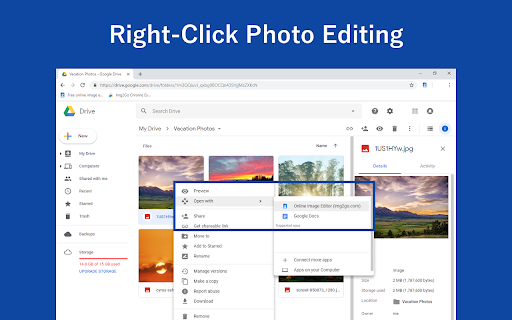
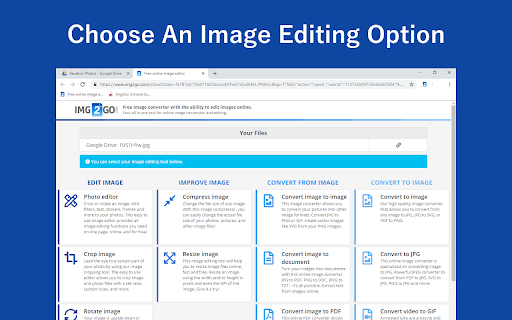
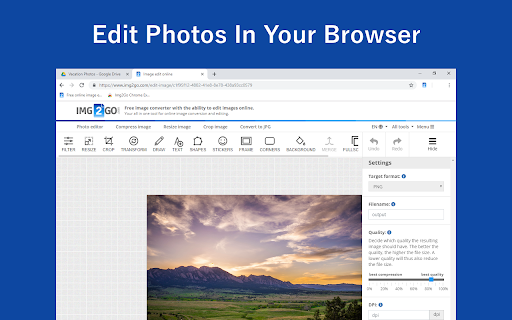
Img2Go.com is an online image editor that allows you to edit image files and photos in many different ways. You can also convert different files to the most common and widely supported image formats. The image editing suite contains the following tools:

- Edit photos
- Crop images
- Rotate images
- Add watermarks
- Reduce image file size
- Change image dimensions
- Convert to image
- Convert images to documents

There are several different things you can do with this image editing tool. For example:

- Turn PDFs and other documents into images
- Add drawings, boxes, arrows or texts to an image
- Change the file size of a photo to upload it to social media
- Rotate images that are upside-down or sideways
- Extract text from an image
- Create PowerPoint presentations from your photos
- Convert RAW camera images
- Turn videos into animated GIFs

One of the best things about Img2Go.com is that it is highly versatile. Turn any kind of file into a JPG, PNG, GIF, TIFF or even SVG image. You can easily make an animated GIF from a video or add text and overlays or filters to your photos.

Furthermore, you can choose from different advanced options that improve the quality of your images, changes the colors, and more. You can deskew slightly crooked images or create a black-and-white vector graphic from a raster image.
Technical
- Version
- 3.0.2
- Manifest
- V2
- Size
- 9.56KiB
- Min Chrome
- —
- Languages
- 1
- Featured
- No
Metadata
- ID
- dmganeddmfnjonjmhgaplbolaoapmlan
- Developer ID
- uecdcff6eb7b6923713a09b6036d62afe
- Developer Email
- [email protected]
- Created
- Dec 6, 2018
- Last Updated (Store)
- Feb 21, 2019
- Last Scraped
- May 28, 2026
- Website
- img2go.com
- Support URL
- —
- Privacy Policy
- —
Similar extensions
Alternatives to Img2Go - Photo Editor & Image Converter, ranked by description similarity.

PDF2Go - PDF Editor & Converter
PDF2Go.com is an online PDF editor that allows you to edit PDF documents, as well as to convert many different files to PDF.
2.0K
★ 2.5
Online Image Editor (img2go.com)
Edit and convert images.
50.0K
★ 4.8

Image Editor & Tools - iLoveIMG
Easily edit, convert or download web page images and screenshots with iLoveIMG
10.0K
★ 4.0
Online Image Editor for Google Drive
Install for edit your images quickly.
6

RegiAI - Free Image Tools
Free image tools: convert, compress, resize, crop, rotate & watermark images. Works offline. By RegiAI.
1

FotoJet
Free online graphic designer, collage maker and photo editor!
20.0K
★ 4.8

OneImage Convert
Convert images between popular formats without leaving your browser.
—

Free Document Maker - Image Converter
Convert images to JPG, PNG, or WebP instantly inside Chrome. 100% free, offline, no signup.
7
Data sourced from the Chrome Web Store · last verified May 28, 2026.