
Outline AI
Easily Create Outline Using the Latest AI!
As of June 2026, Outline AI has 2 users in the Productivity category.
Usersno change0%
2
2
Ratingno change0%
—
— reviews
Reviewsno change0%
—
Version
1.0.2
Manifest V3
History
7 snapshotsTracking since Apr 1, 2026.
View as table
| Date | Users | Rating | Reviews | Version |
|---|---|---|---|---|
| Apr 1, 2026 | — | — | — | 1.0.2 |
| Apr 17, 2026 | — | — | — | 1.0.2 |
| Apr 24, 2026 | 1 | — | — | 1.0.2 |
| May 8, 2026 | 3 | — | — | 1.0.2 |
| May 24, 2026 | 2 | — | — | 1.0.2 |
| May 31, 2026 | 5 | — | — | 1.0.2 |
| Jun 6, 2026 | 3 | — | — | 1.0.2 |
| Now | 2 | — | — | 1.0.2 |
Permissions & access
- Permissions
- identityidentity.email
- Host access
- None declared
Screenshots


About
This app lets you easily create outlines with AI.
Just by conveying the content you want to create, the latest AI features will automatically summarize it.

Even if you only provide a rough idea of what you want to create, it will still compile an outline for you. Alternatively, it can also summarize information from documents such as websites and PDFs, as well as from images and audio.

It is used in various situations such as:
- Brainstorming ideas
- Writing and composition
- Visualizing research papers
- Building presentation frameworks
- Organizing study and review notes
- Planning new businesses or services
- Structuring solutions for problem-solving

It can be used for any task that benefits from an outline, and users have found many creative ways to apply it. If you are looking for a way to visualize and organize ideas, give it a try.

[Features]
- Intuitive operability
  Ease of use is the most important factor. It runs smoothly, and you can intuitively edit your outlines.

- Rich visual representation
  You can customize the colors to match your preferences, making it easy to create visually appealing outlines.

- Linking functionality
  You can insert links, making it convenient to reference related websites within each item.

- Ready to use
  You can use it immediately without registering an account.

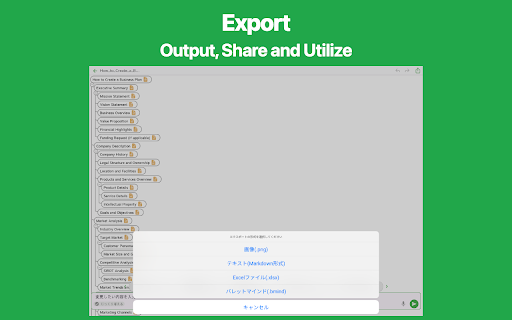
- Export and Share
  You can export your outlines and share them.

- Import
  Exported files can be imported and edited.

- Dark theme support
  Since it supports a dark theme, it is also ideal for use at night.
Technical
- Version
- 1.0.2
- Manifest
- V3
- Size
- 41.07KiB
- Min Chrome
- 88
- Languages
- 55
- Featured
- No
Metadata
- ID
- dmadaimajjgjlcmbcigfkokbkjlkfjmj
- Developer ID
- u9d5434cdc6341a085f2e6b870a9d78cf
- Developer Email
- [email protected]
- Created
- Mar 27, 2026
- Last Updated (Store)
- Mar 31, 2026
- Last Scraped
- Jun 6, 2026
- Website
- tanaike.jp
- Support URL
- https://tanaike.jp/contact/
- Privacy Policy
- https://tanaike.jp/tospp
Data sourced from the Chrome Web Store · last verified Jun 6, 2026.