
Tab navigator
Opens a popup with a list to help navigate through your many tabs.
As of May 2026, Tab navigator has 50 users and a 5.00/5 rating from 3 reviews in the Workflow & Planning category.
Usersup 13.6 percent+13.6%
50
50
Ratingno change0%
5.00
3 reviews
Reviewsno change0%
3
Version
1.0.1
Manifest V3
History
3 snapshotsTracking since Apr 1, 2026.
View as table
| Date | Users | Rating | Reviews | Version |
|---|---|---|---|---|
| Apr 1, 2026 | 44 | 5.00 | 3 | 1.0.1 |
| Apr 30, 2026 | 43 | 5.00 | 3 | 1.0.1 |
| May 28, 2026 | 44 | 5.00 | 3 | 1.0.1 |
| Now | 50 | 5.00 | 3 | 1.0.1 |
Permissions & access
- Permissions
- tabsstorage
- Host access
- None declared
Screenshots


About
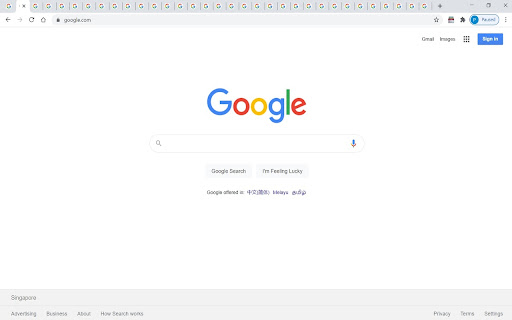
The tab navigator helps you to find the tab that you want to go to if you have so many tabs that you can't even see the title, especially if you have multiple windows with too many tabs.

By opening the tab navigator, a popup with a list opens up, and you can see through the list of tabs and windows, and click the one that you want to go to. But make sure that you don't want to click on the blue underlined link title. Just click on the list item white space if you want to navigate to the link. But if you want to create a new link with the same URL, then do click the link.

Attributions: Icons are made by Pixel perfect and Freepik from flaticon.com

Patch 1.0.1:
- Minor bug fixes
- Default title changed
Technical
- Version
- 1.0.1
- Manifest
- V3
- Size
- 290KiB
- Min Chrome
- 88
- Languages
- 1
- Featured
- Yes
Metadata
- ID
- dlmhgcbkonnmalnafcmmhaodaghnallm
- Developer ID
- ua13a99d0719b46fa4267a844bc0ca501
- Developer Email
- [email protected]
- Created
- Feb 10, 2021
- Last Updated (Store)
- Feb 14, 2021
- Last Scraped
- May 28, 2026
- Website
- —
- Support URL
- —
- Privacy Policy
- —
Similar extensions
Alternatives to Tab navigator, ranked by description similarity.

TabList
Replaces new tab page with a list of all open tabs and groups. Useful for managing many tabs.
5

Nav-Tabs
Effortlessly control tabs and windows at your fingertips.
6
★ 5.0

NetSuite Help Center Actual Page Title
Puts the title of what you have opened in the actual tab title, and changes the tab icon, in the NS Help Center.
35

Fresh New Tab
Changes the regular new tab page to Fresh New Tab
18
★ 5.0
TitleTab - Speed Dial Dashboard
TitleTab Extension: speed dial dashboard, prevent accidental tab closure, and easy open tab saving.
1.0K
★ 4.4

Tab Renamer
Rename browser tabs to easily manage multiple tabs
3

TabFinder
Back to the previous or last visit tab easily!
3

Rename Tab Title
Renames the Tab Title
20.0K
★ 4.1
Data sourced from the Chrome Web Store · last verified May 28, 2026.