
Docknote — Side Panel Notes, Web Clipper & Markdown
Clip the page you're reading into a markdown note in your side panel — a faster web clipper that never leaves your tab.
As of July 2026, Docknote — Side Panel Notes, Web Clipper & Markdown has — users in the Workflow & Planning category.
Usersno change0%
—
—
Ratingno change0%
—
— reviews
Reviewsno change0%
—
Version
0.1.0
Manifest V3
History
1 snapshotsTracking since Jul 6, 2026.
Not enough history yet for this metric — the chart fills in as we collect more snapshots.
View as table
| Date | Users | Rating | Reviews | Version |
|---|---|---|---|---|
| Jul 6, 2026 | — | — | — | 0.1.0 |
| Now | — | — | — | 0.1.0 |
Permissions & access
- Permissions
- sidePanelcontextMenustabsstorageunlimitedStorage
- Host access
- None declared
Screenshots


About
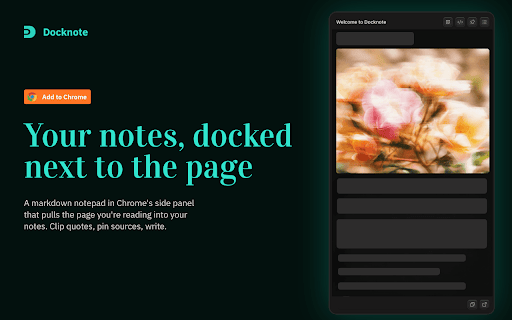
Docknote is a markdown notepad that lives in your browser's side panel and pulls the page you're reading straight into your notes. Read an article, pin the source, clip a quote, keep writing — without ever leaving the tab.

- Reading the news or a long article? Pin the page and drop in the lines that matter, each with a timestamped source link.
- Researching a paper or a purchase? Keep one note open across a dozen tabs — every source lands in the same place.
- Collecting quotes? Right-click any selection → Clip to Docknote, formatted as a clean blockquote with citation.
- Working across apps? Pop the note into a floating, always-on-top window and write while you read a PDF or IDE.

Features:
- Side panel notes — always one click away, docked next to the page
- Markdown editor — real markdown, live, with a proper editing experience
- Web clipper — pull page text, links, and images into your notes
- One note, many tabs — a note isn't chained to a single page
- Local & private — your notes stay on your device
- Follows your system theme automatically—no toggle needed.

Great as a side panel notepad, markdown notes app, web clipper, or research notes tool.
Technical
- Version
- 0.1.0
- Manifest
- V3
- Size
- 408KiB
- Min Chrome
- 88
- Languages
- 1
- Featured
- No
Metadata
- ID
- dlkpbdhhlkofgbmimapojbpobhpfdced
- Developer ID
- u16fbaf167b903441b17f0c10867d842d
- Developer Email
- [email protected]
- Created
- Jul 5, 2026
- Last Updated (Store)
- Jul 5, 2026
- Last Scraped
- Jul 6, 2026
- Website
- —
- Support URL
- https://patrickxin.dev/
- Privacy Policy
- https://patrickxin.dev/docknote/privacy/
Data sourced from the Chrome Web Store · last verified Jul 6, 2026.