
ClickTuto
Create step-by-step tutorials by clicking. Capture screenshots, annotate with arrows & blur, export as HTML, PDF or Markdown.
As of June 2026, ClickTuto has 3 users and a 5.00/5 rating from 1 reviews in the Productivity category.
Usersno change0%
3
3
Ratingno change0%
5.00
1 reviews
Reviewsno change0%
1
Version
0.9.2
Manifest V3
History
2 snapshotsTracking since Jun 2, 2026.
Not enough history yet for this metric — the chart fills in as we collect more snapshots.
View as table
| Date | Users | Rating | Reviews | Version |
|---|---|---|---|---|
| Jun 2, 2026 | — | — | — | 0.9.2 |
| Jun 8, 2026 | — | — | — | 0.9.2 |
| Now | 3 | 5.00 | 1 | 0.9.2 |
Permissions & access
- Permissions
- activeTabtabsstoragescripting
- Host access
- <all_urls>
Screenshots
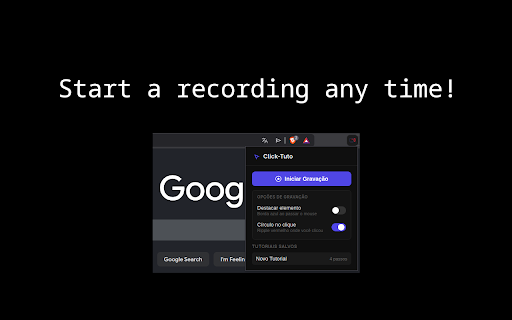


About
Click-Tuto records your clicks, captures screenshots, and lets you annotate each step with arrows, highlights, blur regions and text labels. Export your tutorial as Markdown (ZIP), self-contained HTML, or PDF.
Technical
- Version
- 0.9.2
- Manifest
- V3
- Size
- 729KiB
- Min Chrome
- 88
- Languages
- 1
- Featured
- No
Metadata
- ID
- dlkbiggcieclgklpmpiidbcgdglddmlf
- Developer ID
- u3a662ae85fe92b750fe066fb5599849f
- Developer Email
- [email protected]
- Created
- Jun 1, 2026
- Last Updated (Store)
- Jun 1, 2026
- Last Scraped
- Jun 8, 2026
- Website
- —
- Support URL
- —
Data sourced from the Chrome Web Store · last verified Jun 8, 2026.