
Secure Tab Locker - Domain Password Protection
Protect your browsing with domain-specific passwords for enhanced privacy and security.
As of May 2026, Secure Tab Locker - Domain Password Protection has 81 users and a 3.50/5 rating from 2 reviews in the Productivity category.
Usersno change0%
81
81
Ratingno change0%
3.50
2 reviews
Reviewsno change0%
2
Version
1.0.0
Manifest V3
History
4 snapshotsTracking since Apr 1, 2026.
View as table
| Date | Users | Rating | Reviews | Version |
|---|---|---|---|---|
| Apr 1, 2026 | 81 | 3.50 | 2 | 1.0.0 |
| Apr 21, 2026 | 79 | 3.50 | 2 | 1.0.0 |
| May 6, 2026 | 86 | 3.50 | 2 | 1.0.0 |
| May 31, 2026 | 85 | 3.50 | 2 | 1.0.0 |
| Now | 81 | 3.50 | 2 | 1.0.0 |
Permissions & access
- Permissions
- storagetabs
- Host access
- <all_urls>
Screenshots
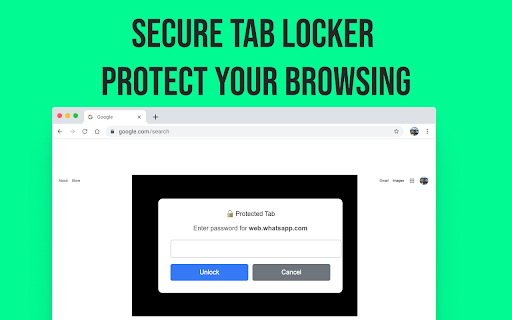
About
Tab Lock is a powerful Chrome extension that lets you password-protect any website or browser tab, helping you keep your private browsing secure and distractions under control.

Whether you're looking to lock social media, protect email accounts, or limit access to sensitive pages, Tab Lock gives you complete control with simple, fast protection. Perfect for parents, professionals, students, and anyone who shares their device.

Key Features:

🔐 Set passwords for specific websites (like Facebook, Gmail, YouTube, etc.)

🧠 Lock tabs when switching between them

⏳ Auto-lock tabs after inactivity or a custom timer

🛡️ Fake tab mode to disguise locked tabs

🕒 Schedule lock hours for productivity (e.g., during work hours)

👀 Stealth mode – Hide the extension from the toolbar

Why Tab Lock?

Maintain privacy on shared devices

Improve focus by blocking distractions

Add an extra layer of security to sensitive pages

Easy setup with no login or cloud required

Ideal For:
Productivity lovers, parents, freelancers, students, remote workers, and anyone who values digital privacy and focus.

🔐 Install Tab Lock now and take control of your tabs and time!

Keywords:
tab lock extension
Technical
- Version
- 1.0.0
- Manifest
- V3
- Size
- 28.1KiB
- Min Chrome
- 88
- Languages
- 1
- Featured
- No
Metadata
- ID
- dkneokmoogckkhikapljkbbmnhmppiae
- Developer ID
- u64eb2eb15de238a0c6c915fba20a5634
- Developer Email
- [email protected]
- Created
- Aug 14, 2025
- Last Updated (Store)
- Aug 14, 2025
- Last Scraped
- May 31, 2026
- Website
- —
- Support URL
- —
- Privacy Policy
- https://greelogix.com/privacy-policy-chrome-extension/
Similar extensions
Alternatives to Secure Tab Locker - Domain Password Protection, ranked by description similarity.

Tab Locker
Password-lock any browser tab to hide its content from view
191
★ 1.0

TaskLock - Tab Locker & Productivity
Ultimate productivity: Lock tabs, block distracting sites, focus timer, analytics. Boost focus and eliminate distractions!
25

BrowserLock
Lock your Chrome browser with a password. Requires authentication on startup to prevent unauthorized access.
44

BrowserLocker
Password-protect your browser with customizable inactivity timeout and instant lock functionality
407
★ 3.0

Chrome Profile Lock
Password protection for Chrome profiles with auto-lock on inactivity
197
★ 5.0

Tab Lock - Secure Any Website Easily
Enhance privacy and security by locking any browser tab with a PIN - works on all websites
1.0K
★ 3.1

Tab Guardian
Lock, hide, auto-close and track your open tabs for privacy and productivity
22

Password Protect
Lock your Browser profile behind a local password gate.
121
★ 5.0
Data sourced from the Chrome Web Store · last verified May 31, 2026.