
ShadyVault - Encrypted storage for Chrome OS
Provides an encrypted storage for Chrome OS
As of May 2026, ShadyVault - Encrypted storage for Chrome OS has 55 users and a 3.31/5 rating from 13 reviews.
Usersdown 20.3 percent−20.3%
55
55
Ratingno change0%
3.31
13 reviews
Reviewsno change0%
13
Version
1.0.9
Manifest V2
History
3 snapshotsTracking since Apr 1, 2026.
View as table
| Date | Users | Rating | Reviews | Version |
|---|---|---|---|---|
| Apr 1, 2026 | 69 | 3.31 | 13 | 1.0.9 |
| May 1, 2026 | 63 | 3.31 | 13 | 1.0.9 |
| May 30, 2026 | 61 | 3.31 | 13 | 1.0.9 |
| Now | 55 | 3.31 | 13 | 1.0.9 |
Permissions & access
- Permissions
- notificationsstoragefileSystemunlimitedStoragefileSystemProvideridentity
- Host access
- https://www.googleapis.com/
Screenshots


About
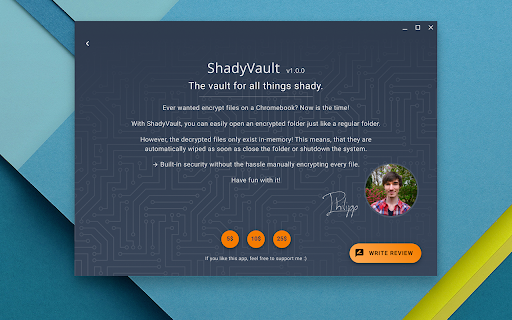
Ever wanted to encrypt files on your chromebook? Now is the time!

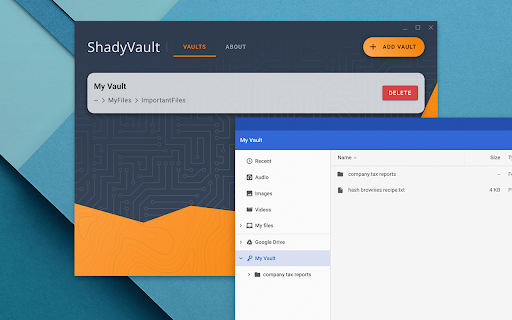
With ShadyVault, you can easily open an encrypted folder just like a regular one.

However, the decrypted files only exist in-memory! This means, that they are automatically wiped as soon as you close the folder or shutdown the system.

-> Built-in security without the hassle of manually encrypting every file.

Have fun with it!
Technical
- Version
- 1.0.9
- Manifest
- V2
- Size
- 1.68MiB
- Min Chrome
- 23
- Languages
- 1
- Featured
- No
Metadata
- ID
- djicjdfediokekikonchokdpahljllgp
- Developer ID
- u1fc047521a5b2c6bde93d312e15375e1
- Developer Email
- [email protected]
- Created
- May 1, 2019
- Last Updated (Store)
- Jan 12, 2020
- Last Scraped
- May 30, 2026
- Website
- —
- Support URL
- —
- Privacy Policy
- —
Similar extensions
Alternatives to ShadyVault - Encrypted storage for Chrome OS, ranked by description similarity.

Easy Encrypt
Local text encryption, decryption, Base64 encoding, and SHA-256 hashing with safer key handling
36
★ 5.0

File Safe
Secure document storage with encryption and folder management
181
★ 5.0

SimpleCrypt
Simple encrypt and decrypt files to share with someone securely
108
★ 4.0

Encryptify - Secure Encryption
Encrypt & decrypt text securely in your browser with AES-256. No data collection, fully offline.
4

Cipher Vault: Secure Key Generator
Professional cryptographic tool with advanced entropy controls.
1

Simple Note v2
A simple note Chrome extension v2
5

Keylocker
Keylocker: A simple extension to manage and import private and public keys.
16
★ 5.0

Simple Note
A simple note Chrome extension
18
★ 5.0
Data sourced from the Chrome Web Store · last verified May 30, 2026.